Sidify Spotify Music Converter is desinged to convert Spotify music to multiple formats like MP3, FLAC or more. Does Sidify still work in 2026? Is Sidify safe to use?
In this article, we conduct a hands-on review of Sidify Spotify Music Converter’s pricing, actual bitrate and audio quality of output files, conversion speed, and more. After reading this article, you can get a full and objective review of Sidify Spotify Music Converter and know whether Sidify Spotify Music Converter is worth purchasing in 2026.
See also: How to Convert YouTube Music to MP3 in 2026
Sidify Spotify Music Converter is a professional tool that can help you convert Spotify songs, playlists, and albums and keep them forever. It supports multiple formats, such as MP3, AAC, WAV, FLAC, AIFF, and ALAC, as well as batch downloads and ID3 tag preservation.
| Feature | Details |
|---|---|
| Operating Systems | Windows 8 or later; macOS 11 or later; Android 5 or later |
| Input Source | Spotify |
| Supported Content | Songs, albums, playlists, podcasts, and audiobooks |
| Output Formats | MP3, AAC, WAV, FLAC, AIFF, ALAC |
| Batch Conversion | √ |
| Playlist Support | √ |
| ID3 Tag Preservation | √ |
Sidify Spotify Music Converter offers a free trial for new users, but its functionality is limited to downloading the first minute of each song. To convert full tracks, playlists, and podcasts and unlock all features, you need to purchase the paid version.
Currently, the main pricing options for Sidify Spotify Music Converter are as follows:
| Plan | Pricing | License Scope | Refund Policy |
|---|---|---|---|
| Free Trial | $0 | The first 1 minute of each song | - |
| 1-Year Plan | $44.95 / Year | 1 PC/Mac + 1 Android | 5-Day Money Back Guarantee |
| Lifetime | $89.90 / Lifetime | 1 PC/Mac + 1 Android | 30-Day Money Back Guarantee |
| Feature | Free Trial | Paid Version |
|---|---|---|
| Full-Length Song Conversion | × First minute of each track |
√ |
| Access to Full Interface | √ | √ |
| Up to 10× Faster Batch Conversion | × | √ |
| Original Audio Quality & ID3 Tag Preservation | × | √ |
| Audio Format Conversion | × | √ |
| Audible Audiobook Conversion | × | √ |
| CD Burning & ID3 Tag Editor | × | √ |
| Free Updates & Priority Support | × | √ |
Sidify runs promotions from time to time, especially around anniversaries, Black Friday, Christmas, and other major holidays. Discounts typically range from 40% to 45%. You can visit its official website for the latest offers.
In addition, Sidify offers several ways to obtain free or discounted license codes by sharing your user experience. Visit this page for more information.
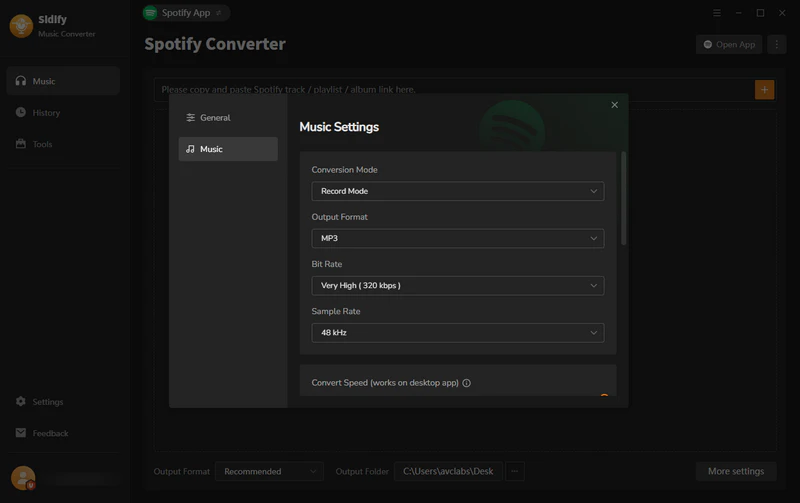
Before converting, users can customize their preferred output format (MP3, AAC, WAV, FLAC, AIFF, or ALAC), bitrate, sample rate, output folder, file name, and file organization options (Playlist, Artist, Album, Genre, Year, or Disc Number).
To evaluate Sidify's actual conversion performance, we used MediaInfo, a tool that supports batch analysis of audio files, to test the actual bitrates and sample rates of five types of Spotify content, including individual tracks, playlists, albums, audiobooks, and podcasts.
Test Environment:
| Track Type | Name/Link | Track Info | Output Format | Actual Quality | Download Time | Success Rate |
|---|---|---|---|---|---|---|
| Tracks | Billie Eilish - Birds of a Feather | 3 min 30 sec | AAC | 128 kb/s 44.1 kHz |
5s | 1/1 |
| Playlist | Today’s Top Hits | 50 songs, 2 hour 45 min | AAC | 128 kb/s 44.1 kHz |
6min10s | 50/50 (Briefly interrupted; completed after retry.) |
| Albums | Taylor Swift - The Tortured Poets Department | 31 songs, 2 hour 2 min | AAC | 128 kb/s 44.1 kHz |
2min45s | 31/31 |
| Audio books | Pride and Prejudice | 10 hour 34 min | MP3 | 128 kb/s 44.1 kHz |
30min+ | 1/1 |
| Podcasts | The Joe Rogan Experience #2565 - Michael Douglas | 2 hour 10 min | MP3 | 128 kb/s 44.1 kHz |
2min31s | 1/1 |
Please note: Download speeds may vary depending on factors such as the time of day and device performance, so these test results are for reference only.
In this test, we converted the same track, Birds of a Feather from Billie Eilish, into different formats, and then we compare their differences of birate, sample rate, and more. Here are the results of our tests.
Test Environment:
| Track | Output Format | Configured Quality | Actual Bitrate | Configured Sample Rate | Actual Sample Rate |
|---|---|---|---|---|---|
| Billie Eilish - Birds of a Feather | MP3 | 320 kb/s | 320 kb/s | 48 kHz | 48 kHz |
| FLAC | 24 bit | 3182 kbps | 192 kHz | 192 kHz | |
| WAV | 24 bit | 9216 kbps | 192 kHz | 192 kHz | |
| AIFF | 24 bit | 9216 kbps | 192 kHz | 192 kHz | |
| ALAC | 24 bit | 4960 kbps | 192 kHz | 192 kHz |
Audio Quality: When the "Output Format" setting is set to the default “Recommended” option, Sidify automatically converts Spotify music to AAC (lossy) format, with a bitrate of 128 kb/s and a sample rate of 44.1 kHz. If you want higher audio quality, you'll need to manually select a lossless format such as ALAC or FLAC. The highest available output quality is 24-bit, 192 kHz.
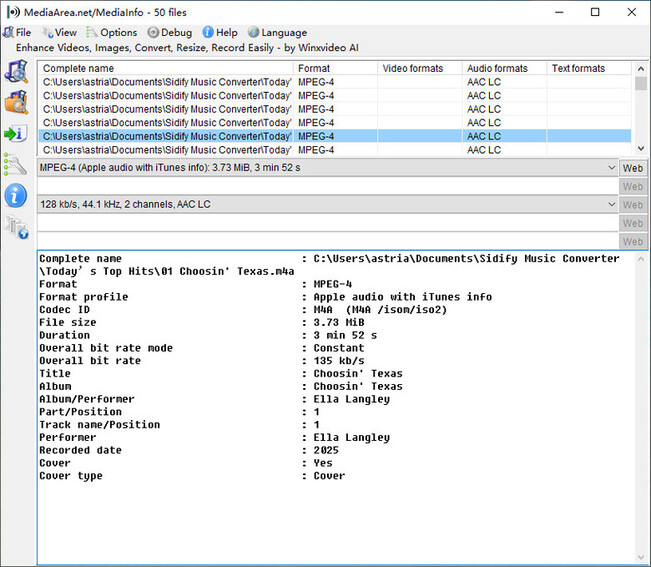
Download Test Results for the Playlist Today’s Top Hits
Audio Output Quality Test Results Across Different Formats
Success Rate: 99% of tracks were successfully converted. However, large downloads may occasionally be interrupted and require a retry before completing successfully. This may vary depending on the device and internet connection.
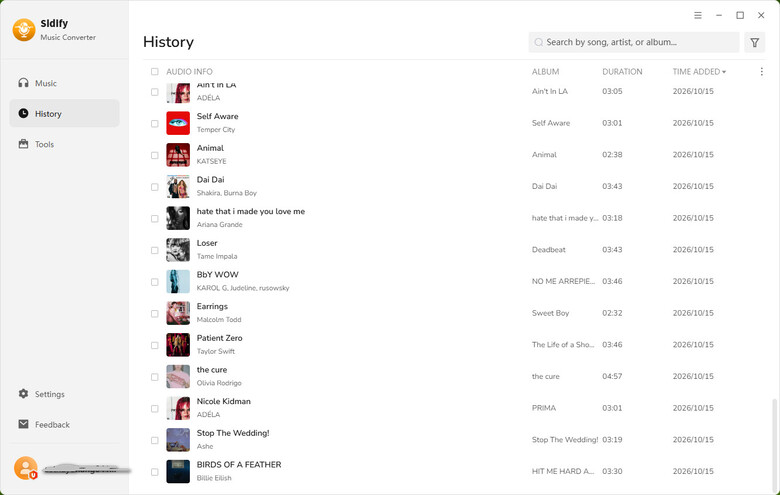
Download Speed: I would say the download speed is wonderful, especially for individual tracks and smaller playlists. A single track takes only a few seconds to download, while larger playlists or audiobooks may take 20 minutes or longer, depending on the file size.
Metadata Preservation: Sidify performs consistently when preserving metadata. In most cases, titles, artists, album names, track numbers, and cover art are saved correctly. The converted files display the relevant information correctly in music players without the need to add tags manually.
Ease of Use: Sidify offers a web player mode that allows you to log in, browse music, and add tracks for conversion. It is very easy to use.
Some users say Sidify is reliable and works stably for converting music.
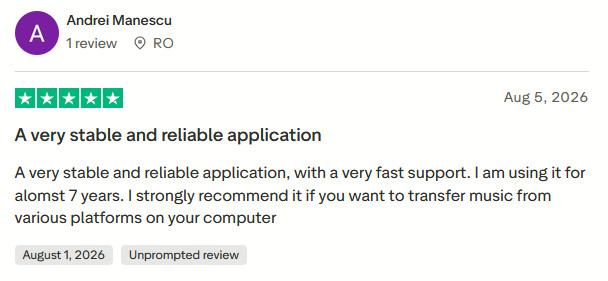
Check out the original review >>
Some users praise Sidify for being easy to use and having a fast conversion speed.
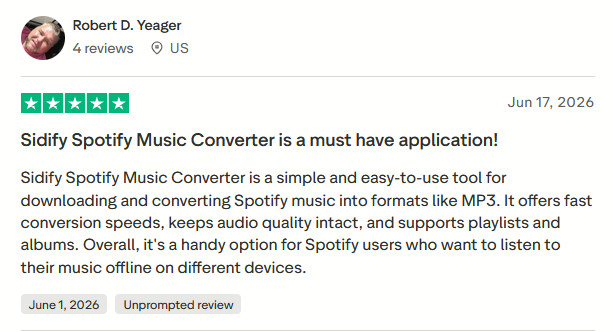
Check out the original review >>
One user said that when they encountered a minor problem with Sidify, customer service responded quickly and fixed the issue.
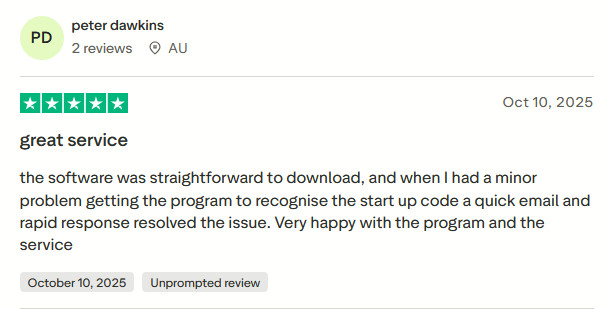
Check out the original review >>
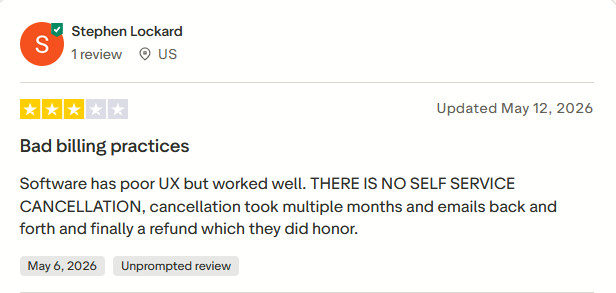
Some users say the software works well, but there is no self-service cancellation option, so they have to contact customer service to cancel their subscriptions.
Check out the original review >>
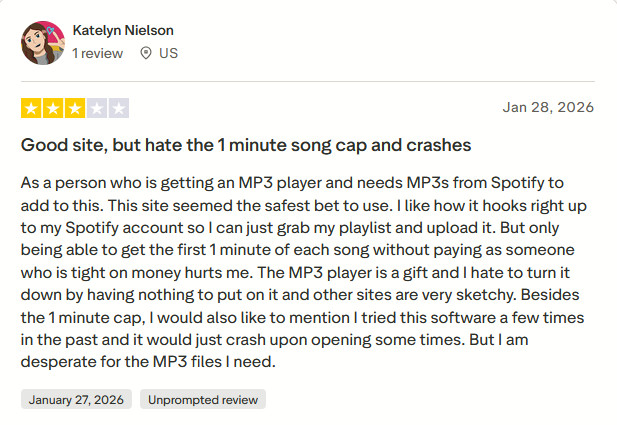
Another user points out that the free trial, which only allows users to convert the first minute of each song, is very limited and makes it difficult to fully experience the software's features.
Check out the original review >>
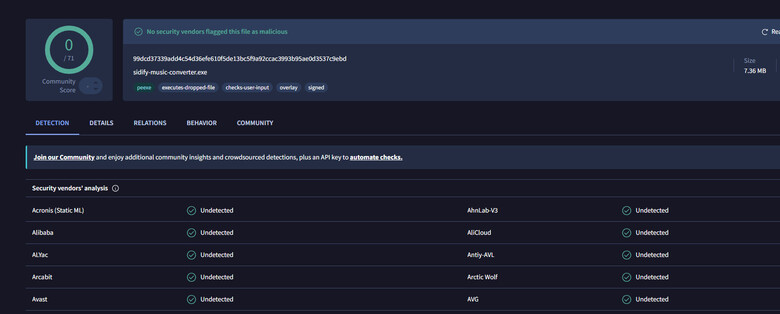
According to our own download experience, no suspicious ads or malware appeared. The whole process was clean. To make our assessment more reliable, we uploaded the installation package to VirusTotal. The results also showed that no security vendors flagged Sidify as malicious.
Spotify songs are copyrighted, and Sidify simply helps users convert them into different audio formats for personal storage. Whether using it is legal depends on how you use the converted files and the laws in your region. Using these files for personal offline listening may be treated differently from distributing them or using them for commercial purposes, which could violate copyright laws.
If you are looking for an alternative to Sidify Spotify Music Converter, AudiFab Spotify Music Converter is a good option worth considering. Both support converting Spotify music to common formats like MP3, AAC, WAV, FLAC, AIFF, ALAC, while preserving ID3 tags.
Install AudiFab Spotify Music Converter
Install AudiFab Spotify Music Converter on your Windows/Mac and launch it. Click “Open Web Player”, then log in with your account.
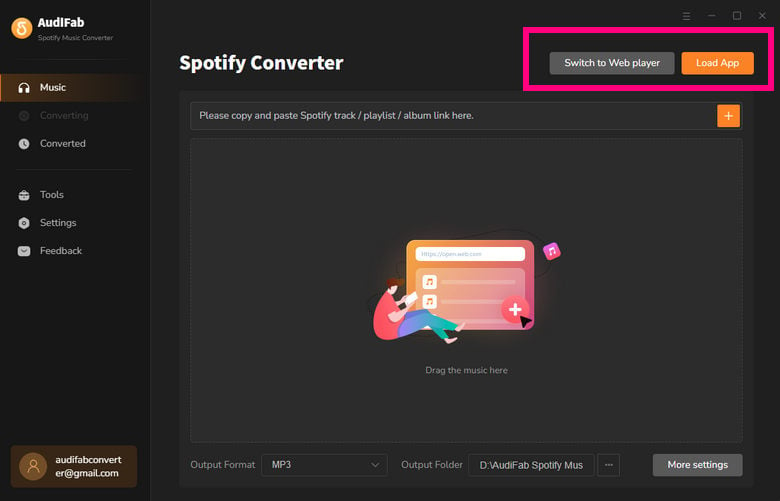
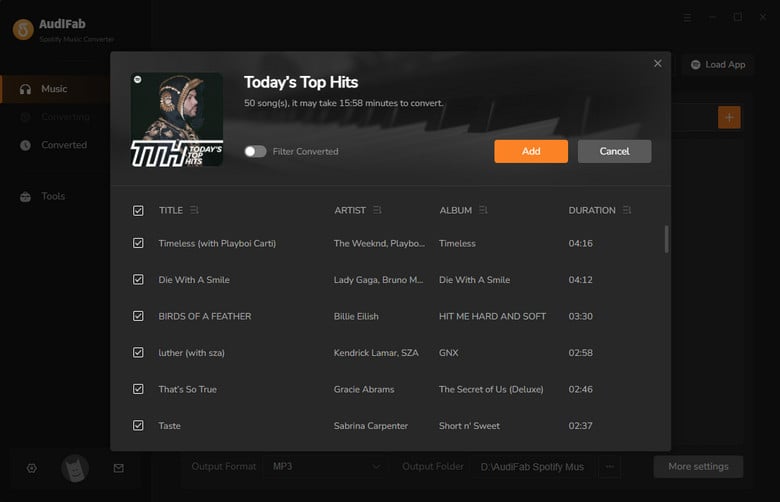
Browse and search for the Spotify music you want to download, click on it, and click the “+” button in the bottom-right corner. Alternatively, you can simply drag and drop a song or playlist from the Spotify app into AudiFab.
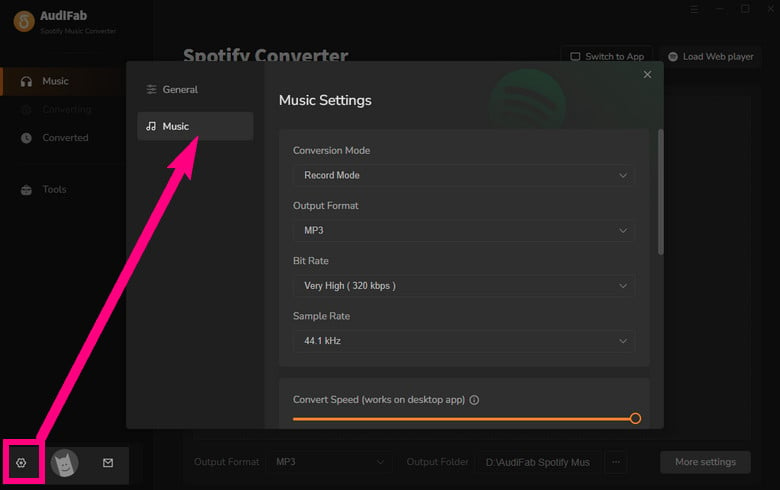
Click Settings on the conversion waiting page, then select your desired output format, bitrate, sample rate, and output folder.
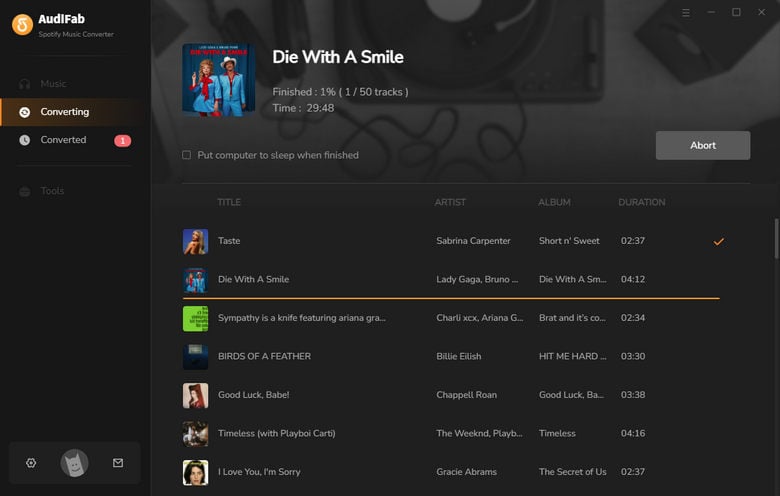
Close Settings and click the Convert button to start converting the Spotify music to your local computer.
Locate Converted Spotify Tracks
Once the conversion is finished, click the File icon next to the listed songs, and the folder where these songs are saved will automatically pop up.
If you need to convert Spotify tracks, albums, or playlists to MP3, FLAC, or other formats while keeping ID3 tags, then Sidify is worth considering. According to our tests, it has a fast conversion speed, a high success rate, and is easy to use. However, you should note that the free trial only allows you to convert the first minute of each song. If you need the full conversion features, you can consider the paid version.
No. Based on our test, even if you don’t have Spotify Premium subscription, you can donwload high quality songs with Sidify(up to 24-bit, 192 kHz). But according to Sidify’s official website, if you want to download lossless music, you have to prepare a Spotify Premium account, and select Lossless as the streaming quality in Spotify.
Sidify Spotify Music Converter is specifically designed to convert Spotify music and does not support Apple Music or YouTube Music. However, Sidify offers standalone Apple Music Converter and YouTube Music Converter products. If you want to convert tracks from different platforms, you can also consider Sidify All-in-One Music Converter.
Generally speaking, Sidify Spotify Music Converter is a music conversion tool worth considering. If you often need to convert Spotify songs and playlists, and save them to your local computer, you can try the free version first and then decide whether to purchase it.
Besides, if you need an alternative to Sidify Spotify Music Converter with similar conversion performance, AudiFab Spotify Music Converter is also worth considering. It also performs well in terms of conversion speed, success rate, output formats, and ID3 tag preservation.

Convert Spotify songs, playlists & podcasts to MP3/AAC/FLAC/WAV/ALAC/AIFF at up to 40X speed. Keep original quality & ID3 tags.
Music is the greatest communication in the world and here are some articles that may help you enjoy music in a better way.

 Download
 Download