Top 5 Spotify to MP3 Downloaders on Android in 2026
Discover the top Spotify to MP3 Android downloaders and free online Spotify downloaders in 2026.
Discover the top Spotify to MP3 Android downloaders and free online Spotify downloaders in 2026.
"Can I download a Spotify playlist to MP3 on Android?"
"Can I download Spotify songs on Android without Premium?"
Want to download Spotify music as MP3 files on Android? While Spotify does not provide direct MP3 downloads, many third-party tools offer alternative ways to save Spotify songs, playlists, and albums for offline listening.
In this guide, we tested and reviewed the top 5 Spotify to MP3 downloaders for Android (3 apps and 2 free online downloaders), along with 1 top desktop alternative. We compared their features, download performance, playlist support, and ease of use to help you find the best option for your needs.
⚖️ Disclaimer This guide is for educational and personal use only. Please respect the copyright of content creators and Spotify's Terms of Service.
We've tested and summarized the top 5 Android Spotify to MP3 Downloaders and the best alternative. Check the table below to find your best way to download Spotify to MP3.
| Attribute / Tool | AudiFab Spotify Music Converter 🏆 | Spotube | SpotiFlyer | Spowlo | SpotiSaver | SpotMate |
|---|---|---|---|---|---|---|
| Type | Desktop App | Android App | Android App | Android App | Online Website | Online Website |
| Recommend | ⭐⭐⭐⭐⭐ | ⭐⭐⭐⭐ | ⭐⭐ | ⭐⭐ | ⭐⭐⭐ | ⭐⭐⭐ |
| Stability | 5/5 | 3.5/5 | 1/5 | 2/5 | 4/5 | 3.5/5 |
| Highest Quality | Up to Spotify Lossless | 128kbps | 128kbps | 128kbps | 320kbps | 320kbps |
| Batch Download | ✅ | ❌ | ✅ | ⚠️ | ⚠️ | ⚠️ |
| Output Format | MP3, MP4, AAC, WAV, FLAC, ALAC, AIFF | MP3 | MP3 | MP3 | MP3 | MP3 |
🎵 Quick Tips: Most Spotify downloader apps and free online downloaders do not retrieve audio directly from Spotify; instead, they match and fetch music from third-party platforms. If you want to download real high-quality Spotify music, you can try converting Spotify to MP3 with AudiFab.
Spotube is a cross-platform, open-source music streaming tool created by KRTirtho, boasting over 47,000 stars on GitHub. Rather than streaming audio directly from Spotify's servers, the application fetches public metadata—such as track titles, artist names, albums, and playlists—from Spotify and pairs it with alternative audio sources. Unlike traditional music apps restricted to Android, Spotube offers broad multi-platform support across Android, Windows, macOS, Linux, and iOS (via sideloading).
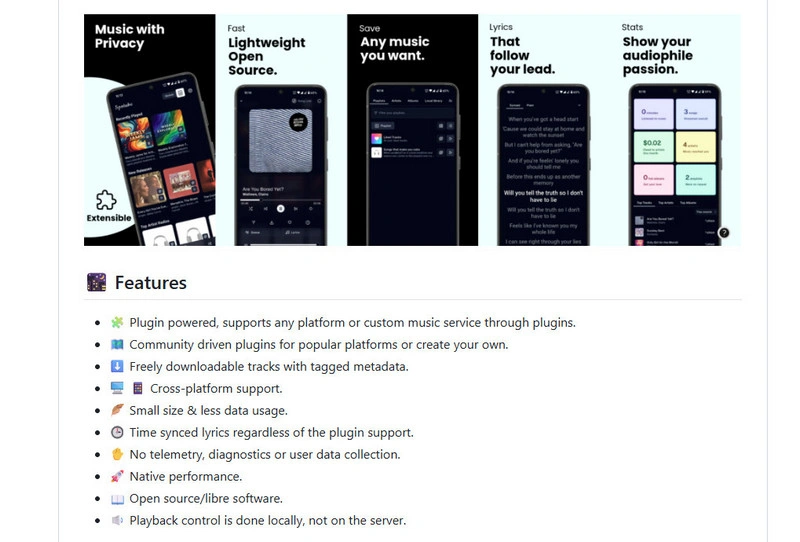
Spotube is a popular, open-source Spotify alternative praised for its clean, ad-free UI and playlist syncing. However, there is no batch download feature. Some users report slow loading, playback bugs, and mismatched tracks. It is great for casual users wanting free offline downloads, but those prioritizing a polished, bug-free, and high-fidelity streaming experience may still find a desktop Spotify Converter more reliable.
Step 1: Download and Install Spotube.
Step 2: Download Spotify Songs via Spotube.
SpotiFlyer is a free app that lets users download Spotify songs, albums, and playlists. Users can paste a Spotify link and download matching Spotify songs for offline listening.
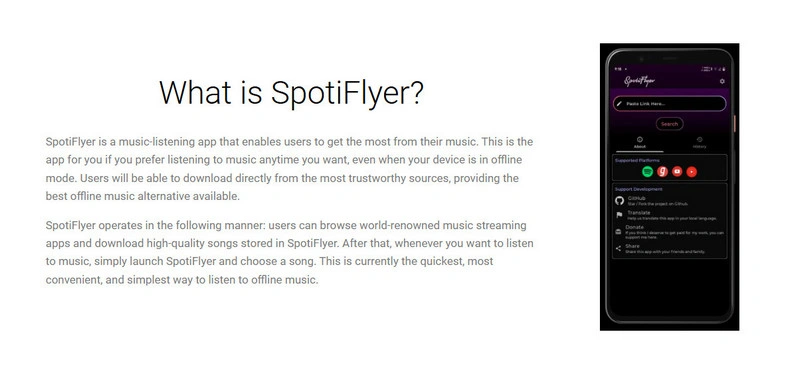
While SpotiFlyer features a clean interface and easy-to-use workflow, its performance has become less reliable over time. Because it matches and re-encodes audio from other platforms like YouTube rather than downloading directly from Spotify, the actual quality is lower—even when labeled as 320 kbps.
❓ Want to download 320kbps MP3 or Spotify Lossless audio? 👉 Try AudiFab Spotify Music Converter!
Step 1: Install SpotiFlyer.
Step 2: Download Spotify Tracks via SpotiFlyer.
Discover a 40x faster Spotify playlist converter for you.
Learn More →Spowlo is a GitHub open-source tool for Android built by BobbyESP for downloading Spotify content like songs, albums, and playlists to MP3s. It works by using spotDL in the background to fetch the music rather than grabbing Spotify files straight from Spotify's servers.
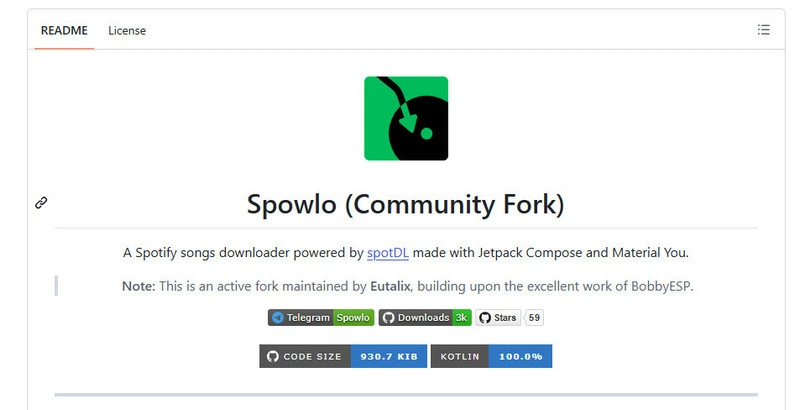
Spowlo is still working for the few users, and its stability can change due to backend updates and external service changes. The app does not download music directly from Spotify. Instead, it uses spotDL to find tracks from other sources, so some download or import errors may happen.
Sometimes, Spotify link importing may not work properly. In this case, users can search for songs directly in the app instead. Large playlist downloads may also fail occasionally if some tracks cannot be matched correctly.
❓Want to Download Spotify Playlists? 👉 Try AudiFab Spotify Music Converter
Step 1: Install Spowlo on Android.
Step 2: Download Spotify Songs.
Tips: You can also use in-app search. Type the name of a song or artist directly into the search bar, tap on the search result you want, and press 'Download'.
SpotiSaver is a browser-based Spotify playlist backup tool that saves Spotify playlists and albums as MP3 files without installing software. Instead of downloading directly from Spotify, it uses Spotify's public metadata (such as song titles, artists, and albums) to find matching audio from other platforms. The free version supports one playlist at a time, with a limit of 100 tracks for playlist loading and ZIP downloads.
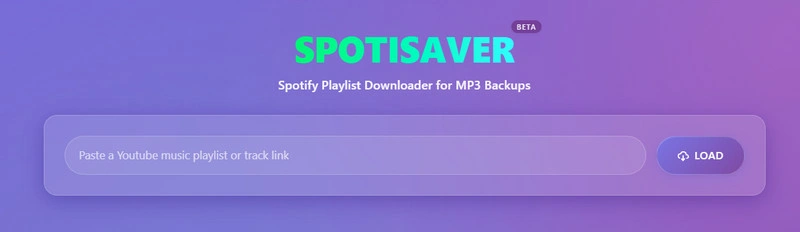
SpotiSaver is a convenient online Spotify playlist downloader that users like for its simplicity and quick setup. Out of my total attempts, 21 songs downloaded successfully—a 70% success rate. Plus, it's nice that the audio quality comes in at 320kbps. Its main advantages are easy playlist processing and no software installation, while its weaknesses are the 100-track limit, occasional failed downloads, and inconsistent audio quality (sometimes 128kbps) caused by external source matching.
Moreover, when downloading playlists, you may receive a notification stating that 'no download slots are available' and asking you to try again in a few minutes; consequently, you have to download the songs manually, one by one.
Step 1: Retrieve the Spotify Link.
Step 2: Process the Link on SpotiSaver.
✨ Similar find & search Spotify to MP3 downloaders: spotidownloader, spotisongdownloader, spowload, and more.
SpotMate is a free Spotify downloader that converts tracks into MP3 format simply by pasting a copied Spotify link. It has two versions, one for the Web and one for Android.
⚠️ Note for Android Users: Although SpotMate lists an Android APP on Google Play, its mobile app currently suffers from a very low download success rate. We strongly recommend using the SpotMate Web Version directly in your mobile browser instead.
I downloaded 25 tracks using SpotMate with an 83% success rate, and most files were saved at 320kbps. However, like SpotiSaver, the free plan does not support full playlist downloads. If you need to back up large Spotify playlists quickly and reliably, a desktop application is a much better option.
Step 1: Copy the Spotify Link.
Step 2: Download Your Spotify Files on SpotMate.
See also 👉: How to Transfer Spotify Music to an MP3 Player
After extensive testing, AudiFab Spotify Music Converter proves to be the most reliable Spotify to MP3 downloader for Windows and Mac in 2026. While free online tools and Apps frequently fail when converting long playlists, AudiFab excels by allowing you to quickly and reliably batch-download full playlists, individual tracks, albums, and even video.
While Android Spotify downloaders are convenient for quick downloads, they are not always the best choice for long-term music management. Many free APKs rely on external sources, which can lead to missing tracks, quality limitations, and unstable downloads. For users who want a more professional Spotify-to-MP3 experience, AudiFab Spotify Music Converter offers a desktop-based alternative.
What sets AudiFab apart as the top alternative is its ability to reliably convert Spotify tracks to high-quality MP3s with full metadata intact—working seamlessly for both Free and Premium users with a 99.9% success rate. Once converted Spotify playlists to MP3s on your PC/Mac, simply transfer the Spotify MP3 files to your Android phone via USB or cloud storage for offline playback.
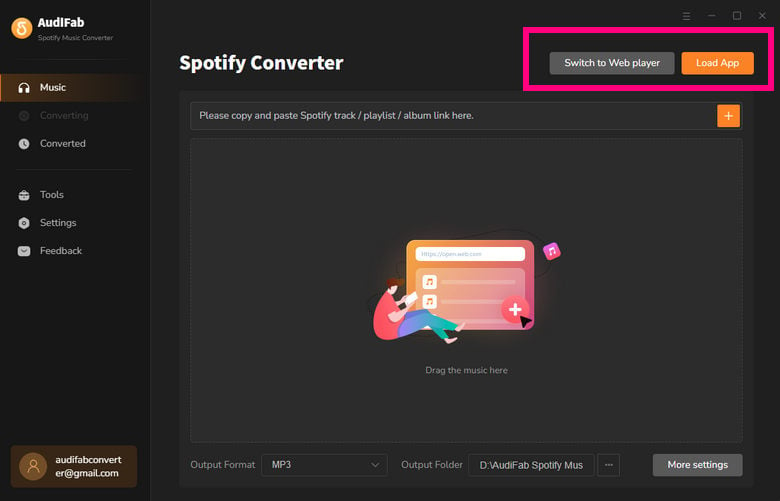
Launch AudiFab Spotify Music Converter.
Add Your Spotify Tracks to AudiFab.
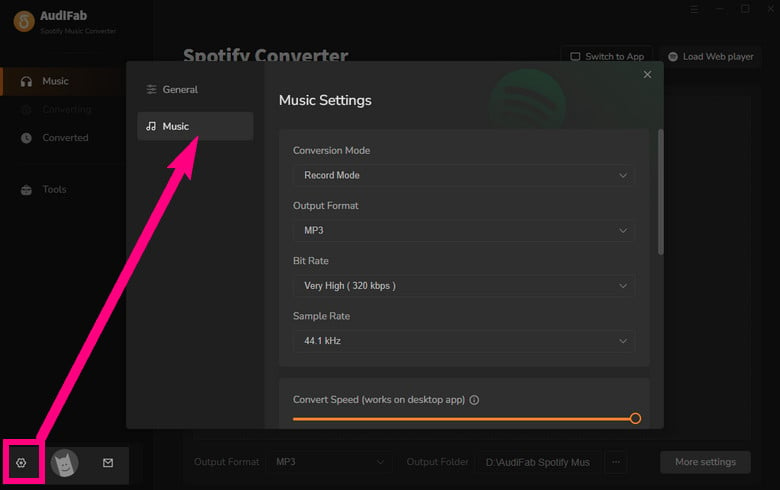
Adjust Output Preferences.
Click the 'Settings' gear icon in the lower-left corner. Choose 'MP3' as the output format and set the destination folder where you want your files saved.
Begin the Conversion.
Return to the main screen and click 'Convert'. AudiFab will begin downloading and saving the selected Spotify tracks directly to your computer.
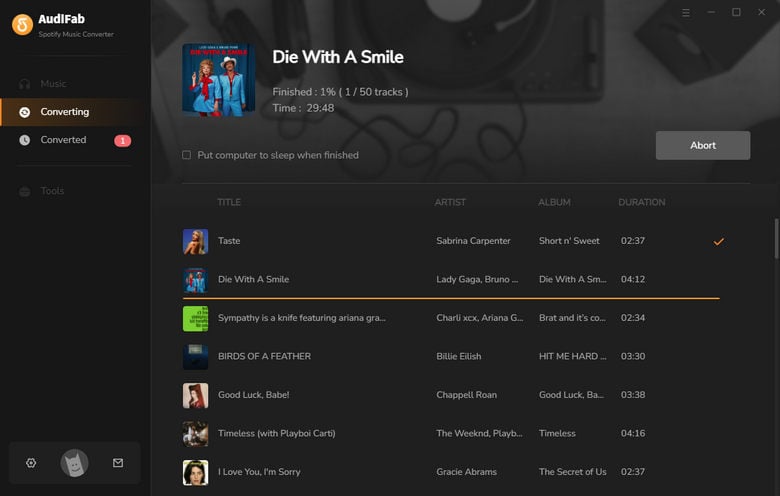
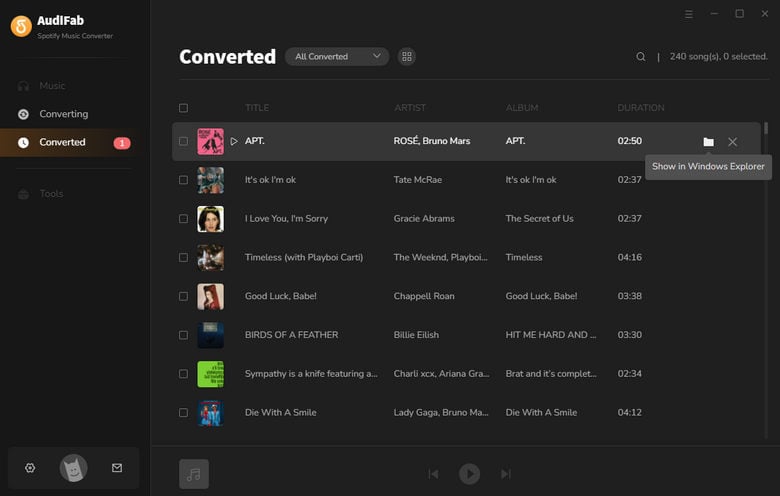
Tap 'History' to access Your Saved Spotify Audio Files.
When the conversion completes, open the output folder you specified in Step 3 to view and play your downloaded Spotify MP3 files.
How to download Spotify songs on Android?
⚠️ Note: Official downloads require a Spotify Premium subscription and are saved as locked cache files, not standard MP3s. To export playable MP3 files, you will need to use third-party tools.
How to convert a Spotify playlist to MP3 on Android?
To convert a Spotify playlist to MP3 on Android, you can use Spotify playlist downloader apps or online tools. Usually, you only need to copy the playlist link, paste it into the downloader, and export the matched songs as MP3 files.
However, large playlists may fail due to track matching or download limits. For converting large Spotify playlists more efficiently, AudiFab Spotify Music Converter supports batch conversion and can save entire playlists while keeping song information.
Can Spotify to MP3 downloaders download playlists?
Yes. Many Spotify to MP3 downloaders support playlist downloads. However, the results may vary depending on the tool. Some free Apps and online services have playlist limits, missing tracks, or slower processing speeds. If you want a smoother downloading experience, AudiFab Spotify Music Converter offers a more stable way to batch convert Spotify playlists and manage large music collections.
Try AudiFab free here:
Do Spotify MP3 downloaders work with Spotify Free accounts?
Yes. Most Spotify MP3 downloaders generally do not require a Spotify Premium subscription.
Why do some Spotify MP3 downloaders fail?
Download failures can happen because:
AudiFab Spotify Music Converter is free to try. It can be downloaded and converts the 1 minute of each audio file for sample testing. If the program meets your need, you can buy a license to unlock the time limit.

Convert Spotify songs, playlists & podcasts to MP3/AAC/FLAC/WAV/ALAC/AIFF at up to 40X speed. Keep original quality & ID3 tags.
Music is the greatest communication in the world and here are some articles that may help you enjoy music in a better way.

 Try It Free
 Try It Free