10 Best Free SoundCloud to MP4 Converters in 2026
SoundCloud has no native MP4 download. Here are 10 free tools I tested in 2026 — plus how to choose.
SoundCloud has no native MP4 download. Here are 10 free tools I tested in 2026 — plus how to choose.
Looking for a way to convert SoundCloud to MP4? SoundCloud doesn't provide a universal MP4 download option, but you can still save any SoundCloud track as an MP4 file, or turn it into a brand-new MP4 video.
We tested all ten converters featured in this guide using real SoundCloud tracks, so you can choose the option that matches your workflow. I've split them into two groups so you can pick the right route in seconds: fast automatic MP4 tools that save a SoundCloud track as a simple still-image video, and video-creation tools that let you edit or AI-generate a richer publishable video around your music.
⚖️ Disclaimer This guide is for informational purposes only. Convert or download only content you have permission to keep, and follow SoundCloud's Terms of Use and the copyright laws in your region.
Before you pick a tool, it helps to know which of the two routes you actually need, because they solve different problems.
Downloading means getting a SoundCloud track saved to your device as a simple MP4 file — most of these tools automatically wrap the audio with its cover art into a still-image video. You do this for offline listening, backup, or to keep a copy you can move anywhere. The tools in Method 1 are the fast, automatic options, and most work the same way: paste the track URL, pick a shape or format, and download the MP4.
Creating means starting with that same SoundCloud audio and building a richer video around it — editing in your own visuals, captions, or AI-synced animations that match the beat. You do this when you want to post a more produced video to YouTube, TikTok, or Instagram Reels. That's what the tools in Method 2 are for.
Here's an easy way to decide. Go with Method 1 if you just want a quick MP4 with the track and its cover, no extra work needed. Pick Method 2 when you want a more custom video, either editing it yourself or letting AI make it. You can even use both: get the simple cover MP4 from Method 1 first, then polish it into a fuller video with Method 2.
💡 Quick pick
| Recommend Level: | ★★★★★ |
| How To Access: | https://www.audifab.com/best-music-converter.html |
| Best for: | Windows and Mac users who want to download a whole SoundCloud playlist as lossless audio in one batch. |
Of the ten tools in this guide, AudiFab SoundCloud Converter is the only one built for whole-playlist jobs. In my test I loaded a SoundCloud playlist of about 40 tracks, and it pulled the entire set in one pass with every ID3 tag and piece of cover art intact. It also changes the workflow: instead of copying URLs one by one, you browse SoundCloud inside the app, add whole albums or playlists to the queue, and start the run from there.
The quality side is where it really separates itself. AudiFab saves tracks as high-fidelity audio — MP3, FLAC, WAV, AAC, ALAC, and AIFF — and converts at up to 10× speed, so a long playlist finishes in minutes rather than recording in real time. Because it's an all-in-one converter, the same program also covers Spotify, Apple Music, Amazon Music, and YouTube Music, which is handy when your library lives across services. The one honest catch: it outputs clean audio, so you need to use the free video converter linked in the tutorial steps below to finish the job.
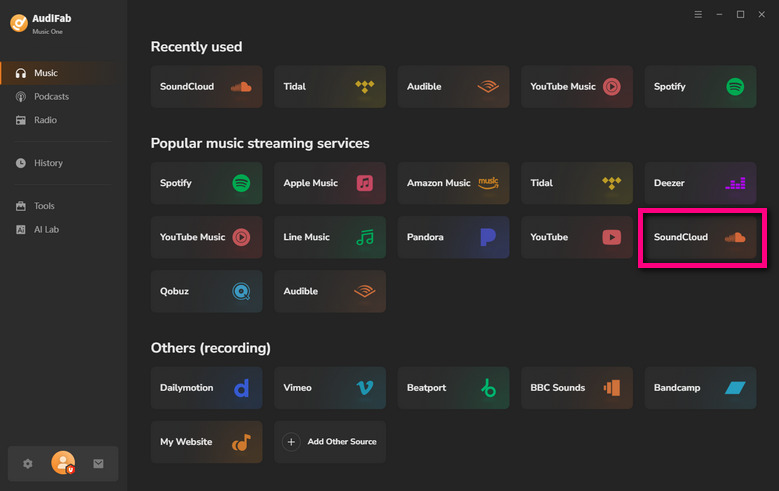
Open the SoundCloud downloader in AudiFab
Launch AudiFab and pick SoundCloud from the built-in browser. This opens the SoundCloud library inside the app, so you can find tracks, albums, and playlists without leaving the program.
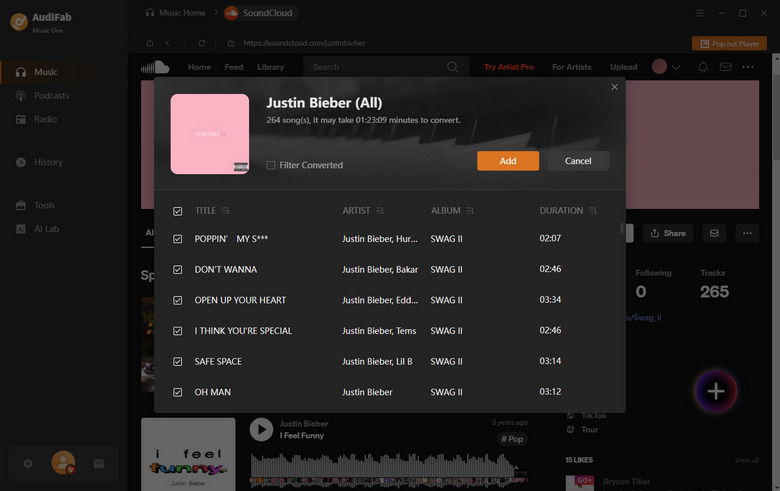
Add your SoundCloud tracks or playlist
Browse to the playlist or album you want, then click the + button to add the tracks. You can select the whole playlist at once — AudiFab lists the title, artist, and duration for each track before you convert.
Choose MP3 as the output format
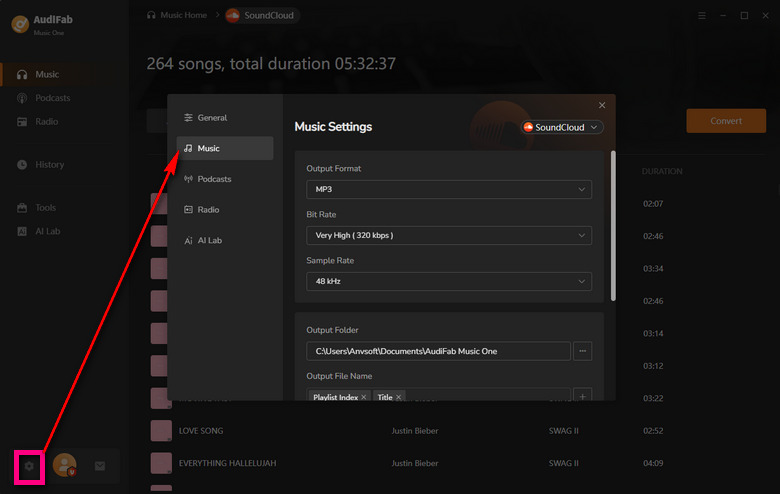
Under Output Format select MP3 (or FLAC for lossless), pick a quality preset, and set the Output Folder where the files will be saved.
Start the conversion
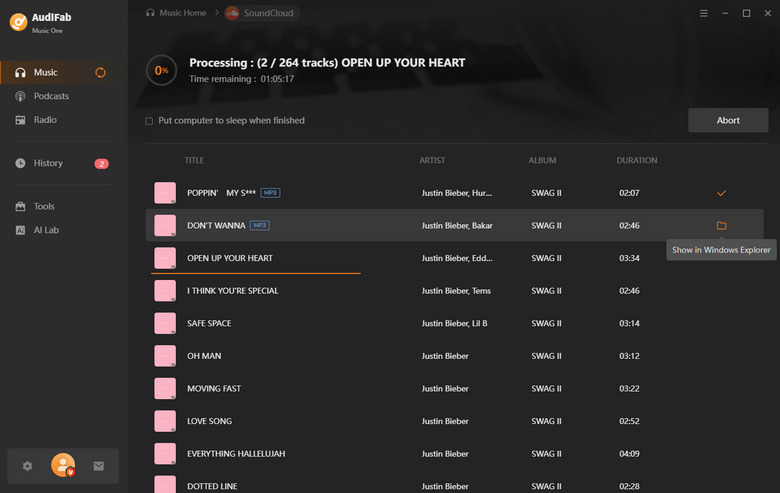
Click Convert and AudiFab downloads the whole batch in one pass. When it's done, open the Output Folder to find your tagged MP3 files with cover art preserved, ready to move anywhere.
Convert the audio to MP4 with a free video converter
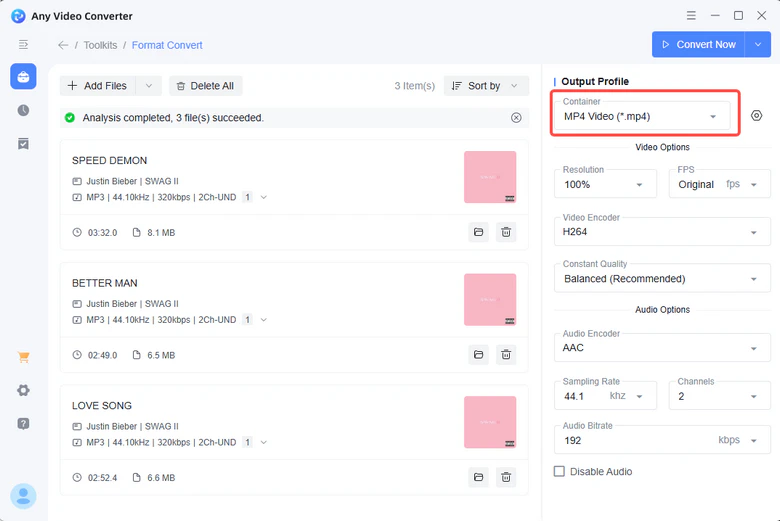
To finish your SoundCloud to MP4 conversion, take the downloaded audio and use a free Video Converter. It turns your MP3 audio into an MP4 video file in a few clicks — no watermark, ready for offline storage or sharing.
| Recommend Level: | ★★★★☆ |
| How To Access: | https://scutilityhub.com/soundcloud-to-mp4 |
| Best for: | Turning a SoundCloud track into a genuine MP4 video with cover art, right in your browser. |
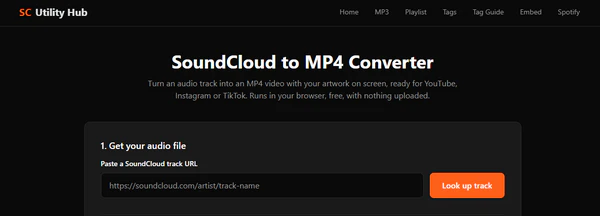
After a run of downloaders that promised MP4 and never delivered, SC Utility Hub was the first one that actually put a playable MP4 in my hands. I pasted a SoundCloud track URL, let it fetch the audio, picked the 16:9 shape for YouTube, and it encoded a real video file in the browser — the cover art frozen on screen for the full track. The fair warning: it needs a track where the artist has the download button on, so it won't rip private or protected streams.
Step 1: Copy a public SoundCloud track link.
Step 2: Paste it into the lookup box, fetch the audio, and add artwork if you want to replace the default title card.
Step 3: Pick the video shape (16:9 for YouTube, square for Instagram) and create the MP4.
| Recommend Level: | ★★★★☆ |
| How To Access: | https://soundcloudtools.com/soundcloud-to-mp4 |
| Best for: | A fast, unlimited SoundCloud to MP4 conversion that keeps the original AAC audio instead of re-encoding it. |
What made SoundCloud Tools stand out in my testing is that it keeps the original AAC audio rather than re-encoding it. I pasted a link, switched the format to MP4, and it paired the full-size cover art with SoundCloud's own audio stream — the result sounded identical to what I heard on the site. The file is built in your browser, it's free and unlimited with no sign-up, and it works from a phone or a desktop. My only nit: the MP4 comes out square (720×720), so it's really aimed at social posts rather than a widescreen YouTube upload.
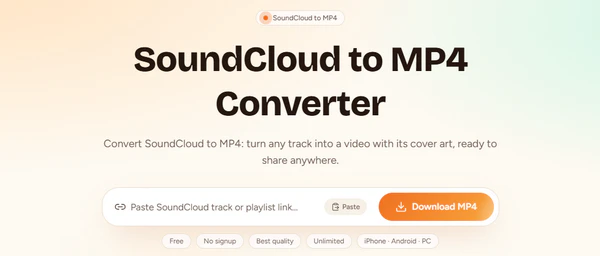
Step 1: Copy the link of the SoundCloud track, album, or playlist you want.
Step 2: Paste it into the converter and switch the format to MP4.
Step 3: Press download and save the video built in your browser.
| Recommend Level: | ★★★★☆ |
| How To Access: | https://www.sctomp3.org/soundcloud-to-mp4/ |
| Best for: | Choosing your own MP4 resolution (720p or 1080p) for a SoundCloud track, free with no sign-up. |
SCtoMP3 gives you the resolution choice most of these sites skip — 720p or 1080p. I pasted a public SoundCloud link, uploaded a cover image, picked 1080p, and it recorded the file in my browser. The trade-off is patience: it records in real time, so a three-minute track takes about three minutes, and some browsers hand back a WebM instead of an MP4. One thing it explains honestly that others hide: the audio is whatever SoundCloud was streaming, and choosing 1080p only sharpens the image, never the sound.
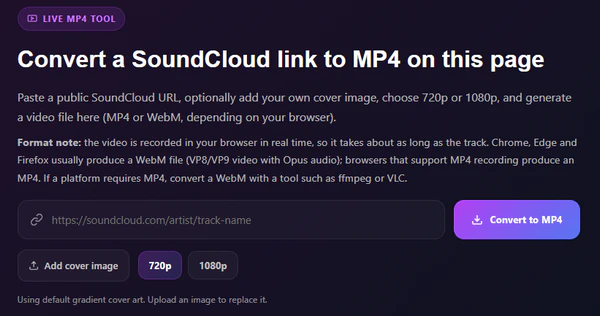
Step 1: Copy the link of the public SoundCloud track you want.
Step 2: Paste it into the converter and add your cover image, or keep the original artwork.
Step 3: Pick 720p or 1080p, wait for the real-time recording to finish, then download.
AudiFab downloads your entire SoundCloud playlist as lossless audio in one batch — up to 10× faster, no one-track queue. Compatible with Windows & macOS · 100% Safe & Clean
| Recommend Level: | ★★★☆☆ |
| How To Access: | https://tuneblr.com/soundcloud-to-mp4/ |
| Best for: | A quick, free single-track SoundCloud to MP4 download with no login. |
TuneBler handled the paste-and-download flow more smoothly than I expected. I dropped a SoundCloud link into its box, hit search, and got an MP4 (or MP3 or M4A if you'd rather) to save in a few seconds — free, no login, no ads. Where it loses points is scale: the free online converter is strictly single-track, so for a whole playlist it steers you toward its paid Pro desktop app.
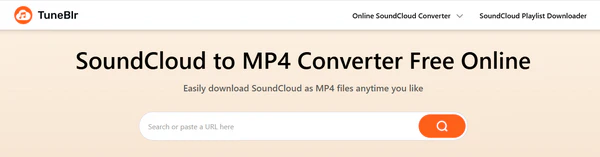
Step 1: Copy the public SoundCloud track link.
Step 2: Paste it into the search box on the TuneBler page.
Step 3: Choose MP4 (or MP3 / M4A) and download the file.
| Recommend Level: | ★★★☆☆ |
| How To Access: | https://yt2save.com/soundcloud/ |
| Best for: | One free bookmark that handles SoundCloud MP4 downloads along with YouTube, Instagram, TikTok and more. |
YT2Save is a general-purpose downloader rather than a SoundCloud specialist, so I'd call it the utility player of this group. I pasted a SoundCloud link into its SoundCloud page and it returned an MP4. It also covers YouTube, Instagram, TikTok and the rest, which makes it handy if you want a single free tool for everything — but that breadth means the SoundCloud options aren't as rich as the dedicated converters above, and the page carries more ad clutter than the focused sites.
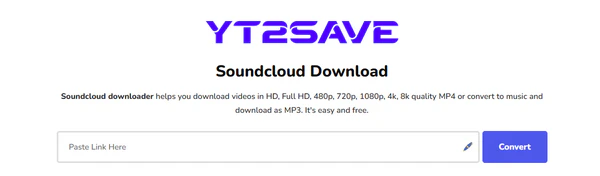
Step 1: Copy the public SoundCloud track link.
Step 2: Open the YT2Save SoundCloud page and paste the link into the box.
Step 3: Choose the MP4 (or MP3) output and download.
| Recommend Level: | ★★★★☆ |
| How To Access: | https://clideo.com |
| Best for: | Building an MP4 by combining your SoundCloud audio with images or video clips in a browser editor. |
What I liked about Clideo is how little setup its SoundCloud to MP4 workflow needs. I tested it by uploading a SoundCloud-downloaded track, dragging in a few stock images, and exporting an MP4 — no software install needed, and it's free as long as your file stays under 500MB, with no ads to sit through. You can pick your aspect ratio (1:1, 9:16, 16:9, and more) depending on where you're posting. It's the lightest way to go from an audio track to a finished MP4 if you don't need fancy AI effects.
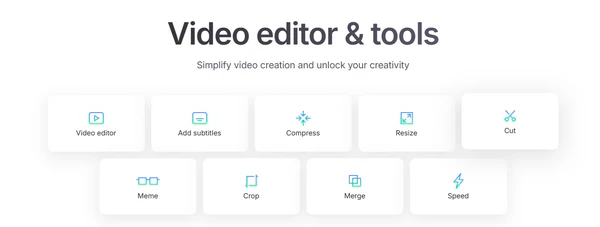
Step 1: Download your SoundCloud track (use a Method 1 tool).
Step 2: Open Clideo's Video Maker and upload the audio.
Step 3: Add images or videos, pick your canvas ratio, and export the project as an MP4.
AudiFab saves clean, lossless audio with tags and cover art intact — no watermark, no 500MB cap, no manual editing. Compatible with Windows & macOS · 100% Safe & Clean
| Recommend Level: | ★★★★☆ |
| How To Access: | https://www.capcut.com |
| Best for: | Editing SoundCloud music into a polished MP4 with captions and effects, on desktop or mobile. |
Most people already have CapCut on their phone or desktop, and that's exactly why it earned a spot here. I used it on desktop and mobile, and its template library makes it fast — you drop your audio onto a template, add captions or visual assets, and export in the right ratio for TikTok or Reels. It's the most beginner-friendly option in this group. The main caveat is that CapCut expects you to bring your own visuals, so it's manual rather than auto-generated.
Step 1: Download your SoundCloud audio with a Method 1 tool.
Step 2: Open CapCut and start a new project or pick a template.
Step 3: Add the audio, then layer in captions, images, or effects, and export the video as MP4.
| Recommend Level: | ★★★☆☆ |
| How To Access: | https://pollo.ai/app/soundcloud-to-video |
| Best for: | Auto-generating a music video from a SoundCloud track when you don't want to edit anything by hand. |
If you'd rather not touch a timeline at all, Pollo AI is the most hands-off option here. It's aimed at creators who want visuals without editing — you paste your SoundCloud link, and the AI produces a synced video you can download as MP4. I tried the workflow and the visuals generate automatically once you describe a style. It's still maturing, so results can vary by track, and the best quality modes lean toward paid plans.
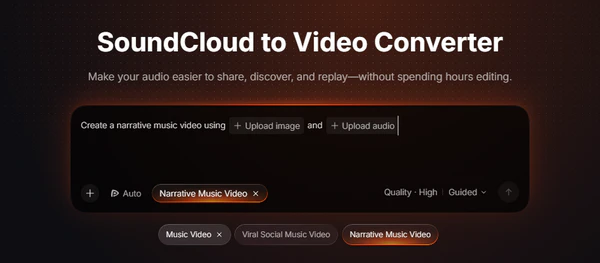
Step 1: Paste your SoundCloud track link into the Pollo AI tool.
Step 2: Choose a visual style for the video.
Step 3: Generate, review, and download the result as MP4.
| Recommend Level: | ★★★★☆ |
| How To Access: | https://www.revid.ai/tools/soundcloud-to-video |
| Best for: | Beat-synced and lyric videos made automatically from a SoundCloud track. |
The AI music-video tool I was most impressed by in this batch was Revid AI. You paste a SoundCloud link or upload an audio file, and it generates a video with visuals synced to the beat, optional lyric captions, and ready-made ratios for TikTok, Reels, and YouTube. I ran a track through it and the beat-matching was noticeably tight — it's the closest thing to a "press one button, get a music video" experience. It offers the standard AI-video trade-off of paid tiers for full quality, but the free output is genuinely usable.
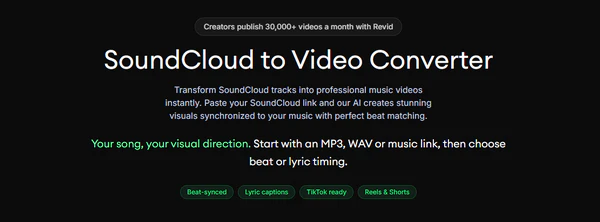
Step 1: Paste your SoundCloud link or upload the audio file.
Step 2: Pick a visual style and your target platform ratio.
Step 3: Enable beat sync or lyric captions, generate, then download the MP4.
AudiFab keeps your SoundCloud music as high-quality, offline audio — no paid tiers, no generic AI style, yours to keep. Compatible with Windows & macOS · 100% Safe & Clean
Pick the converter that matches what you want to do right now.
| Converter | Type | Batch Download | Input Required | Watermark | Best for |
|---|---|---|---|---|---|
| AudiFab | Download (Desktop) | ✅ | Built-in browser (link optional) | ❌ | Whole playlists as lossless audio |
| SC Utility Hub | Download (Online) | ❌ | Link or upload | ❌ | Track to MP4 with your artwork |
| SoundCloud Tools | Download (Online) | ❌ | Link | ❌ | Original-audio MP4 with cover art |
| SCtoMP3 | Download (Online) | ❌ | Link | ❌ | MP4 with a resolution choice |
| TuneBler | Download (Online) | ❌ | Link | ❌ | Free single-track MP4 |
| YT2Save | Download (Online) | ❌ | Link | ❌ | All-in-one multi-platform |
| Clideo | Create (Online editor) | — | Upload audio | ✅ (free plan) | Audio + visuals into MP4 |
| CapCut | Create (Desktop/Mobile editor) | — | Upload audio | ❌ | Polished edits with templates |
| Pollo AI | Create (Online AI) | — | Link | ✅ (free plan) | Automatic music videos |
| Revid AI | Create (Online AI) | — | Link or upload | ❌ | Beat-synced lyric videos |
Most of these tools offer a free option, but limits vary. Some restrict file size, export quality, or access to premium features, so check each tool's current plan before starting.
Yes. Most of the online tools above run right in a mobile browser with nothing to install — SC Utility Hub, SoundCloud Tools, and SCtoMP3 all build the MP4 on your Android or iPhone. On iPhone, Safari saves the file to the Files app; on Android it lands in your Downloads folder. The editor options like CapCut also work on mobile.
It depends on the tool and its conversion process. If a tool re-encodes the audio, the resulting quality may differ from the source. Converting audio to MP4 doesn't improve the original sound quality, and choosing a higher video resolution, such as 1080p, won't improve the audio either. For the best results, choose a tool like AudiFab that preserves the source audio quality as much as possible.
With desktop software, yes — AudiFab handles entire playlists in one batch. Most online tools are limited to one track at a time. For the full head-to-head, see our tested roundup of the best SoundCloud playlist downloaders.
Whether you can download or convert a track depends on your rights to the content, its license, and applicable terms. Check the specific license and obtain permission when required, especially before redistributing or publishing the resulting video.
The best SoundCloud to MP4 converter depends on what you want to do. If you want the whole playlist kept as a permanent, high-quality copy, AudiFab is the smoothest route on Windows and Mac. If you just need one track as an MP4 right now with nothing to install, SC Utility Hub or SoundCloud Tools are the fastest options, with SCtoMP3 when you want to pick your own resolution. If your goal is a video to post, Revid AI and Pollo AI generate the visuals automatically, while Clideo and CapCut give you manual control. Whichever route you take, use it only on content you have permission to keep.
If your music also lives on Spotify, our Spotify to MP4 guide covers the same workflow there.

Save SoundCloud songs & playlists in MP3/AAC/FLAC/WAV/ALAC/AIFF at up to 10X speed, with original quality & ID3 tags preserved.
Music is the greatest communication in the world and here are some articles that may help you enjoy music in a better way.

 Try It Free
 Try It Free