9 Free SoundCloud Equalizers for iPhone, Android & PC (2026)
Find the best SoundCloud equalizers for iPhone, Android, PC, Mac, and Chrome. Compare free EQ tools, SoundCloud support, features, and ease of use.
Find the best SoundCloud equalizers for iPhone, Android, PC, Mac, and Chrome. Compare free EQ tools, SoundCloud support, features, and ease of use.
No. SoundCloud does not have a built-in equalizer in its official mobile apps or web player, but you can still equalize SoundCloud audio with third-party EQ apps, system-wide equalizers, or browser extensions, depending on your device.
Below, we've compared the best SoundCloud equalizers for iPhone, Android, Windows/Mac, and Chrome extensions, including their SoundCloud compatibility, EQ features, free access, and best use cases, so you can quickly find the right option for your setup.
Note: This guide is for informational purposes only. Use the tools below for personal, non-commercial use, respect uploaders' download settings, and obey copyright rules in your region.We installed and tested each equalizer with SoundCloud whenever possible, focusing on SoundCloud compatibility, EQ controls, ease of setup, free access, and overall usability.
| Tool | Platform | SoundCloud Support | Free Access | Best For |
|---|---|---|---|---|
| VOX | iOS | ✓ Direct | ⚠️ Partial | Advanced EQ |
| Silence Music | iOS / Mac | ⚠️ Partial | ⚠️ Partial | Simple EQ |
| Equalizer+ | iOS | ✓ Direct | ⚠️ Partial | Presets |
| Built-in EQ | Android | ✓ | ✓ Completely Free | No extra app |
| Poweramp EQ | Android | ✓* | ⚠️ Partial | Advanced EQ |
| FxSound | Windows | ✓ | ✓ Completely Free | Easy EQ |
| Equalizer APO | Windows | ✓ | ✓ Completely Free | Customization |
| Advanced Audio EQ | Chrome | ✓ Browser-based | ⚠️ Partial | Audio effects |
| Equalizer for Chrome | Chrome | ✓ Browser-based | ✓ Completely Free | Presets |
| *Note: Poweramp EQ may require additional setup to work with SoundCloud. | ||||
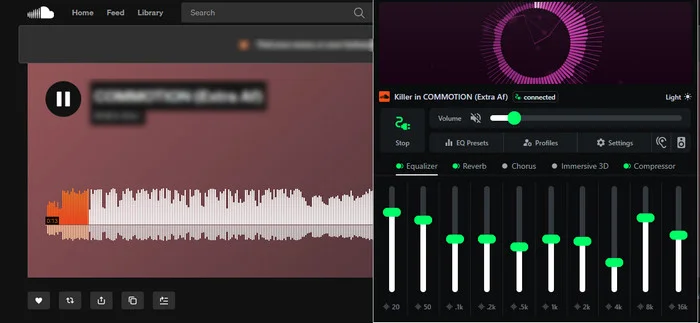
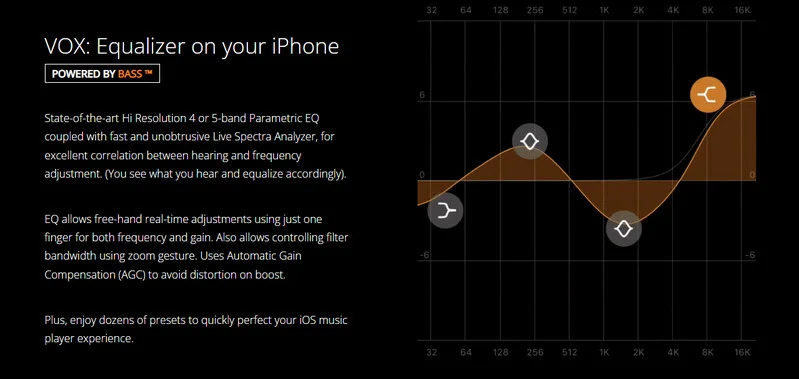
VOX SoundCloud Equalizer provides a parametric equalizer with 30 presets, plus Bass Boost, BS2B, fade-in&fade-out, and other audio controls, while supporting Qobuz, online radio, cloud storage, CarPlay, AirPlay, and Sonos; however, a VOX account is required, and its privacy disclosure notes that data such as your email and user content may be collected and used for tracking.
| How to access | Official Website: https://vox.rocks/ App Store: https://apps.apple.com/us/app/vox-mp3-flac-music-player/id916215494 |
| SoundCloud Support | Direct |
| Best for | Users who want more precise EQ control while listening to SoundCloud. |
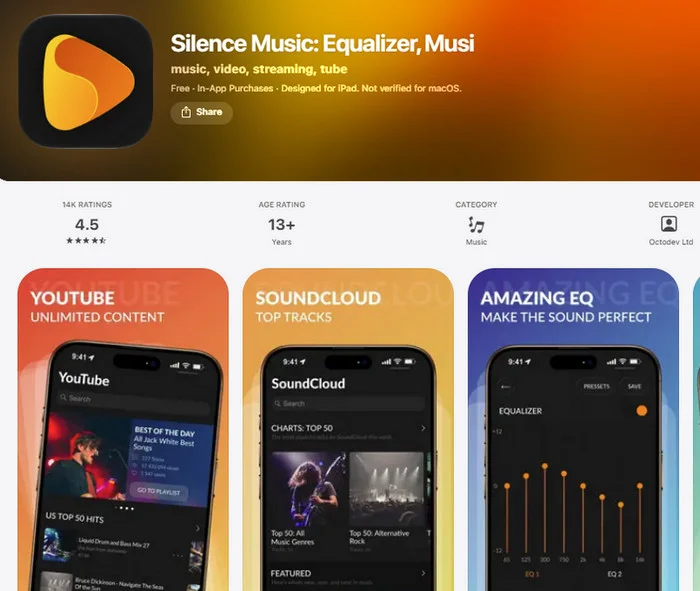
Silence Music offers a built-in equalizer and bass boost for adjusting your listening experience. However, its SoundCloud support is more limited than VOX, with the app mainly promoting YouTube streaming while offering access to popular SoundCloud tracks. This makes it a better choice for casual listeners who prioritize simple audio adjustments over full SoundCloud integration.
| How to access | https://apps.apple.com/us/app/silence-music-equalizer-musi/id1401084344 |
| SoundCloud Support | Partial |
| Compatibility | iPhone and iPad (iOS 17.6+); Mac with Apple M1 or later; Apple Vision |
| Price | Free Plan + Pro costs $2.99/month or $24.99/year. |
| Best for | Users who want simple EQ and bass boost controls for SoundCloud playback. |
Download SoundCloud Music Locally and Try AudiFab Free Today!
Compatible with Windows & macOS · 100% Safe & Clean · 3k+ downloads monthly · 99.9% success rate
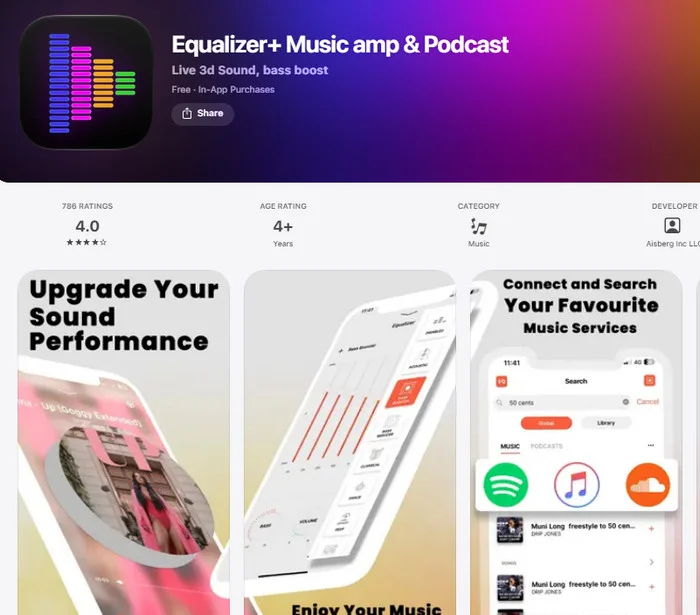
Equalizer+ offers more than 20 EQ presets, including Bass Booster, Vocal Booster, Treble Booster, Bass Reducer, Treble Reducer, and presets for different music genres. It directly supports SoundCloud and provides plenty of one-tap sound adjustments, though some features require separate in-app purchases, including Manual EQ and Enhanced Presets at $4.99 each.
| How to access | https://apps.apple.com/us/app/equalizer-music-amp-podcast/id814288775 |
| SoundCloud Support | Direct |
| Compatibility | iPhone, iPad, iPod touch, Apple Watch, and Apple Vision (iOS 12.3+) |
| Price | Free download with ads; Premium costs $4.99/month, $26.99/year, or $46.99 lifetime. |
| Best for | Users who prefer ready-made EQ presets instead of manually adjusting frequencies. |
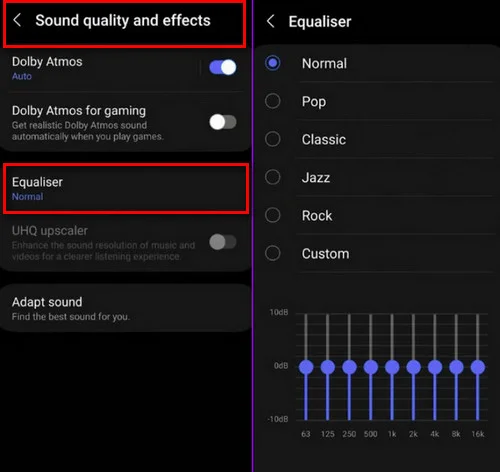
Since Android features vary by manufacturer, you can check if your phone has a built-in equalizer by going to:
You can also search for "Equalizer" directly in your phone's Settings search bar. If you find it, you're all set! If your phone doesn't have one built in, you can easily download a third-party equalizer app from the Google Play Store.
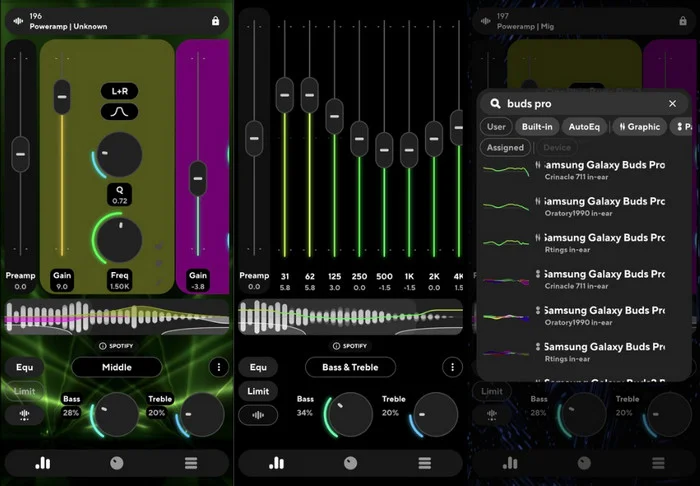
Poweramp Equalizer offers advanced audio controls with configurable 5-32 bands, a parametric EQ mode, built-in and custom presets, device-specific AutoEQ presets, Bass and Treble controls, a limiter, preamp, compressor, balance, and Direct Volume Control (DVC). It works without root access or an account and can automatically apply different EQ settings to different audio sources. However, using it with SoundCloud requires additional setup, making it less beginner-friendly than simpler plug-and-play equalizers.
| How to access | https://play.google.com/store/apps/details?id=com.maxmpz.equalizer&hl=en_US |
| SoundCloud Support | Partial; additional setup required |
| Compatibility | Android |
| Price | Free download with in-app purchases. |
| Best for | Android users who want highly customizable EQ controls for SoundCloud and other audio apps. |
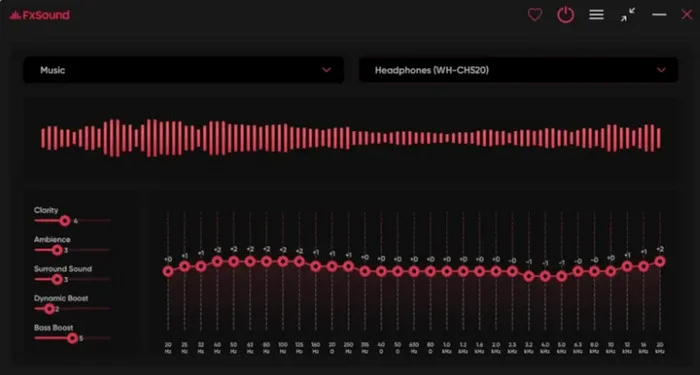
FxSound SoundCloud Equalizer processes system audio through its virtual audio driver, allowing it to adjust SoundCloud playback along with other Windows audio. It offers a customizable 5-31 band EQ with adjustable Q, gain, and balance, plus savable presets, device-specific preset assignments, and volume leveling. No account is required, but installing a system-level audio driver is necessary, and audio processing is unavailable in Remote Desktop or with mono devices.
| How to access | https://www.fxsound.com/download |
| SoundCloud Support | Works through Windows system audio |
| Compatibility | Windows |
| Price | Completely free and open-source |
| Best for | Windows users who want a free system-wide EQ for SoundCloud and other audio sources. |
Download SoundCloud Music Locally and Try AudiFab Free Today!
Compatible with Windows & macOS · 100% Safe & Clean · 3k+ downloads monthly · 99.9% success rate
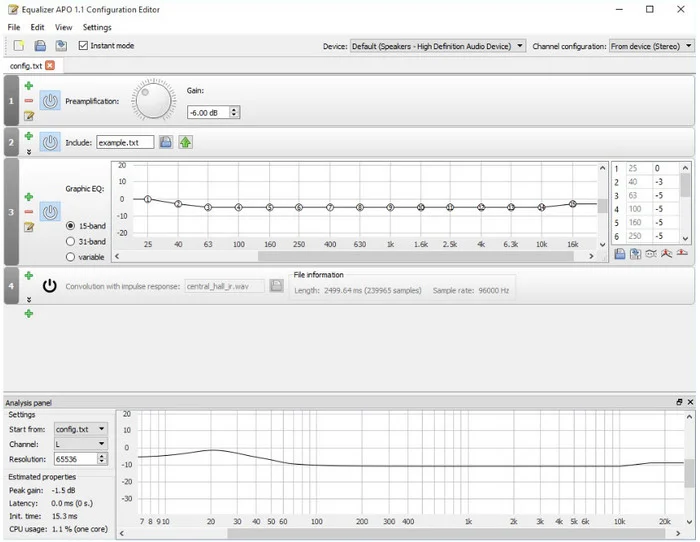
Equalizer APO works at the Windows system level, so it can apply EQ to SoundCloud playback without integrating directly with SoundCloud. It supports parametric and graphic EQ, virtually unlimited filters and channels, VST plugins, Voicemeeter integration, and Room EQ Wizard filter files while maintaining low latency and CPU usage. However, setup requires more manual configuration, its built-in interface is relatively basic, and it does not work with applications using exclusive audio mode.
| How to access | https://sourceforge.net/projects/equalizerapo/ |
| SoundCloud Support | Works through the Windows audio effects chain |
| Compatibility | Windows 7-11 (x64, x86, and ARM64) |
| Price | Free |
| Best for | Advanced Windows users who want highly customizable system-wide EQ controls for SoundCloud. |
Advanced Audio Equalizer works directly in Chrome while playing music on SoundCloud.com. Beyond equalization, it provides Reverb, Chorus, 3D Audio, Compressor, and Background Noise controls with presets, plus volume boosting up to 800%. Settings can also sync across devices. To use it, simply install the extension from the Chrome Web Store, open SoundCloud, and adjust the audio through the extension.
| How to access | https://chromewebstore.google.com/detail/advanced-audio-equalizer/ibefjagfpcdefiapiapnhleogifimklb |
| SoundCloud Support | Works with SoundCloud through Chrome |
| Compatibility | Chrome browser |
| Price | Free version available; paid version offered |
| Best for | SoundCloud web listeners who want more than basic EQ controls, including audio effects and powerful volume boosting. |
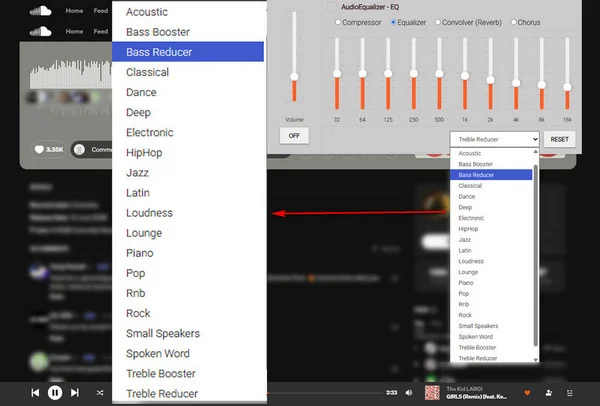
Equalizer for Chrome Browser provides a 10-band equalizer with ±12 dB adjustment per band and 21 presets, including Bass Booster, Hip-Hop, Electronic, and Vocal Amplifier. It also includes preamp gain, bass and volume boosting, surround sound effects, and the ability to edit and save custom configurations while keeping CPU usage relatively low.
| How to access | https://chromewebstore.google.com/detail/equalizer-for-chrome-brow/abikfbojmghmfjdjlbagiamkinbmbaic |
| SoundCloud Support | Works with SoundCloud through Chrome |
| Compatibility | Chrome browser |
| Price | Free |
| Best for | SoundCloud web listeners who want quick presets as well as more control over individual frequency bands. |
Download SoundCloud Music Locally and Try AudiFab Free Today!
Compatible with Windows & macOS · 100% Safe & Clean · 3k+ downloads monthly · 99.9% success rate
The right SoundCloud equalizer depends on how much control you want and how you usually listen to SoundCloud.
Start with your built-in Android EQ if available, or try FxSound on Windows. Both are good for basic sound adjustments without dealing with complicated EQ settings.
Choose VOX for iPhone, Poweramp Equalizer for Android, or Equalizer APO for Windows. These options give you more control over frequency bands and are better for users who want to fine-tune their sound.
Equalizer+ on iPhone and Equalizer for Chrome Browser are easier choices. You can quickly switch between presets such as Bass Booster, Hip-Hop, or Vocal without adjusting individual frequencies yourself.
Try Advanced Audio Equalizer for Chrome. In addition to EQ controls, it offers effects such as Reverb, Chorus, and 3D Audio, plus volume boosting for SoundCloud web playback.
For most listeners, a simple EQ or preset is enough. Advanced equalizers are more useful if you want precise control over how your SoundCloud music sounds.
Third-party SoundCloud equalizers may occasionally fail to detect or process SoundCloud audio. Here are the most common problems and fixes.
While third-party SoundCloud equalizers enhance your audio, they often come with limitations—browser dependencies, complex setups, or incompatibility with mobile apps. A smoother alternative is saving your favorite SoundCloud tracks as local audio files. Once downloaded, you can use any high-end music player's built-in EQ, transfer SoundCloud songs to any device, and enjoy offline listening with zero restrictions.
Compatible with Windows & macOS · 100% Safe & Clean · 3k+ downloads monthly · 99.9% success rate
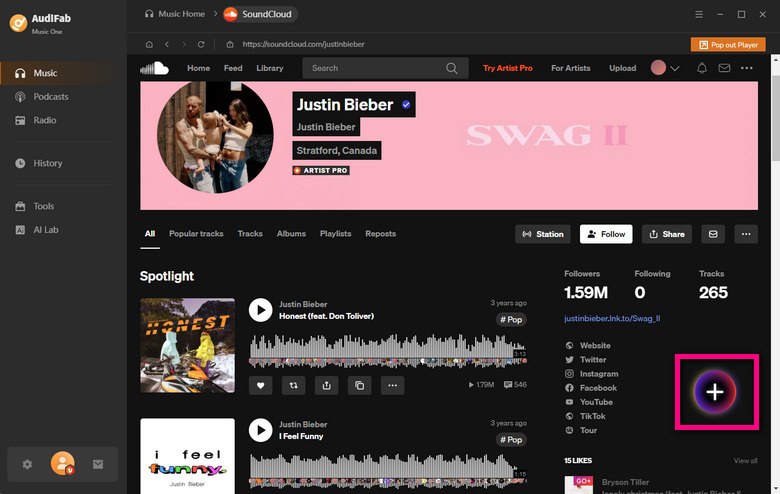
Launch SoundCloud in AudiFab
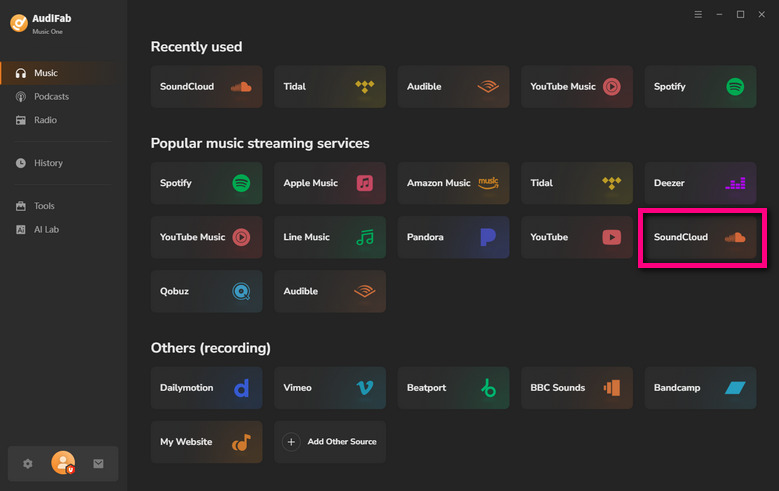
Open AudiFab Music One and select SoundCloud from the available platforms to access its built-in SoundCloud music browser and search tool.
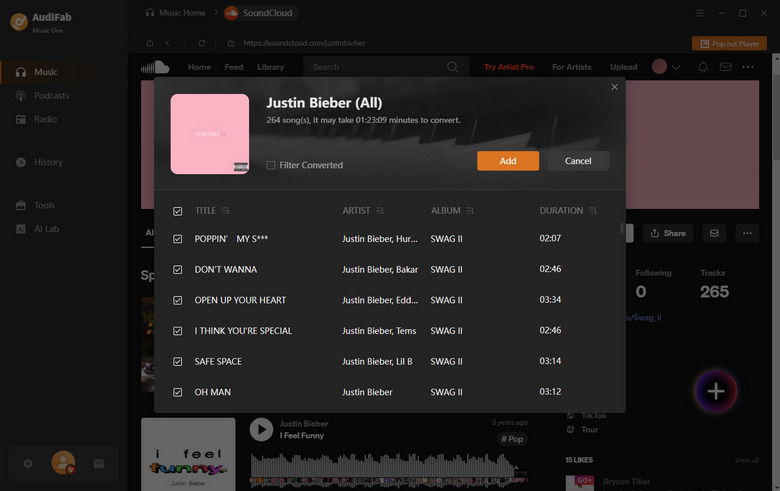
Select SoundCloud Songs or Playlists
Find the SoundCloud playlist you want to download. Hit the Add button to let AudiFab automatically detect and list all the SoundCloud tracks.
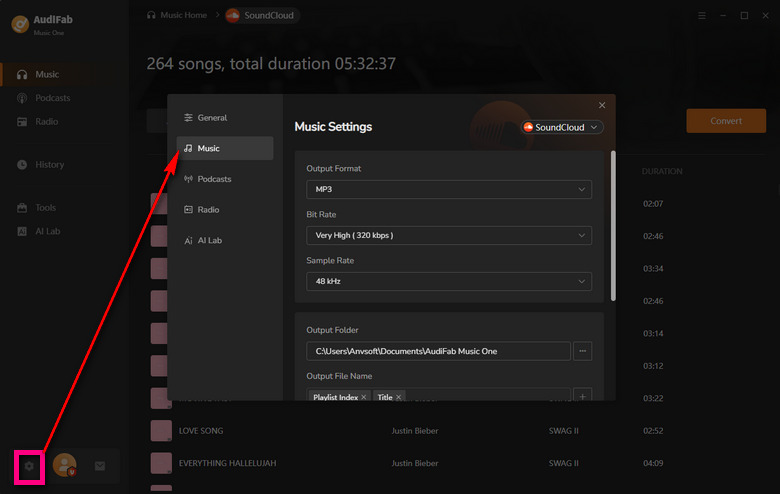
Configure Output & Format Settings
Go to Settings to choose MP3 or other output formats, select your preferred audio quality, and set a save location. You can also customize folder organization by artist or album.
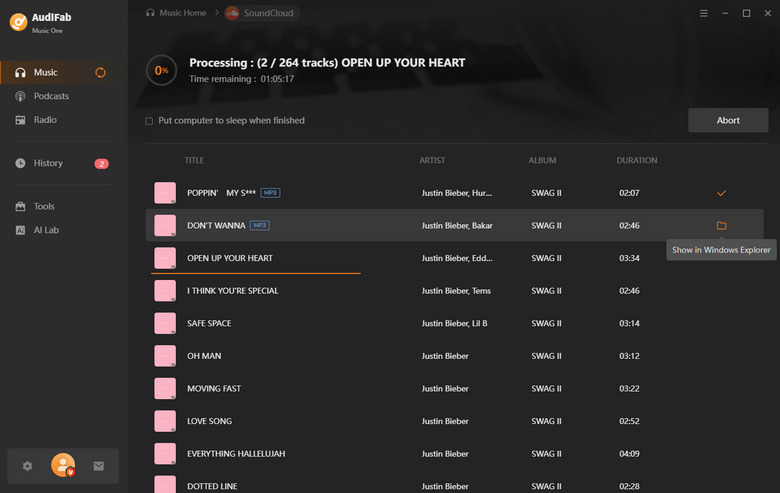
Batch Convert at High Speed
Click Convert to download the complete SoundCloud playlist at up to 10X speed.
Access Your Saved SoundCloud Files
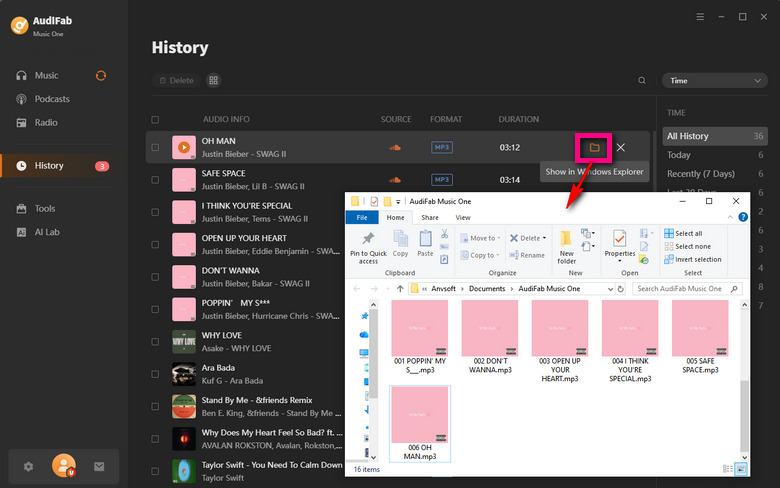
Once complete, check the History section or open your designated output folder to grab your tagged, ready-to-play SoundCloud songs.
Since SoundCloud doesn't have a built-in playback EQ, you'll need a third-party equalizer that works with your device or browser. Play your SoundCloud song, enable the EQ, and then adjust the frequency bands or select a preset.
For a quick starting point:
Bass Boost: Boost the low frequencies around 60–120 Hz.
Hip-Hop & Rap: Boost the bass slightly and keep vocals clear in the mids.
EDM & House: Add some low-end punch and slightly enhance the highs.
Vocals & Acoustic: Keep bass moderate and emphasize the midrange for clearer vocals and instruments.
There is no single best EQ setting for SoundCloud, as it depends on your headphones, speakers, music genre, and personal preference.
A good starting point is to keep the EQ flat and make small adjustments: boost 60–120 Hz for more bass, 1–4 kHz for clearer vocals, or 8–12 kHz for extra brightness. Avoid excessive boosts, which can cause distortion or make the sound unbalanced.
An EQ changes the frequency balance of the audio being played, but it doesn't increase SoundCloud's original streaming quality. Excessive boosting can also introduce distortion or clipping, so moderate adjustments usually sound better.
Yes, but not directly within SoundCloud. You can use a third-party equalizer, system-wide EQ, or browser extension to boost or reduce the bass while playing SoundCloud music.
It depends on your device and how much control you need. VOX is better for advanced EQ controls on iPhone, Poweramp Equalizer offers extensive customization on Android, while FxSound and Equalizer APO are good options for Windows. Chrome users can also use browser-based EQ extensions for SoundCloud web playback.
Finding the right SoundCloud equalizer depends on your device, listening habits, and how much control you need. Whether you prefer a simple preset or advanced EQ customization, the tools above offer options for different setups. For more playback freedom, AudiFab SoundCloud Music Converter lets you save SoundCloud music locally and enjoy it with your preferred player, EQ, and device.

Download SoundCloud tracks and playlists as local audio files for more flexible playback and EQ control. MP3, FLAC, WAV & more • Use with your preferred EQ player • Full metadata preserved


Save SoundCloud songs & playlists in MP3/FLAC/WAV/AAC at up to 10X speed, with original quality & ID3 tags preserved.
Music is the greatest communication in the world and here are some articles that may help you enjoy music in a better way.

 Try It Free
 Try It Free