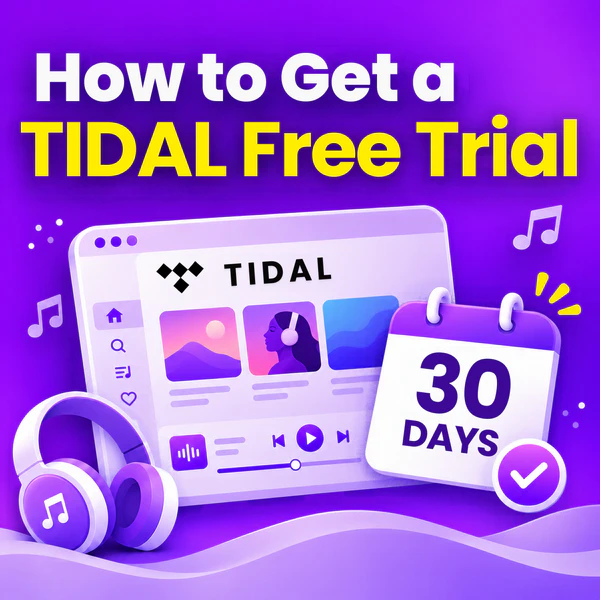
TIDAL Free Trial: How to Get Up to 12 Months Free in 2026
TIDAL's own trial is 30 days. Here is each route we could verify, what it needs, and how to cancel in time.
TIDAL's own trial is 30 days. Here is each route we could verify, what it needs, and how to cancel in time.
TIDAL's own free trial remains 30 days in 2026 and is restricted to new subscribers only. Any longer offer comes from third-party sources: for example, three months via a Denon DJ voucher or Sony Xperia bundle. The subscription auto-renews after the 30-day period unless cancelled. This guide is organised by trial length. For each of the four durations users commonly search for, it lists valid offers and their eligibility requirements. Every offer below was verified against a live TIDAL page in 2026.
⚖️ Disclaimer This guide is for educational and personal use only. Please respect the copyright of content creators and TIDAL's Terms of Service.
TIDAL still runs a 30-day free trial in 2026, but it no longer has a free version. Only brand-new users qualify for this free trial. If you have ever had a TIDAL account — paid, trial, or a redeemed promo — the signup flow charges you from day one instead of starting a trial.
The TIDAL free trial lasts 30 days. The countdown starts when you confirm your payment method, not when you first open the app. Note that trials offered directly by TIDAL are fixed at 30 days. Any longer trial offer you may have seen comes from partner arrangements. These include hardware brands buying voucher codes or carriers bundling TIDAL into service contracts. You cannot select a 3‑ or 6‑month trial directly on tidal.com.
During those 30 days you get the same access as a paying Individual subscriber:
Your offline files stop playing once the trial ends. Convert them to FLAC or MP3 before the clock runs down and keep every track for good. Compatible with Windows & macOS · 100% Safe & Clean
Yes, but one type is refused outright — prepaid credit cards. There are three families of route, and they are not interchangeable:
By length:
1 Month 3 Months 6 Months 12 Months
By situation:
I have a gift card I have PayPal or a debit card I'm a student or want family I own Denon DJ device I just bought an Xperia I drive a Mercedes-Benz
Three options are available: the standard TIDAL free trial, special plans like Family, Student and DJ that use the same sign-up process, and gift cards for users who cannot add a payment card.
This is the default route: create a new account, confirm a payment method, and the trial is applied at checkout. The trial length is the same 30 days whether you choose Individual, Family, Student or DJ.
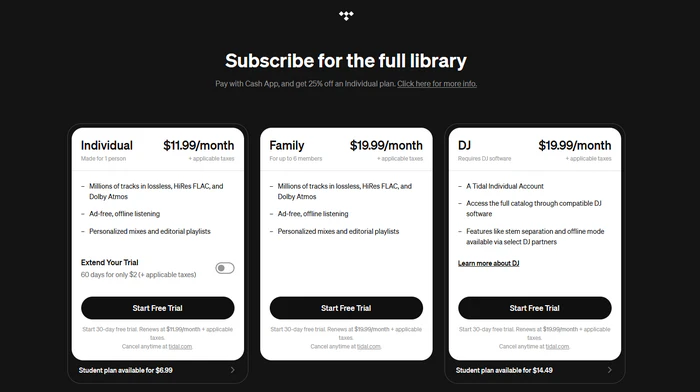
You do not repeat the signup for these three. At step three above, pick the plan you want; the 30-day trial is identical, and only the price after the trial and the eligibility checks change.
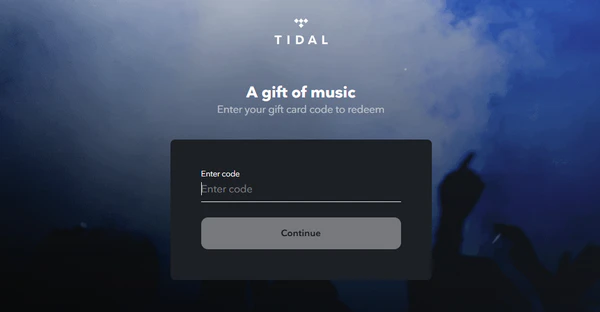
This is the one route where TIDAL never asks for payment details. The redemption page asks for a PIN and nothing else, and a subscription created this way includes the 30-day free trial, with the card deducted when the trial ends.
Download your playlists during the trial, cancel the renewal, and keep all your music without the subscription. Compatible with Windows & macOS · 100% Safe & Clean
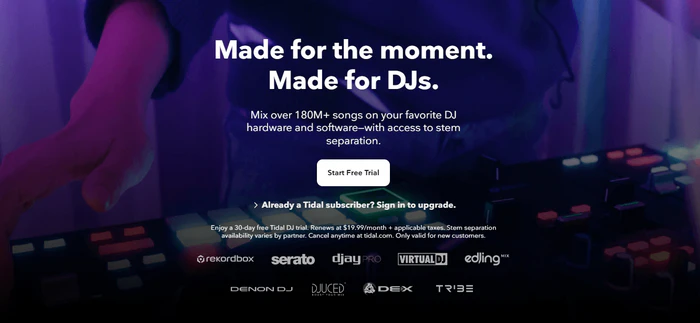
Two hardware partners still hand out working 3-month codes in 2026 — Denon DJ for DJs, and Sony Xperia for phone buyers — plus the Mercedes-Benz in-car offer.
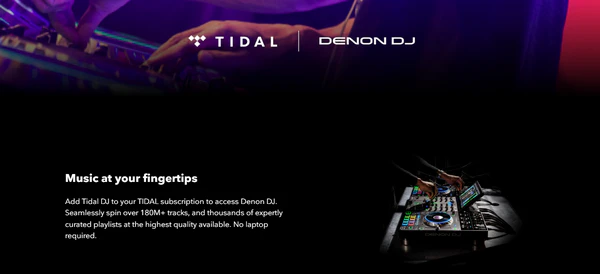
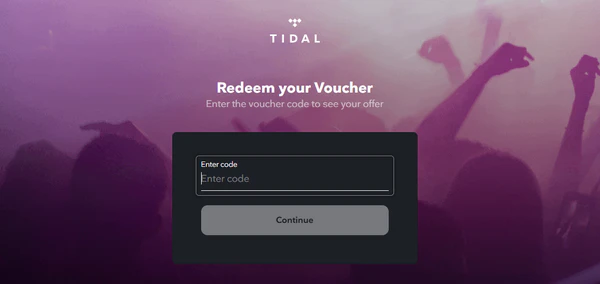
TIDAL lists Denon DJ as an official hardware partner. Eligible Denon controllers and mixers come with a 3‑month TIDAL DJ subscription offer. The redemption code is included in the box or your Denon account and unlocks the trial. The device itself is required — no code means no access.
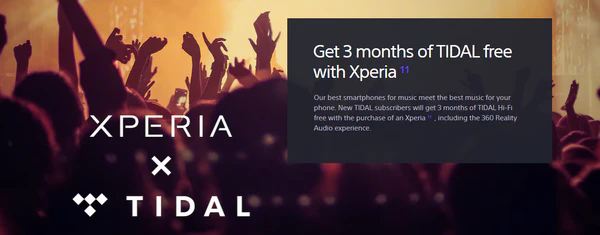
Sony's UK electronics page offers new TIDAL subscribers three months of TIDAL Hi-Fi free with the purchase of an eligible Xperia phone. The same offer runs on regional Sony sites — Sony Spain, Sony Poland and others list identical terms.
Eligible models are listed on the Sony page itself; the current range covers Xperia 1 V, 1 IV, PRO-I, 1 III, 5 III, 1 II and 5 II. The trial is the standard Hi-Fi tier (not DJ), and requires a new TIDAL account. You need the Xperia receipt to claim the code. Once you have the code, redeem it the same way as the Denon voucher above: at tidal.com/voucher, with a new TIDAL account and a payment method on file.
Mercedes‑Benz's TIDAL partner offer gives eligible vehicle owners a free three‑month TIDAL trial. You need a fitted Mercedes me Adapter and an active Mercedes me account. Unlike the Denon and Sony vouchers, this one does not use a code — it is activated inside the Mercedes ecosystem.

Most other 3‑month claims are invalid. Pioneer DJ, Serato, DJUCED and edjing are listed partners but only offer DJ integrations not promotions — they require a TIDAL DJ subscription and issue no trial codes. JLab Audio's headphone bundle trial ended in 2023. The widely cited Samsung Galaxy Watch offer is no longer available in late 2025.
No live six-month TIDAL free trial is publicly available as of 2026. TIDAL's own site does not run one, and every partner that used to publish a six-month window has either retired the offer or pulled the landing page. The five old campaigns below still show up in search results years after it stopped working, so they are listed here for reference rather than as live routes.
TIDAL has no active partner pages listing a 12‑month free trial. What genuinely gets you close to a year is a discount rather than free time.
Eligible US customers on TIDAL Individual or DJ Individual get 25% off for 12 months when they sign up through the Cash App offer. Two conditions matter — you have to be in the US, and choosing it cancels the free trial entirely: you are charged immediately, and the discount cannot be stacked on top of a trial.
TIDAL's current partner list is mostly hardware and integration brands — Algorithm (djay Pro), Amazon Alexa, Bang & Olufsen, Denon DJ, Dolby Atmos, DJUCED, edjing, LG TV, Maserati, McIntosh, Mercedes-Benz, Multimedia, Pioneer DJ, Play Poland, Serato, Sonos, Tesla, Turtle Beach and Volkswagen. None of them publishes a 12-month trial.
The Cash App discount charges you from day one. Download what you want now and stop paying after your trial window. Compatible with Windows & macOS · 100% Safe & Clean
Cancelling stops the renewal without cutting off access immediately — you keep listening until day 30.
If you signed up on the web:
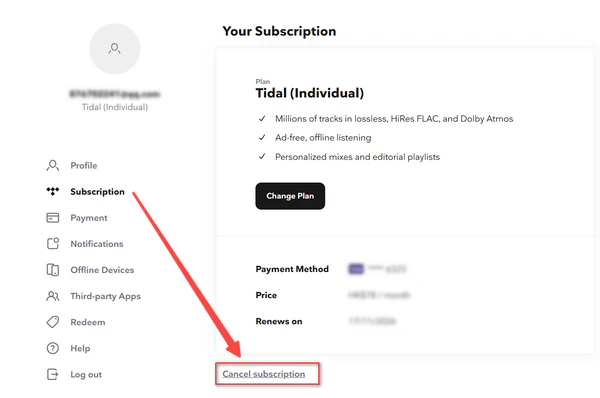
If you signed up in the TIDAL Android app:
If you signed up through Apple or Google Play:
If you used a Denon DJ / Sony voucher or a TIDAL gift card:
Cancel at account.tidal.com → Subscription → Cancel. A voucher does not cut off access immediately — you keep listening until the voucher time runs out, so check the date on the Subscription screen before you assume you are clear. On a gift card, the remaining balance stays attached to the account after you cancel and is only spent while a subscription is active.
If you activated through Mercedes me:
The subscription lives in the Mercedes ecosystem rather than TIDAL's own account system, so cancel inside the Mercedes me portal or App rather than at account.tidal.com. TIDAL's own cancellation screen will not respond to Mercedes-bundled subscriptions.
When the TIDAL free trial ends without a renewal, your playlists and saved albums stay on your account but your offline downloads stop playing. If you are leaving but want to keep the music, you need to convert TIDAL music to ordinary local audio files while the subscription is still active.
AudiFab TIDAL Converter downloads TIDAL tracks, albums and playlists to your computer as ordinary audio files in FLAC, MP3, WAV, AAC, AIFF or ALAC, keeping the source's lossless or Hi-Res quality and preserving all ID3 tags and embedded cover art. It runs on Windows and macOS, converts in batch at up to 10x speed; the same tool also handles Spotify, Apple Music, Amazon Music, Deezer and YouTube Music if your library is spread across more than one service. Because the files are written to disk as plain audio, they keep playing after the trial ends.
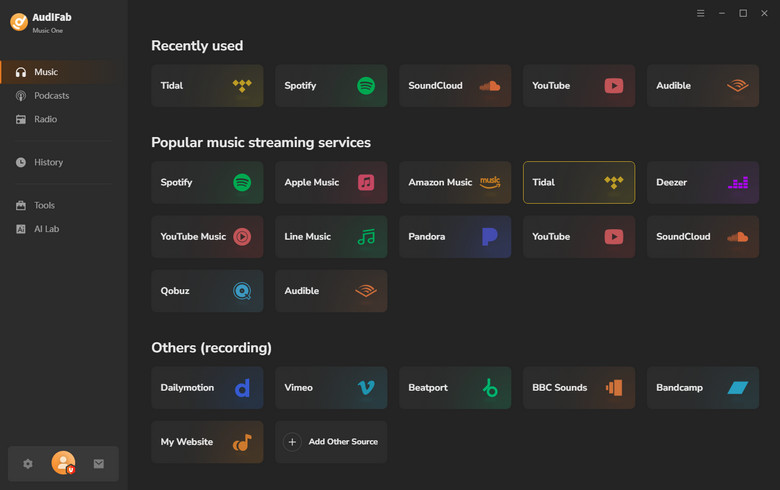
Install AudiFab and pick TIDAL as the source
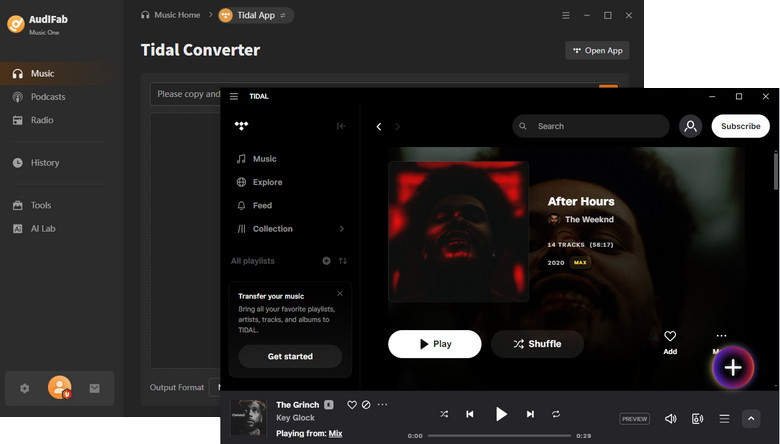
Download and install AudiFab on your Windows or Mac, launch it, and choose TIDAL from the music source list on the home screen. The built-in TIDAL window opens inside the app — sign in with the same account that holds the active trial.
Set your output format and quality
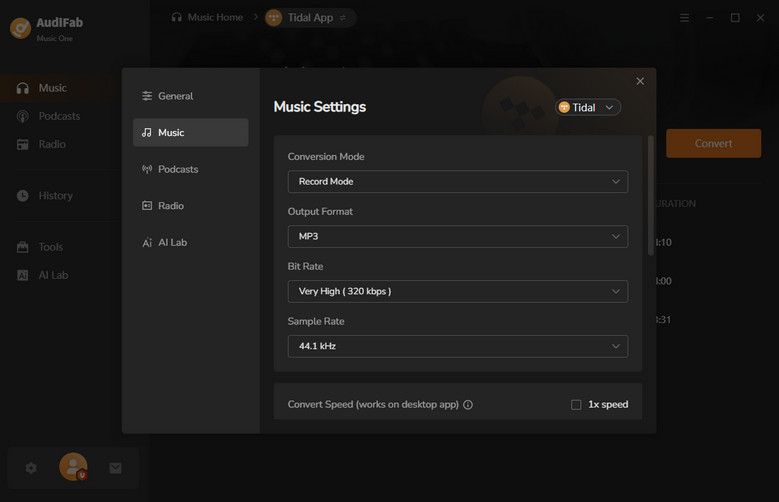
Click the Settings icon in the bottom-left corner. Pick FLAC (Recommended) if you want to keep TIDAL's lossless quality — that is the default for hi-fi listeners. Choose MP3 320 kbps if you need smaller files for a phone or car. You can also change the output folder, toggle saved lyrics, and how the folders are organised by artist or album.
Browse your library and add what you want to keep
Inside the built-in TIDAL window, navigate to the songs, albums or playlists you want to keep. Hover over an item and click the + button in the bottom-right corner — AudiFab reads the track list and pops up a checklist. Tick the tracks you want (or Select All), then click Add to move them into the conversion queue.
Click Convert and let it run
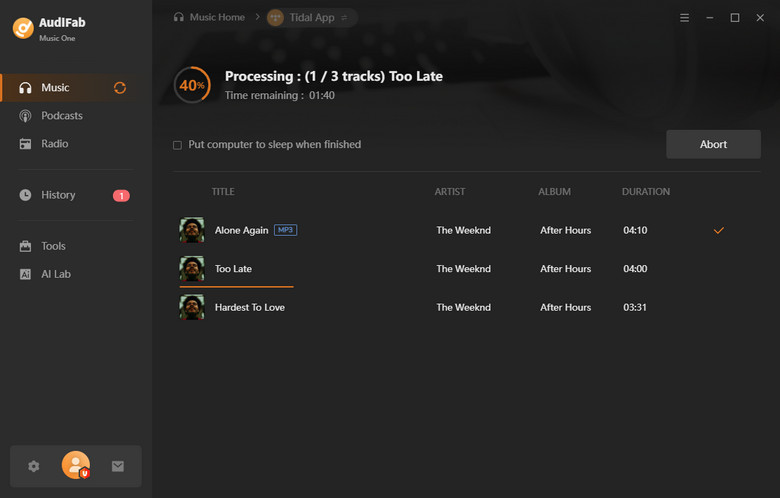
Once the queue is loaded, hit the Convert button in the bottom-right. AudiFab pulls each track through TIDAL's app and writes the output file at the format you chose. At 10x speed a 100-track playlist finishes in a few minutes; you can keep using the app for other things while it runs.
Find the files on your drive
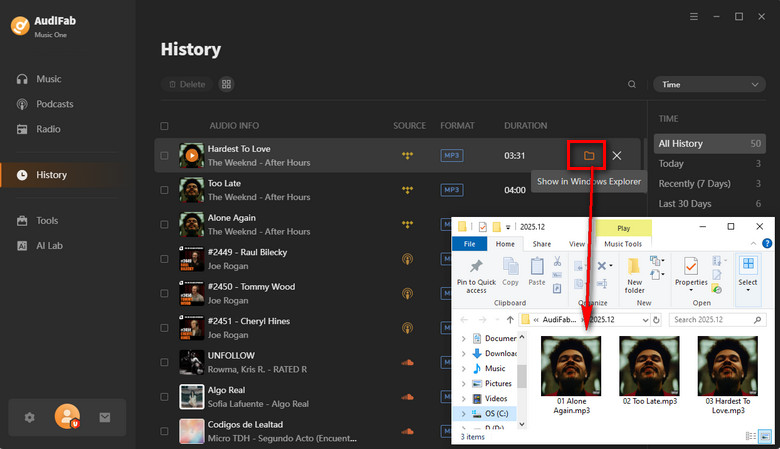
When the progress bar finishes, switch to the History tab inside AudiFab — every converted track is listed there with a clickable folder icon that opens the output directory. Those FLAC or MP3 files are now yours to play, back up, or copy to any device, independent of whether the TIDAL subscription stays active.
Yes to the first, no to the second. TIDAL runs a 30-day free trial for new subscribers in 2026, with the full Individual plan on it. TIDAL has no ad-supported free plan, so the trial, a gift card, and a partner voucher are the only ways to listen without paying in full. The trial converts to $11.99/month after 30 days unless you cancel.
TIDAL's native trial is always 30 days. 3‑month TIDAL free trials are available via three active partner promotions in 2026: Denon DJ, Sony Xperia and Mercedes‑Benz. 6‑month TIDAL free trials no longer have any active sources.
Yes. You do not need a credit card — bank debit cards, PayPal, Venmo (US), Cash App (US) and iDEAL (NL) are all accepted, and they unlock the same 30-day trial. The only flow that skips payment details is a gift card, which is prepaid rather than free. Prepaid credit cards are refused outright.
The free trial is for first-time subscribers only. You may not see the offer if:
Creating a second account to get another trial breaches TIDAL's terms and usually fails at the payment step. The legitimate alternatives are the student plan, the DJ plan, a gift card, and a partner bundle.
That is an authorization test, not a trial fee. TIDAL runs it to confirm the card is valid, and it drops off your statement within 24 hours without being debited — TIDAL documents this directly, and notes that submitting your payment details several times during signup can produce two of them.
Yes, the Family plan includes the same 30-day trial as the Individual plan. Two limitations apply: Members who have used an individual TIDAL trial or promo cannot be added during the Family trial; they may only join once billing starts. TIDAL DJ features are unavailable on the Family plan.
Most of the longer TIDAL free trial offers you see online are either retired campaigns or discounts dressed up as free time. The only reliable route is TIDAL's own 30-day trial for new subscribers, with 3-month codes coming from hardware or carrier partners. Whichever route you take, cancel before the renewal date if you are not staying, and if you want to keep the music, convert it while the trial is still active. AudiFab TIDAL Converter does exactly that — it turns your playlists into lossless FLAC or MP3 files you own outright, long after the trial ends.

Best all-in-one tool to download from Spotify, Apple Music, Amazon Music, Tidal, Deezer, YouTube Music & more to MP3/AAC/FLAC/WAV/ALAC/AIFF.
Music is the greatest communication in the world and here are some articles that may help you enjoy music in a better way.

 Try It Free
 Try It Free