Best & Free Ways to Convert Tidal to MP3 - 2026 Tested
Use our tested guide to convert Tidal songs to 320kbps MP3. Start listening offline now!
Use our tested guide to convert Tidal songs to 320kbps MP3. Start listening offline now!
Tidal is one of the best streaming services for top-quality audio, especially at the HiFi and Master tiers. However, even with a subscription, your downloaded Tidal songs can only be played inside the app. This becomes frustrating if you want to listen to Tidal music on MP3 players, car stereos, DJ software, or other devices.
To enjoy your music more freely, many users choose to convert Tidal to MP3. After testing multiple methods, we picked two practical ways: AudiFab Tidal Music Converter for high-quality batch downloads, and Online Tidal Downloader for occasional single tracks. Read on to discover the best ways to download music from Tidal in minutes.
⚖️ Disclaimer This guide is just for info—use the tools below for personal, non-commercial use only.
✨ Supports Downloading from Tidal: Playlists/Albums/Artists/Podcasts/Audiobooks/Radios
💡 Why It’s Recommended: Unlike most converters that claim to offer 320kbps MP3, AudiFab Tidal Music Converter (also known as AudiFab Music One) stands out by directly extracting the high-quality audio stream to give you a genuine 320kbps MP3. It can also export lossless FLAC, preserving Tidal’s HiRes quality (up to 24-bit/192kHz).
With 10× lightning speed and batch download, a 100-song playlist can be converted in minutes. AudiFab automatically saves all ID3 tags, including the song titles, artists, and album art, keeping your music library organized.
Beyond Tidal, AudiFab also supports downloading music from Spotify (Lossless), Apple Music (Lossless), Amazon Music (Ultra HD), YouTube Music, Deezer, and more.
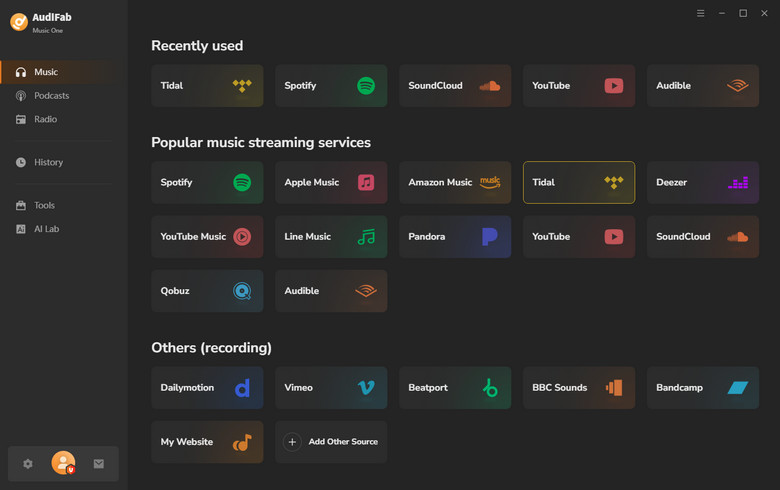
Install and Launch AudiFab
Download and install AudiFab Tidal Music Converter (Music One) on your Windows or Mac. Open the program and choose Tidal. For the best audio quality, we recommend Tidal App mode.
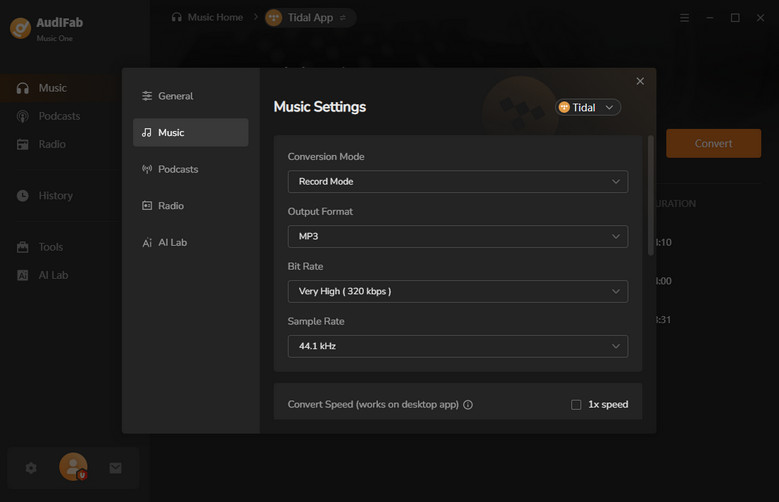
Choose MP3 Output Format
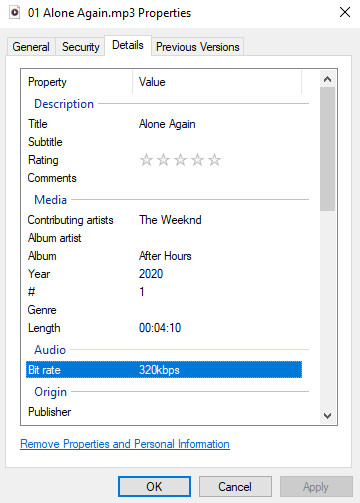
Go to Settings, select MP3 as the output format, and choose 320kbps as the bitrate. You can also customize output folder, save lyrics, and other settings.
Tips: Choose Record Mode + Auto, you will get the best quality.
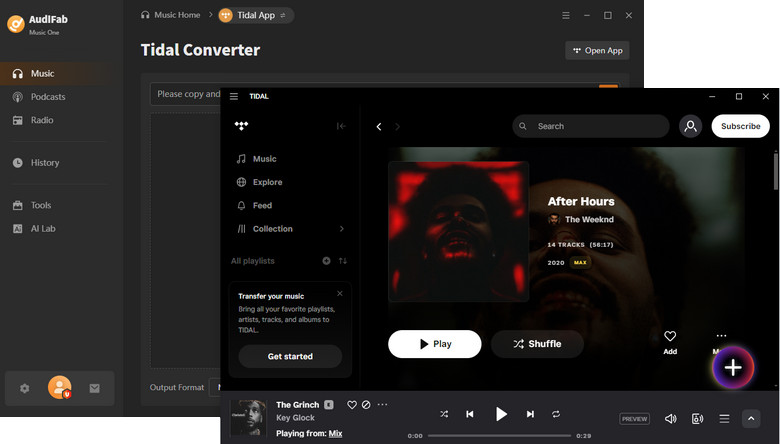
Select Tidal Songs or Playlists
Browse your library and choose the songs, albums, or playlists you want to convert. Click the “+” button to add them to the conversion list.
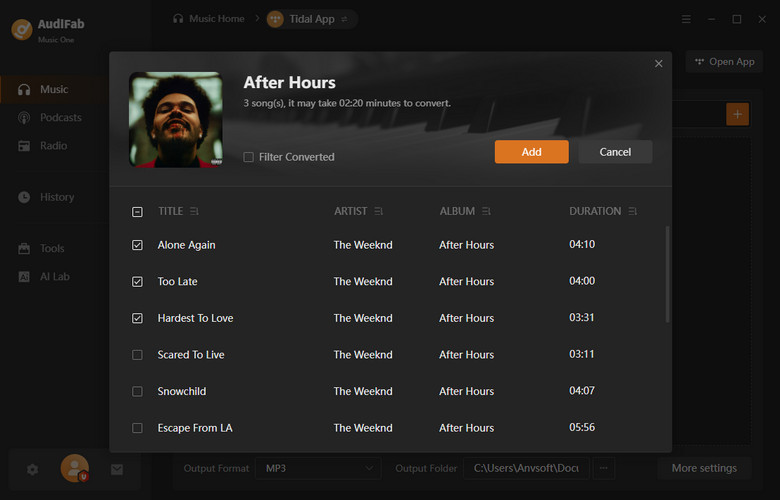
Start Converting Tidal to MP3
Click Convert to begin. With 10× speed support, large playlists can be converted in just minutes.
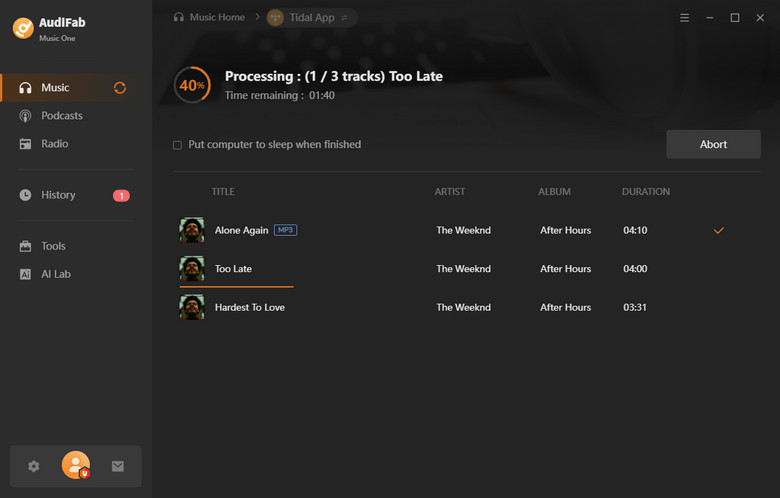
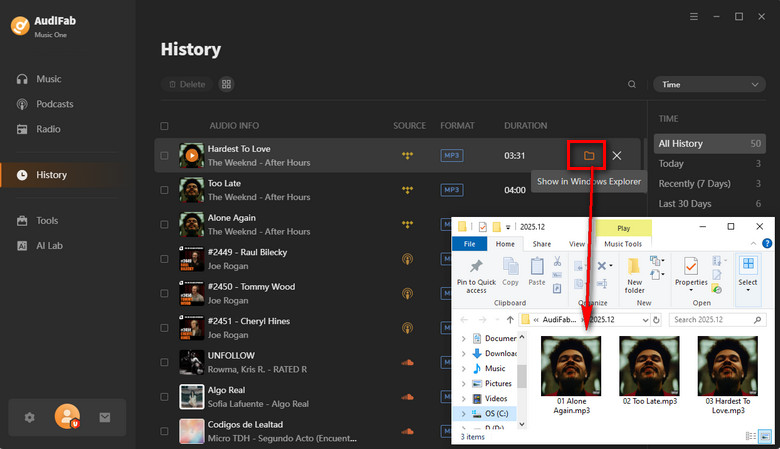
Find Your MP3 Files
Once the conversion is complete, open the output folder to find your 320kbps MP3 files with full ID3 tags and album art preserved. You can now enjoy your Tidal music anytime, anywhere, without restrictions.

If you're considering transferring your Spotify playlists to Tidal, this article provides the best solution with step-by-step guidance.
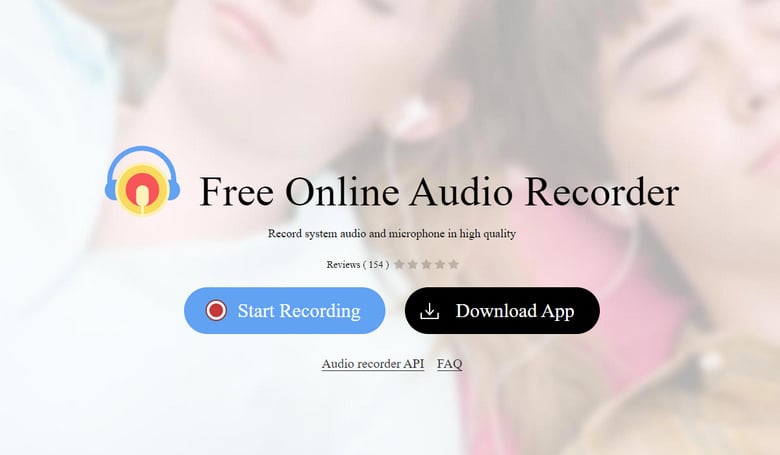
Learn More →If you just need a song or two once in a while and don't want to install anything, an Online Tidal Music Downloader is the easiest way. In 2026, most of these sites actually work as web-based recorders, meaning they capture the sound while the music plays in your browser and then save it as an MP3 file.
While it is 100% free, there are two trade-offs: quality and time. You have to play the entire song to "download" it, and the sound won't be as crisp as the 320kbps quality you get from AudiFab.
| Feature | AudiFab Tidal Music Converter | Free Online Tidal to MP3 Downloader |
|---|---|---|
| Installation | Required (Windows / Mac) | Not Required (Browser-based) |
| Audio Quality | 320kbps MP3 / Lossless FLAC | Lower quality |
| Speed | Fast (batch, 10× speed) | Real-time recording only |
| Batch Download | ✔ Yes | ✘ No |
| Metadata Preservation | ✔ Full ID3 tags & artwork | ✘ Often none |
| Playlists Support | ✔ Yes | ✘ No |
| Stability | ✔ Stable performance | ⚠ Varies by website |
| Ads or Pop-ups | ✘ Typically None | ⚠ Often contains ads or pop-ups |
| Lyrics | ✔ Yes | ✘ No |
| Cost | Free Trial | 100% Free |
Your choice depends on how often you convert music and what you value most:
No. Tidal does not provide a built‑in option to export songs as MP3 files. Offline downloads are encrypted and can only be played inside the Tidal app.
Converting Tidal music for personal use may fall into a legal gray area depending on your local copyright laws. Sharing or distributing converted files is generally not allowed.
Yes, but it depends on the settings. MP3 is a "lossy" format. If you use AudiFab to convert to 320kbps, the quality loss is almost impossible for the human ear to detect. If you want to keep 100% of Tidal’s HiFi sound, you should choose FLAC as your output format instead of MP3.
No. Once you convert Tidal songs to MP3 using these methods, they are saved as permanent files on your computer. You can keep them and play them forever, even if you cancel your Tidal membership.
Currently, there are no reliable "converter apps" on the App Store or Google Play due to encryption. The safest way is to use a computer (Windows or Mac) to convert the files first, then transfer them to your phone via USB or cloud storage.
In 2026, there is no official way to export MP3s directly from Tidal. Free online Tidal Music downloaders can handle a song or two without installation, but they are limited in speed and MP3 quality.
For high-quality 320kbps MP3 output from Tidal, batch downloads, and reliable performance, a dedicated desktop converter like AudiFab Tidal to MP3 Converter (Music One) is by far the best choice. It’s ideal for playlists, large libraries, and anyone who wants consistent, high-quality Tidal MP3s for offline listening.
Try AudiFab today! The free trial version lets you download one minute of each track, while purchasing the full version unlocks unlimited downloads with full control and high-quality Tidal music offline.

Best all-in-one tool to download from Spotify, Apple Music, Amazon Music, Tidal, Deezer, YouTube Music & more to MP3/AAC/FLAC.
Music is the greatest communication in the world and here are some articles that may help you enjoy music in a better way.

 Download for Windows
 Download for Mac