8 Best Bandcamp Downloaders in 2026: High-Quality Downloads
Need to download Bandcamp music? Compare 8 top downloaders for MP3, FLAC, batch downloads and offline listening to find your best option.
Need to download Bandcamp music? Compare 8 top downloaders for MP3, FLAC, batch downloads and offline listening to find your best option.
Bandcamp downloaders can save songs, albums, or an entire Bandcamp collection as local audio files — usually MP3, FLAC, or WAV — so you can listen offline, back up music you've bought, or move tracks to another device or player. Some Bandcamp downloaders work directly in your browser by pasting a track or album link, while others are desktop apps or browser extensions built for bulk downloads.
Below, we tested 8 of the most-used Bandcamp downloaders in 2026 across four categories — desktop software, browser extensions, online converters, and Bandcamp's own app — so you can pick the one that actually fits what you're trying to do.
⚖️ Disclaimer This guide is for educational and personal use only. Please respect the copyright of the artists whose music you download.
💡 How we tested:
We evaluated each Bandcamp downloader on audio quality, output formats, batch downloading, metadata and cover‑art support, ease of use, platform support, and whether it's an official Bandcamp channel or a third-party tool.
| Tool | Platform | Output Format | Output Quality | Metadata | Batch Download |
|---|---|---|---|---|---|
| AudiFab Music One | Desktop (Windows, macOS) | MP3, FLAC, WAV, AAC, ALAC, AIFF | Source quality (up to lossless) | ✅ ID3 tags + cover art | ✅ |
| Bandcamp App / Official Downloads | App (iOS, Android) + Web | In-app: N/A. Official links: MP3, FLAC, WAV, AIFF, ALAC, AAC, Ogg Vorbis |
Source quality (up to lossless, purchases only) | ✅ Full tags + cover art | — |
| BandcampDownloader.app | Web | MP3, FLAC | ~320kbps | ✅ HD cover art (no ID3 tags) | ❌ |
| AnyDownloader | Web | MP3 | ~128kbps | ❌ | ❌ |
| BandChampAlbumDownloaderMp3 | Web | MP3, OGG, WAV, FLAC | ~320kbps | ❌ | ✅ (per album) |
| bandcampdownloader.net | Web | MP3 | ~128kbps | ❌ | ✅ (per album) |
| Batchcamp | Extension (Chrome, Firefox) | Any format Bandcamp offers | Source quality (incl. lossless) | ✅ Preserves source tags + cover art | ✅ |
| Otiel/BandcampDownloader | Desktop (Windows, open-source) | MP3 | ~128kbps | ✅ ID3 tags + cover art | ✅ |
AudiFab Music One is a desktop Bandcamp downloader that comes with a built‑in browser, so you can log in, browse, and play tracks or albums just like on Bandcamp's website. It can download publicly playable Bandcamp streams, not just songs you have already purchased. Beyond Bandcamp, it doubles as a downloader for Spotify, Apple Music, Amazon Music, YouTube Music, and several other services.
We ran it against both single Bandcamp tracks and full albums, and AudiFab queued every track automatically as playback started. Output supports MP3, FLAC, WAV, AAC, AIFF and ALAC, and every file we pulled kept its ID3 tags and embedded cover art without further editing. Since it's desktop software rather than a web tool, it's a better match if you want a stable, ad-free workflow across a large or growing collection.
Open Bandcamp Inside AudiFab
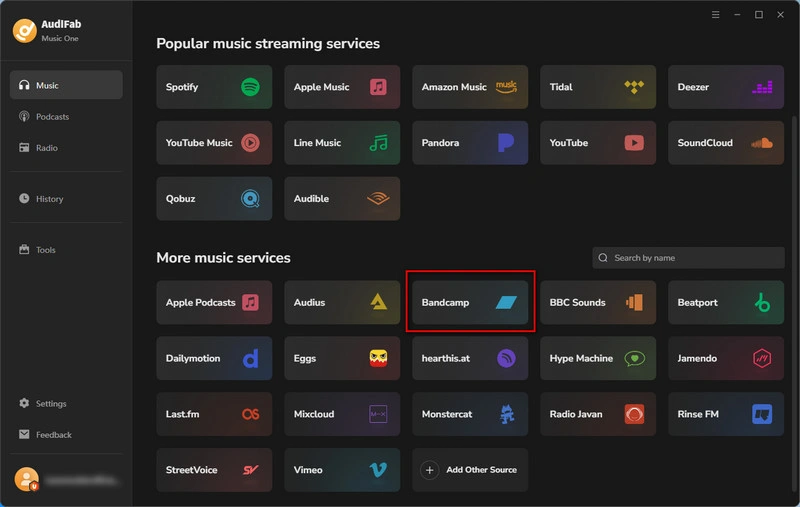
Install AudiFab Music One on Windows or Mac, then open the app. Go to the Music tab and select Bandcamp — this opens a built-in browser window where you can browse or search directly.
Find the Bandcamp Track, Album, or Artist Page
Log in if you're downloading Bandcamp music you've purchased, or simply navigate to the track, album, or artist page you want to save.
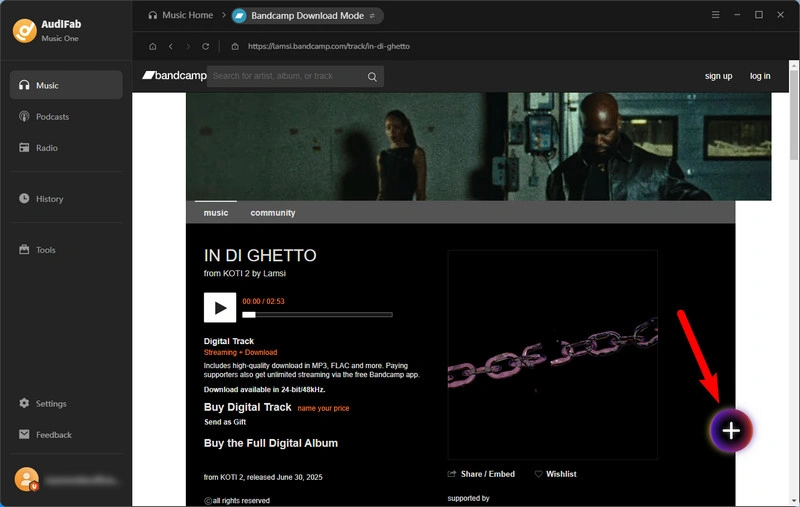
Add the Bandcamp Release to the Download Queue
Play the Bandcamp tracks or albums. AudiFab detects them automatically and adds them to the conversion queue.
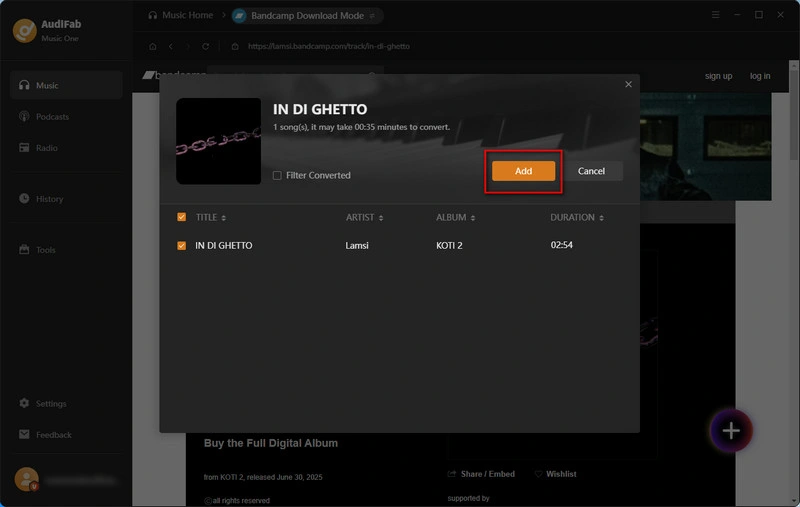
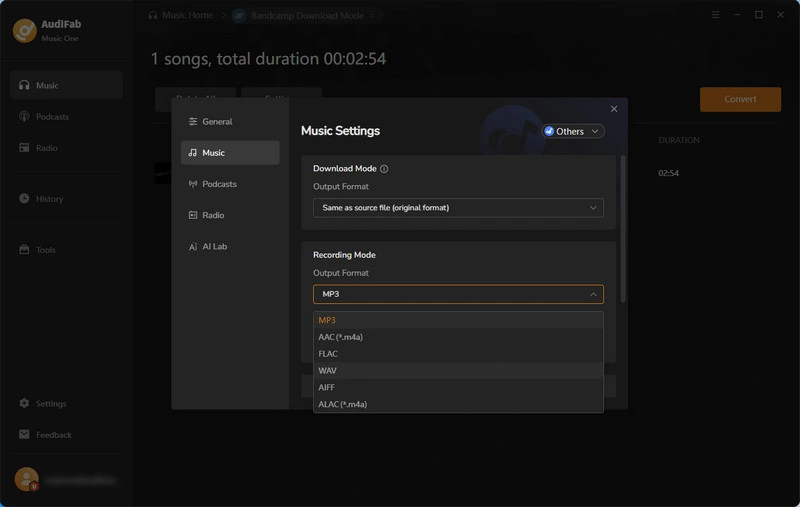
Choose Your Output Format
Open Settings to pick your output format — MP3, FLAC, WAV, AAC, or ALAC — and set your destination folder.
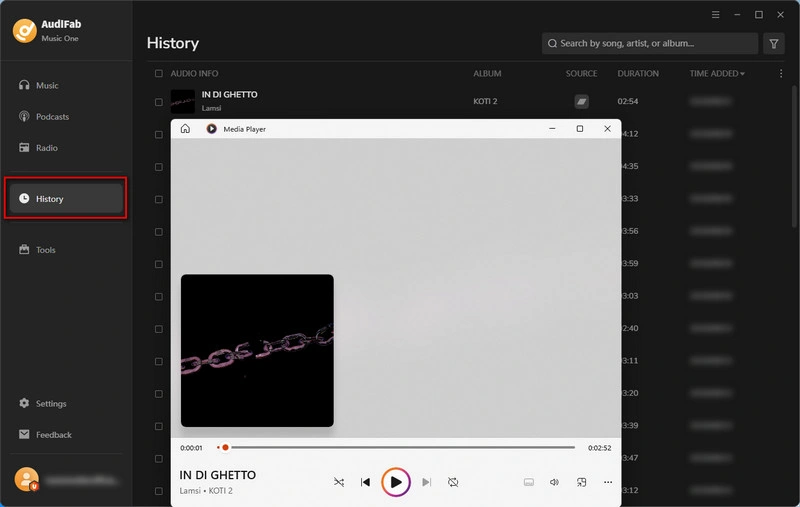
Convert and Locate Your Files
Click Convert to start the batch download. Once it's finished, find your files — complete with tags and cover art — in the History tab.
Bandcamp provides two official ways to download music. Public, unpurchased tracks on Bandcamp can only be streamed, and there's no official option to save preview streams as files. Once you've bought a track or a free/name-your-price release, two paths open up: the Bandcamp Fan app downloads music for offline playback inside the app, while your purchase page gives direct download links in the format the artist offers, from MP3 to lossless FLAC and WAV.
We tested both paths against a purchased album. Downloads inside the Fan app take one tap and go offline quickly, yet files remain locked within the app. By visiting your Collection or Purchases page instead, you can pick from up to eight formats — MP3 V0, MP3 320, FLAC, AAC, Ogg Vorbis, ALAC, WAV, AIFF — which you may import into iTunes, DJ software or any other music player. Neither method carries extra fees, and no paid membership is required.
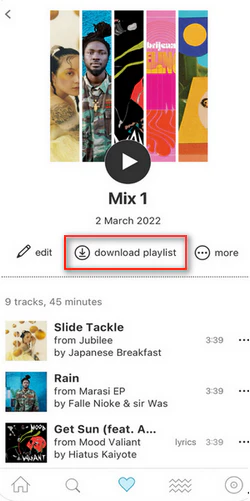
Which steps you follow depends on whether you want offline playback in the app or an exportable audio file.
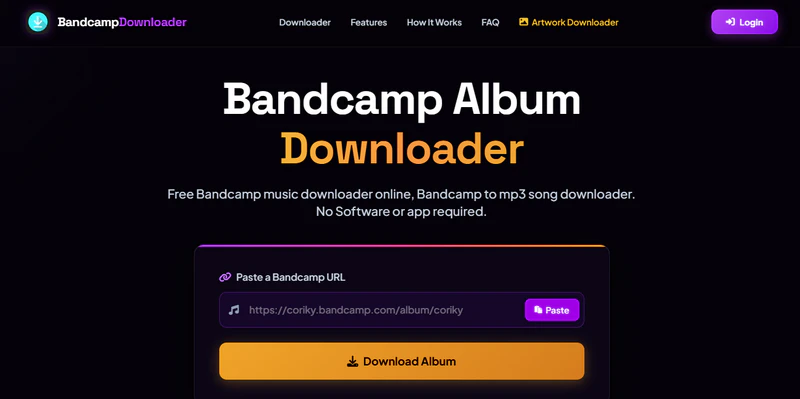
BandcampDownloader.app is a free online tool that converts a Bandcamp track or album link into an MP3 or FLAC file directly in your browser. There's no sign-up and no software to install. You paste the URL, the tool resolves the audio stream, and you download the result.
We tested it with both a single track and a full album link. Single tracks resolved quickly, and the site offers a format choice between MP3 and FLAC before download. Album links worked but returned individual track downloads rather than one combined batch. The page is also fairly ad-heavy, and while it does let you save the album cover art in HD alongside each download, it doesn't write full ID3 metadata (artist, track number, etc.) the way a dedicated desktop app does.
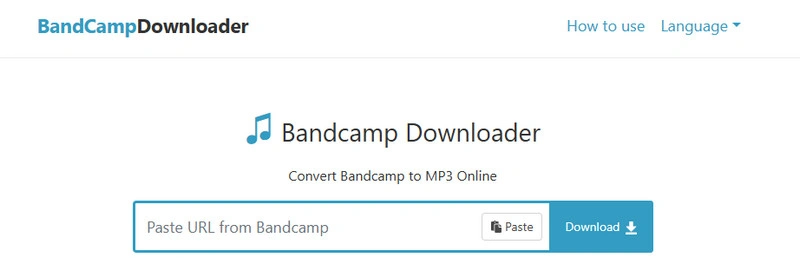
AnyDownloader is a browser-based tool that converts a pasted Bandcamp link into a downloadable MP3 file with a single click, no account or software required. It's built around simplicity rather than features — there's no format selection, no batch mode, and no metadata editing.
In our test, pasting a track link returned a working MP3 download within a few seconds, which is about as fast as this category of tool gets. Album links returned a list of individual tracks rather than a single ZIP file. The trade-off for that speed and simplicity is audio quality and metadata: downloads are capped around 128kbps, noticeably lower than what some competitors claim, and the files arrive with no cover art or ID3 tags attached.
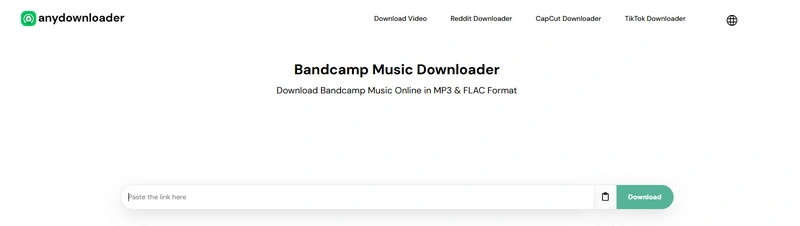
BandChampAlbumDownloaderMp3 is a free-to-try online converter built specifically around album-level downloads. Unlike most converters in this category, it can bundle a full album into a single ZIP archive rather than making you click through each song individually. It also lists support for MP3 up to 320kbps, plus OGG, WAV, and FLAC, though which formats actually appear depends on what's available at the source link.
We tested it with an album link and a single-track link. The album link worked via the paste‑and‑extract process, offering a ZIP download plus separate track links. Worth flagging: the free tier caps you at two song conversions per day, and unlimited batch ZIP downloads require a paid membership. The page also runs a CAPTCHA-style verification step before each download and surfaces a promoted desktop tool alongside the results, so expect a bit more friction than a one-click converter.
AudiFab Music One batch-downloads full albums with no daily caps, no CAPTCHAs, and no upsells — try it free. Compatible with Windows & macOS · 100% Safe & Clean
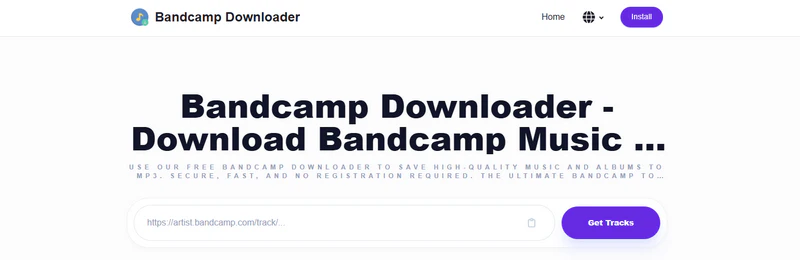
bandcampdownloader.net is a free, browser-based tool that resolves a pasted Bandcamp track or album link into downloadable MP3 files. There's no account or software required — paste the link, click "Get Tracks", and the site returns a download button for each song, plus a ZIP option that bundles the whole album into one file.
We tested it against a track link and an album link. Both loaded quickly and pulled the full tracklist, and the album link's ZIP button downloaded every track in a single file as expected. The trade-off is quality and metadata: there are no bitrate or format options, every download we got topped out at 128kbps MP3, and the files arrive without cover art or ID3 tags.
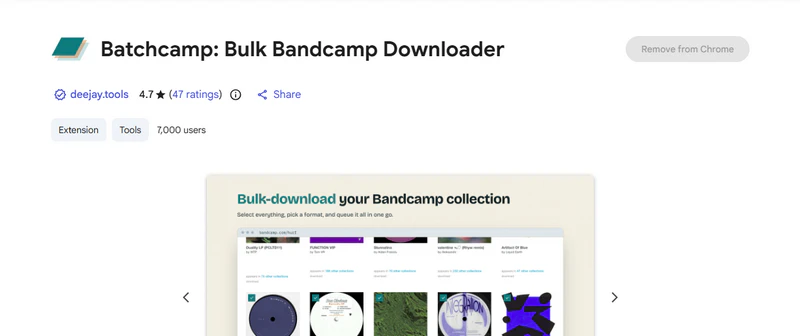
Batchcamp is a free Chrome and Firefox extension built around a different problem than most tools on this list: it bulk-downloads music you've already bought on Bandcamp. It works directly on your Bandcamp collection or purchases page, letting you select releases and queue them up in whatever format Bandcamp originally made available to you, including lossless options like FLAC, WAV, or AIFF when the artist offers them.
We installed the extension and tested it against a small purchased collection. After ticking a handful of releases and hitting download, it queued each one, saved cover art automatically, and used a consistent {artist} - {title} file naming template. A downloads tab lets you pause, resume, or retry individual items. Since it only works with your owned purchases and never asks for your Bandcamp login or payment details, it's one of the more transparent tools in this category.
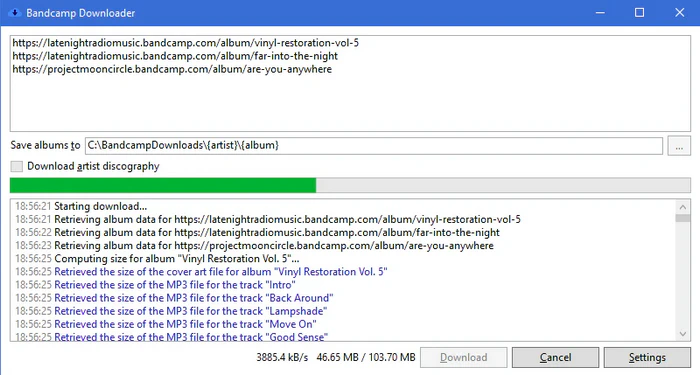
Otiel/BandcampDownloader is a free, open-source Windows application on GitHub, which fetches the 128kbps MP3 preview streams Bandcamp provides. It works from album pages, track pages, or a full artist page, and automatically writes ID3 tags — album, artist, title, track number, year, and lyrics when available — plus embeds cover art and can generate a playlist file in formats like M3U or PLS.
We installed the Windows version by loading an artist page; it pulled the available albums as a batch job with a visible progress list. Downloaded files came with fully‑completed tags, no manual edits needed. As an open‑source tool under the MIT license, it contains no bundled adware or upsell. The trade-off is that it's Windows-only, offers no Mac or Linux build, and since it's a community-maintained project, updates can lag behind changes Bandcamp makes to its site.
AudiFab Music One breaks both limits — lossless FLAC/WAV output, plus full Mac and Windows support. Compatible with Windows & macOS · 100% Safe & Clean
With eight tools covering four very different formats, the right pick usually comes down to what you're actually trying to do. Match your situation to one of the scenarios below.
The Bandcamp Fan app is the simplest, safest option. No exportable files, but no third-party tool needed either.
For a public track without an official download link, AudiFab Music One or the online converters can capture the preview stream. This isn't the same as an official Bandcamp download — if the artist offers the track as a purchase or a Free Download / Name Your Price release, that's the safer, officially supported route.
BandcampDownloader.app, AnyDownloader, BandChampAlbumDownloaderMp3, or bandcampdownloader.net all work for a fast, install-free download. For a full album as one ZIP, BandChampAlbumDownloaderMp3 offers a format and quality choice up to 320kbps, while bandcampdownloader.net also zips albums but is fixed at 128kbps.
Batchcamp, Otiel/BandcampDownloader and AudiFab Music One are built for batch jobs across your whole collection. BandChampAlbumDownloaderMp3 and bandcampdownloader.net can also batch-download, but only one album at a time as a ZIP, not your full collection.
Use official Bandcamp download links on your Collection page, Batchcamp, or AudiFab Music One, all of which pull whatever format the artist offers, FLAC and WAV included.
Otiel/BandcampDownloader is free, open-source, and Windows-only, though capped at 128kbps like most online tools.
If it's a purchased track, the best way is Bandcamp's own download link on your Collection or Purchases page, which gives you a real MP3/FLAC/WAV file. For a public track you haven't purchased, a desktop converter like AudiFab Music One can save the free preview stream and add proper file tags along the way.
It varies by tool type. Reputable options like Batchcamp and desktop software like AudiFab Music One are upfront about what they access and don't ask for your Bandcamp password. Free online converters are the riskiest category, since many run heavy ads or redirect to third-party paid software. Stick to well-reviewed tools and avoid any site that asks for your login.
It depends on the music and the method. Music marked as Free Download or Name Your Price (with a $0 minimum) can be downloaded through Bandcamp's official checkout flow at no cost, sometimes in lossless quality. Purchased music can also be re-downloaded at any time without paying again. Some third-party tools, like online converters, claim to save publicly playable preview streams for free, but this is different from an official Bandcamp download.
Yes. This is different from an ordinary public stream, which can only be played online with no official download link. If the artist has marked a release as Free Download or Name Your Price (where you can enter $0), you can go through Bandcamp's normal download flow and get the file at no cost, in whatever format the artist provides, including lossless FLAC or WAV.
The safest choice is Bandcamp's official download links for your purchases or artist‑provided free releases. Bandcamp's Terms of Use grant you a personal, non‑commercial license for downloaded content. Third‑party downloads of public preview streams vary by release and rights‑holder permissions. If you're unsure, use official Bandcamp downloads and respect artist copyright. Buying music directly also supports creators, as Bandcamp gives artists a bigger revenue cut than most streaming services.
Already bought the music? Bandcamp's own download links or the Fan app are the zero-risk default. Just need one public track right now? Any of the online converters will get you there in under a minute, though expect capped quality and no batch option. For a stable, ad-free tool that batch-downloads full albums in lossless formats and also covers Spotify, Apple Music, and other services, AudiFab Music One is the most well-rounded pick here. If you're building out your library from multiple platforms, our SoundCloud MP3 downloader guide covers a similar workflow for that service.

Best all-in-one tool to download from Spotify, Apple Music, Amazon Music, Tidal, Deezer, YouTube Music & more to MP3/AAC/FLAC/WAV/ALAC/AIFF.
Music is the greatest communication in the world and here are some articles that may help you enjoy music in a better way.

 Free Download
 Free Download