Find the top converters for Amazon Music to MP3 in 2026.
Amazon Music, a global favorite, offers 100+ million songs, podcasts, and videos. The platform stands out for its superior sound quality, with High Definition (HD) and Ultra High Definition (UHD) audio options that bring every note to life. These high-quality tracks can be accessed and downloaded via Amazon Music Unlimited or Prime Music. However, there are limitations to consider - offline listening is limited to authorized devices, and songs can't be transferred to others like Serato DJ Software, Xbox Series X, MP3 players, etc.
To address the limitations, an efficient Amazon Music Converter becomes essential. These converters enable you to download your preferred Amazon Music tracks in standard audio formats. Check our comprehensive review of the top 8 Amazon Music converters, which includes AudiFab Amazon Music Converter, NoteBurner Music One, Macsome, ViWizard, DRmare, AudFree, Audacity, and Apowersoft, helps you find the perfect tool that fully aligns with your needs.
If you're a music enthusiast seeking the best, AudiFab Amazon Music Converter is your top choice!
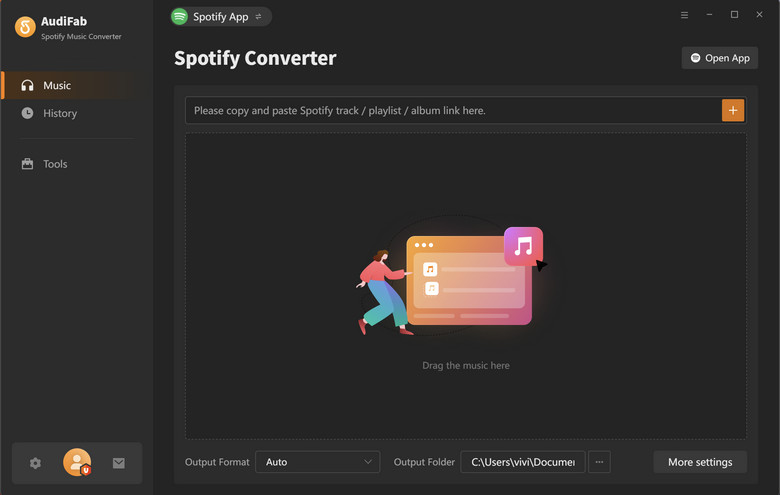
AudiFab Amazon Music Converter takes the top spot in our "Top 8 Best Amazon Music Converter Review" thanks to its exceptional performance in converting Amazon Music tracks to MP3/AAC/WAV/FLAC/AIFF/ALAC/AC3 (*.m4a)/AC4 (*.m4a). It overcomes Amazon Music limitations like offline listening restrictions and device compatibility issues. With AudiFab’s fast conversion speed and high audio quality, it ensures top-notch sound for your favorite tunes. Its user-friendly interface and multi-OS support make it versatile.
Batch Download for Offline Playback: Easily download multiple Amazon Music tracks for offline listening convenience.
Versatile Format Conversion : Convert Amazon Music to MP3, FLAC, WAV, AAC, ALAC, AIFF, EAC3 (*.m4a) , AC4 (*.m4a).
Retains lossless audio quality : Keep Amazon Music in its pristine, lossless audio quality, including Ultra Definition (HD/UHD) tracks.
User-Friendly Interface: A straightforward and intuitive interface ensures ease of use.
Keep ID3 Tags and Lyrics: Hold data such as a song's title, artist, album, artwork, track number, year, and genre. Preserve lyrics of the tracks in TXT or LRC files if provided.
Ad-Free, Clean, and Safe: Enjoy your converted music without intrusive ads, ensuring a 100% clean and secure experience.
Regular Updates and Exceptional Customer Support : Benefit from software updates that keep pace with Amazon Music app changes and receive quality support when you have questions or encounter issues.
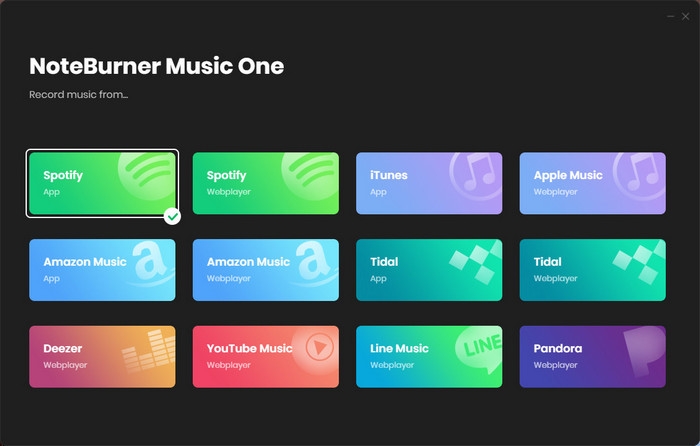
NoteBurner Music One is an all-in-one streaming music converter, designed to download and convert songs from most of popular streaming music platforms, including Spotify, Apple Music, Amazon Music, Tidal, YouTube Music, Deezer, Pandora Music, SoundCloud, Qobuz and Line Music. NoteBurner offers support for versatile output options: MP3, AAC, WAV, FLAC, AIFF, and ALAC.
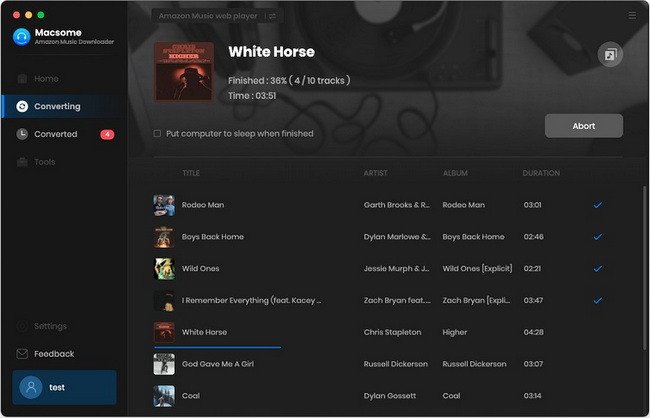
Macsome Amazon Music Converter is designed for music enthusiasts who want to convert Amazon Music tracks and playlists into various popular audio formats like MP3, AAC, WAV, FLAC, AIFF, ALAC. Just like AudiFab, Macsome also can keep the original audio quality of Amazon Music tracks and ID3 tags.
📝Basic Info
System Support: Windows/Mac
Conversion Speed: 10x
Output Quality: Original audio quality
Free Trial: First minute of every track
Price(Per month): $ 44.95/month
Capture mode: Amazon Music App or Web
👍Pros
Very Fast Speed Conversion.
Rip Amazon Music in original audio quality.
Keep ID3 Tags intact.
👎Cons
Only support Amazon Music.
Free trial has limitations.
💡 How to Use Macsome Amazon Music Converter
Step 1. Run Macsome on your computer. Choose Amazon Music App and sign in.
Step 2. Click settings to customize output settings before conversion.
Step 3. Drag the Amazon Music songs to Macsome page.
Step 4. Click the "Convert" button to start downloading songs.
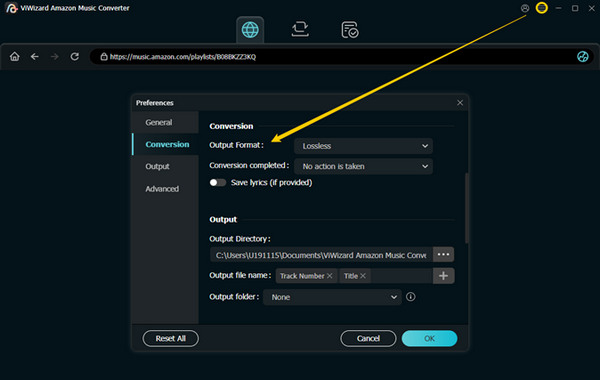
ViWizard Amazon Music Converter is a software that can download and convert songs and playlists from Amazon Music Unlimited, Prime Music, and HD Music to various audio formats, such as MP3, AAC, M4A, M4B, FLAC, and WAV. The software claims to retain the original audio quality of the songs while converting. It also preserves important metadata like artist, album, year, genre, etc.
The ultimate Amazon Music converter and streaming music downloader allows you to download songs, podcasts, radio shows, audiobooks, and more from Amazon Music Unlimited and Amazon Prime Music. It also supports multiple popular platforms, including Spotify, Apple Music, Tidal, YouTube Music, Deezer, Qobuz, Pandora, SoundCloud, and LINE Music, all in one intuitive tool.
📝Basic Info
System Support: Windows/Mac
Conversion Speed: 5x
Output Quality: high audio quality
Free Trial: First minute of every track
Price (Per month): $29.95 /month
Capture mode: Amazon Music Web
👍Pros
No need to work with the Amazon Music App
5X faster high-quality Amazon Music downloads.
Keep ID3 tags.
👎Cons
The downloading process is not stable.
Not support downloading with Ultra HD audio quality.
No free Tools or extra functions.
Only support 4 languages.
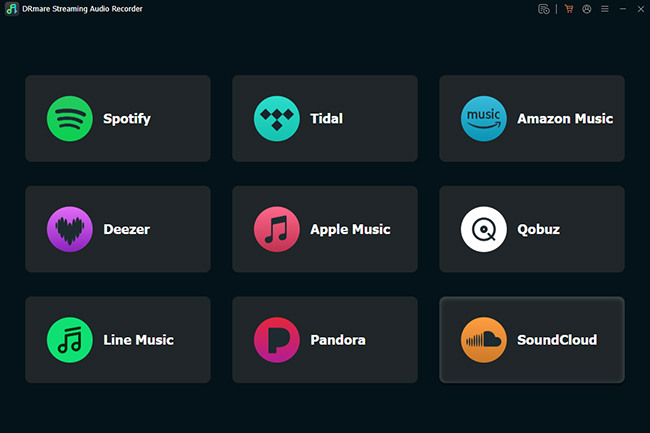
💡 How to Use DRmare iMazonKit Music Converter
Step 1. Launch DRmare iMazonKit Music Converter.
Step 2. Click Preferences > Preferences > Convert to adjust the music output parameters.
Step 3. Copy and paste the Amazon Music tracks URL into DRmare's top search box and hit "+".
Step 4. Click on the "Convert" button to download and convert Amazon Music songs to a computer.
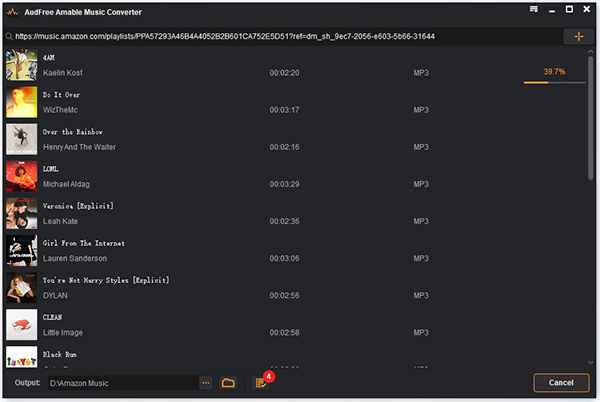
AudFree Amazon Music Converter is a versatile and powerful software, perfect for downloading and converting Amazon Music tracks, playlists, podcasts, and albums into your preferred audio formats like MP3, FLAC, WAV, AAC, M4A, and M4B. With this tool, you can enjoy your Amazon Music offline on any device or player without any restrictions. It maintains the lossless audio quality and preserves original ID3 tags, and you have the flexibility to customize output parameters and edit metadata. AudFree Amazon Music Downloader is compatible with both Mac and Windows systems and supports Amazon Music Free, Prime, and Unlimited plans.
📝Basic Info
System Support: Windows/Mac
Conversion Speed: 5x
Output Quality: Original audio quality
Free Trial: First minute of every track
Price(Per month): $ 14.95 /month
Capture mode: Amazon Music App
👍Pros
Convert Amazon Music Prime/Unlimited to MP3, FLAC, etc. Locally
Run at 5X faster speed & batch music conversion.
Keep ID3 tags and customize output parameters.
👎Cons
Need to install Amazon Music App.
The downloading process is not stable.
No free Tools or extra functions.
Only support 4 languages.
💡 How to Use AudFree Amazon Music Converter
Step 1. Open AudFree Amazon Music Converter and Amazon Music app.
Step 2. Drag-and-drop Amazon Music songs to the main interface of AudFree
Step 3. Choose Menu > Preferences > Convert to set the output format.
Step 4. Click Convert to save Amazon Music to local MP3 files.
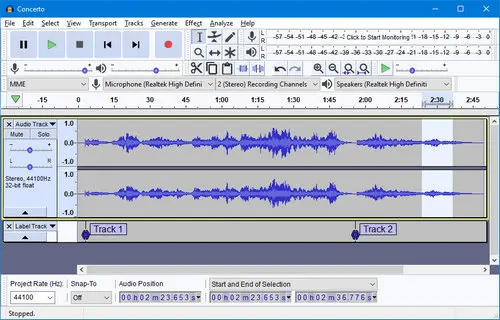
Audacity is a free, open-source audio software that records and edits sound. It works on Windows, Mac, and Linux and supports MP3, WAV, FLAC, and more. With the major Audacity 4.0 update, it now features a modern Qt-based interface, improved clip editing, customizable workspaces, and themes. With multi-track mixing, digital effects, noise reduction, and plugins, it's a popular choice for musicians, podcasters, and educators. Audacity is widely used and one of the most popular audio editing software worldwide.
📝Basic Info
System Support: Windows/Mac/Linux
Conversion Speed: 1x
Output Quality: 128kbps
Price(Per month): $0
Capture mode: Record
👍Pros
Completely free to use and no need to log in account.
Available for Windows, macOS, and Linux.
Modern interface (Audacity 4.0+) with customizable workspaces and themes.
A wide range of editing tools.
Save Amazon Music to MP3, WAV, FLAC, and more.
Record audio from different sources.
👎Cons
Real-time recording at a single speed (1x).
No batch conversion: download 1 track each time.
Compromise on audio quality: only 128kbps.
Crash or freeze sometimes.
No ID3 tag information.
Limited or no tech support.
💡 How to Use Audacity
Step 1. Start Audacity and Amazon Music app/web.
Step 2. Click the Record icon in Audacity (or press R) to start recording.
Step 3. Open Amazon Music, and play the songs you want to capture.
Step 4. Click the Stop icon (or press Space) to finish recording.
Step 5. Go to File > Export Audio (or Export), select your preferred format (e.g. MP3 or WAV), and save the recorded song to your computer.
Apowersoft Streaming Audio Recorder is a versatile and user-friendly tool for capturing and recording streaming audio from a wide range of sources, including music platforms, online radio stations, and video streaming websites. With a simple interface, it enables users to capture audio in high quality and save it in various formats, such as MP3, WAV, AAC, and more. You can schedule recordings, automatically split tracks, and edit audio files easily. Additionally, it supports batch processing.
📝Basic Info
System Support: Windows/Mac
Conversion Speed: 1x
Output Quality: high quality
Price(Per month): $29.95/month
Capture mode: Record
👍Pros
Download and convert music from various sites and platforms.
Supports many audio formats, such as MP3, FLAC, WAV, etc.
Edit the audio files and add ID3 tags.
👎Cons
Record at real-time speed (1x).
Cannot do other things when recording.
Records songs at 128 kbps only.
The interface is not easy to use.
💡 How to Use Apowersoft Streaming Audio Recorder
Step 1. Open Apowersoft Streaming Audio Recorder and Amazon Music App.
Step 2. Click "Record" and play the audio you want to record.
When choosing an Amazon Music Converter, it's essential to consider factors like security, reliability, user-friendliness, as well as details such as conversion speed, extra tools, and the ability to retrieve lyrics. Among the top 8 Amazon Music Converter available in the market,
AudiFab Amazon Music Converter
is our top recommendation. This software enables swift downloads of Amazon Music songs while preserving lossless audio quality and retaining ID3 tags.




 Try It Free
 Try It Free