Cobalt.tools is great for quick social media downloads, but its limitations—especially around YouTube support and server stability—can be frustrating. If you're running into issues or need more advanced downloading features, this guide explores how Cobalt works and the best alternatives in 2026, categorized by your specific needs—whether you need high-res audio, 4K video, command-line control, or mobile support.
- Cobalt.tools at a Glance: Key Features & How It Works
- Cobalt.tools Limitations & Why Downloads Fail
- Top 5 Cobalt.tools Alternatives in 2026
- 1. AudiFab Music One - Best Cobalt Alternative for Audio ⭐⭐⭐⭐⭐
⚖️ Disclaimer This guide is for educational and personal use only.
Cobalt.tools at a Glance: Key Features & How It Works
Note: YouTube audio and video downloads are currently not supported on the official Cobalt.tools website. If you want to download YouTube videos & audio, please check the top 5 Cobalt.tools alternatives.
| Category | Key Features |
|---|---|
| Supported Services | Bilibili, Bluesky, Dailymotion, Facebook, Instagram, Loom, OK, Pinterest, Newgrounds, Reddit, Rutube, Snapchat, Streamable, SoundCloud, TikTok, Tumblr, Twitch Clips, Twitter/X, Vimeo, VK |
| Video |
|
| Audio |
|
| Metadata & Subtitles |
|
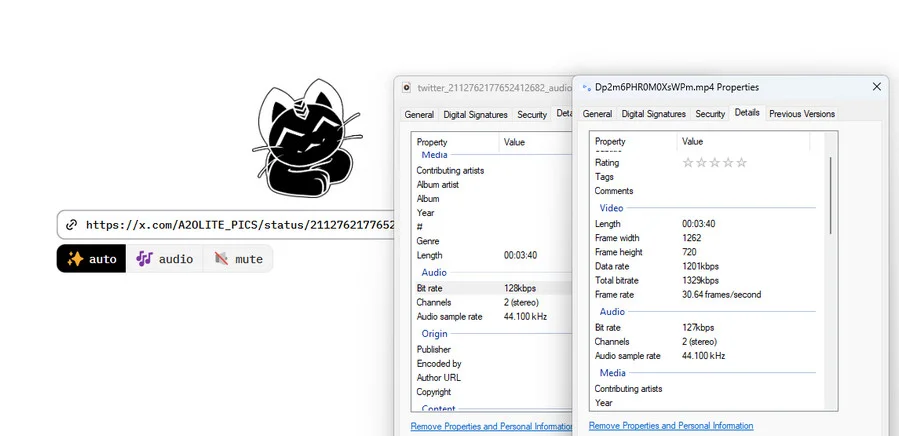
Cobalt.tools Limitations & Why Downloads Fail
Common Issues You May Encounter
1. YouTube Downloads Disabled
YouTube downloads are unavailable on Cobalt's main instance due to technical restrictions.
2. API & Security Updates
Platform changes may temporarily cause parsing errors or failed downloads.
3. No Batch Downloads
No playlist or channel downloads, while large files may hit processing limits.
4. IP & Rate Limits
Public server IPs may be throttled or temporarily blocked by supported platforms.
Temporary Workaround: Try an Official or Community Cobalt Instance
A community Cobalt instance is a third-party-hosted version of Cobalt that runs the same open-source Cobalt software on a different server.
Current Cobalt Instance Status & Availability
Because community instances can go online, offline, or change their supported services over time, check Cobalt Directory for currently available instances and their status.
Since Cobalt.tools isn't always reliable for YouTube, and community instances can also fail, you might need something more stable. If you're looking for better mobile support, playlist downloads, or just another free alternative to Cobalt, here are the best tools to try.
Top 5 Cobalt.tools Alternatives in 2026
1. AudiFab Music One — Best Cobalt Alternative for Audio
✨ No quality loss, 40x faster, more formats, dual recording modes, batch conversion, useful free tools...
| Supported Sites | YouTube | Playlist / Batch | Quality | Formats | OS / Platform | Free |
|---|---|---|---|---|---|---|
| 20+ music services & 1,000+ websites | ✔️ | ✔️ | Up to available lossless / Hi-Res quality | MP3, AAC, FLAC, WAV, ALAC, AIFF | Windows, macOS | Free Trial |
|
||||||
If you're frustrated by Cobalt's frequent download failures, unreliable YouTube support, or limited playlist downloading, AudiFab Music One offers a more reliable alternative for music and audio downloads.
Unlike online web tools and community Cobalt instances that may become unavailable due to platform changes, server issues, or IP restrictions, AudiFab Music One is a dedicated desktop downloader designed for more consistent music downloads, including full playlists and albums from multiple streaming platforms.
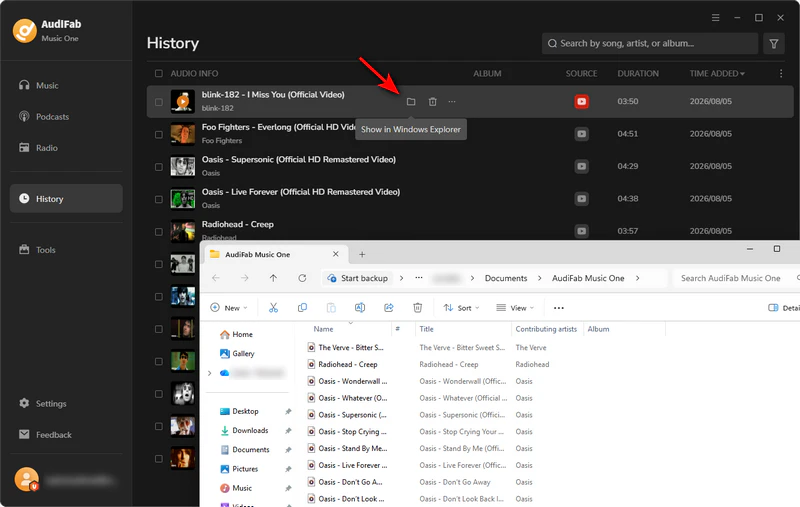
AudiFab Music One - The ultimate Cobalt alternative for high-quality, lossless audio downloads.
- YouTube & Multi-Platform Support: Downloads from over 20 major streaming services, including YouTube, YouTube Music, Spotify (Lossless), Apple Music (Lossless), Qobuz Hi-Res, Tidal, Amazon Music, and Deezer.
- Playlist & Batch Downloads: Download full playlists and albums in batches instead of processing tracks individually.
- Dedicated Desktop Software: Runs locally on your computer and receives regular updates to maintain platform compatibility.
- Audio Quality & ID3 Tags: Save audio as MP3, AAC, WAV, FLAC, or ALAC while retaining original sound quality and ID3 tags.
Compatible with Windows & macOS · 100% Safe & Clean · 3k+ downloads monthly · 99.9% success rate
 Try It Free
 Try It Free
How to Use AudiFab Music One
Step 1 Install and run AudiFab.
Step 2 Open AudiFab, select 'YouTube', and use the built-in browser (no plugins or login required).
Step 3 Search or paste a YouTube link, play the video, click 'Add', and select the tracks you want.
Step 4Go to 'Settings' to choose your output format (MP3, FLAC, etc.), audio quality, and save folder.
Step 5 Click the orange 'Convert' button. Once done, find your files under the 'History' tab.
2. Any Video Converter— Best for Video Downloads
| Supported Sites | YouTube | Playlist / Batch | Quality | Formats | OS / Platform | Free |
|---|---|---|---|---|---|---|
| 1,000+ websites | ✔️ | ✔️ | Up to 4K / 8K where available | MP4, MKV, MP3, WAV, etc. | Windows, macOS | Free & Pro Version |
For users who find Cobalt limited by YouTube availability, playlist support, or output options, Any Video Converter provides a desktop-based alternative focused on video downloads. It supports downloads from 1,000+ websites, including YouTube videos and playlists in up to 4K/8K where available, along with batch downloading and conversion to MP4, MKV, MP3, WAV, and other formats.
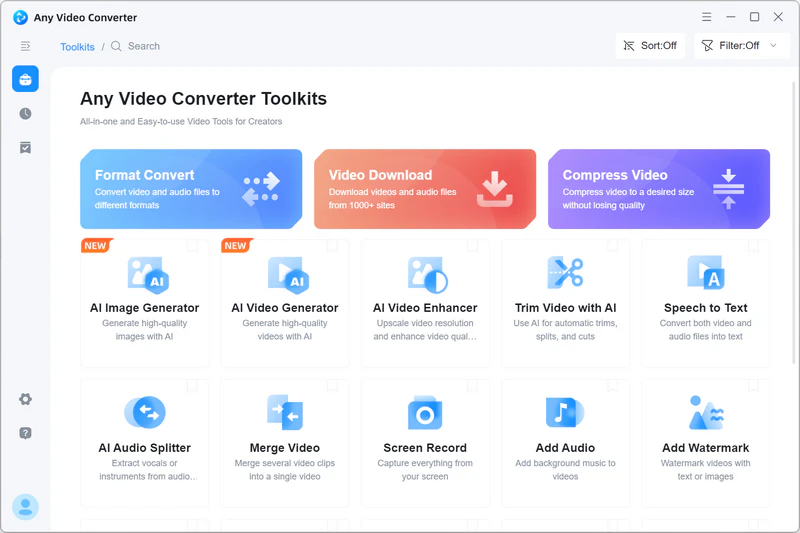
How to Use Any Video Converter
Step 1 Go to 'Format Convert' and click 'Add Media File(s)' to upload your videos (batch loading supported).
Step 2 Choose MP4 Video (*.mp4) or other format as the output format, and adjust resolution or quality settings if needed.
Step 3 Click Convert Now. Once finished, click the folder icon to access your video files.
3. ytmp3 — Best Free Online YouTube Downloader
| Supported Sites | YouTube | Playlist / Batch | Quality | Formats | OS / Platform | Free |
|---|---|---|---|---|---|---|
| YouTube only | ✔️ | ❌ | Up to MP3 192 kbps / MP4 720p | MP3, MP4 | Web Browser | ✔️ |
|
||||||
ytmp3 is a free, web-based video conversion tool that requires no registration or installation. In terms of functionality, it currently supports only YouTube and does not allow users to manually adjust the output audio quality or format. Compared to multi-platform software like Cobalt, its supported platforms and customizable output settings are relatively limited.
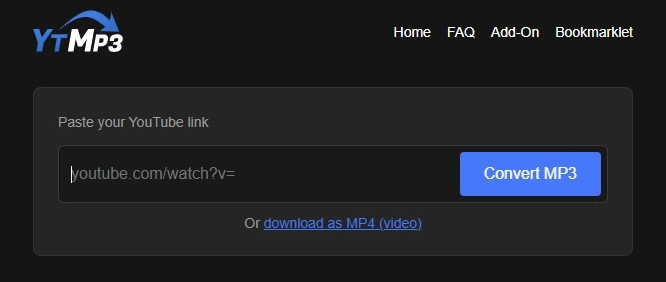
How to Use ytmp3 to Download YouTube Audio & Video
Step 1Open YouTube, find the video you want, and copy its URL link.
Step 2Go to ytmp3.gl website and paste the link into the download box.
Step 3Click 'Convert MP3', and then the file will be saved to your device.
4. yt-dlp — Best Open-Source Cobalt Alternative
| Supported Sites | YouTube | Playlist / Batch | Quality | Formats | OS / Platform | Free |
|---|---|---|---|---|---|---|
| 1,000+ websites | ✔️ | ✔️ | Source dependent | Multiple video / audio formats | Windows, macOS, Linux | ✔️ |
|
||||||
Compared with Cobalt, yt-dlp supports more websites, playlists, and advanced download options, with greater control over formats, audio, subtitles, and metadata. It also runs locally rather than relying on a public processing server. However, yt-dlp requires installation and command-line use, making it less convenient for beginners than Cobalt's simple paste-and-download web interface.
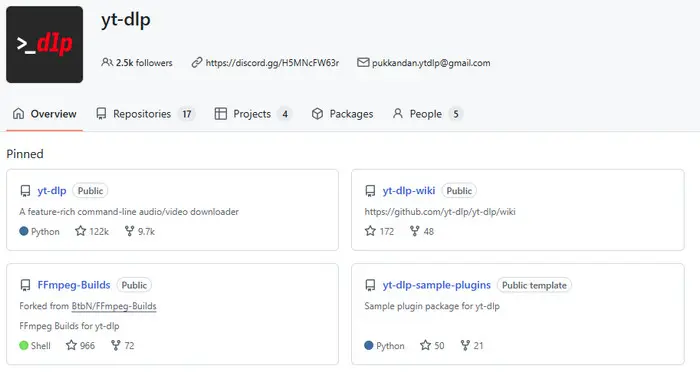
How to Use yt-dlp
Step 1 Install yt-dlp on your Windows, macOS, or Linux computer.
Step 2 Open Command Prompt or Terminal and copy the URL of the video you want to download.
Step 3
Run the download command: yt-dlp "VIDEO_URL"
Step 4 Wait for the download to finish. The file will be saved to the current folder by default.
5. Seal — Best Android Cobalt Alternative
| Supported Sites | YouTube | Playlist / Batch | Quality | Formats | OS / Platform | Free |
|---|---|---|---|---|---|---|
| yt-dlp-supported websites | ✔️ | ✔️ | Source dependent | Multiple video / audio formats | Android | ✔️ |
|
||||||
For Android users seeking an alternative to Cobalt, Seal is a free and open-source video and audio downloader based on yt-dlp. It supports downloads from yt-dlp-compatible platforms, including single video/audio files, full playlists, subtitles, metadata, and embedded thumbnails. By providing a graphical user interface (GUI), Seal allows users to access yt-dlp functionality on Android without using command-line tools.
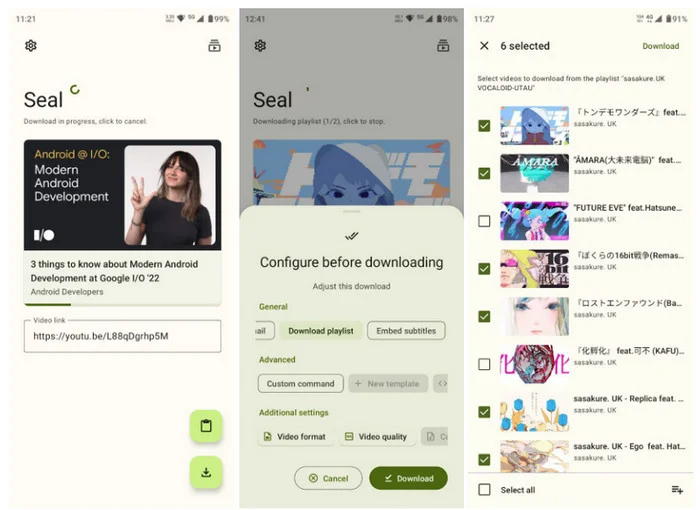
How to Use Seal as the Android Cobalt Alternative
Step 1 Install Seal on your Android device.
Step 2 Copy the video or audio URL from YouTube or another supported website.
Step 3 Open Seal and paste the URL into the download field.
Step 4 Choose the format and quality you want.
Step 5 Tap Download and wait for the file to be saved to your device.
AudiFab Music One – Best Cobalt.tools Alternative for Music & Playlist Downloads
Download music and playlists from YouTube and 20+ music services. Enjoy batch downloads, multiple formats, and preserved ID3 tags.
Compatible with Windows & macOS · 100% Safe & Clean · 3k+ downloads monthly · 99.9% success rate
Cobalt.tools vs Alternatives: Which One Should You Choose?
| Tool | YouTube Support | Playlist / Batch Download | Best Supported Content | Stability | Best For |
|---|---|---|---|---|---|
| AudiFab Music One ★★★★★ |
✅ Yes | ✅ Yes | Hi-Fi Audio & Streaming Music | ✅ | Lossless audio & full album downloads |
| Any Video Converter ★★★★★ |
✅ Yes | ✅ Yes | 4K/8K Videos & Batch Files | ✅ | Desktop batch video downloads & conversions |
| ytmp3 ★★★☆☆ |
✅ Yes | ❌ No | Quick YouTube MP3/MP4 Files | ⚠️ | Basic YouTube audio/video extracts without install |
| yt-dlp ★★★☆☆ |
✅ Yes | ✅ Yes | Advanced Video/Audio Customization | ✅ | Power users needing total command-line control |
| Seal ★★★★☆ |
✅ Yes | ✅ Yes | Mobile Video & Audio Downloads | ⚠️ | Feature-rich downloads on Android with GUI |
| Cobalt.tools ★★★☆☆ |
❌ (Disabled) | ❌ No | Social Media Clips (TikTok, X, IG) | ⚠️ | Quick, ad-free online clip downloads |
📊 Takeaway:
- Lossless music files or full playlist/album downloads across music services → Choose AudiFab Music One
- Batch downloading high-resolution videos on desktop → Choose Any Video Converter
- Fast, simple YouTube MP3 or MP4 downloads on web browser → Choose ytmp3
FAQs About Cobalt.tools Alternatives
Q 1 Is Cobalt.tools safe to use?
Generally, yes. Cobalt.tools is an open-source downloader designed without ads, trackers, or paywalls. However, be careful with unofficial sites that imitate Cobalt, and use the official website or a trusted instance whenever possible.
Q 2 Does Cobalt.tools have a download limit?
Cobalt does not have a simple fixed daily download limit, but limits can vary by instance, platform, file size, and server configuration. Some downloads may also fail because of rate limits or restrictions imposed by the source platform.
Q 3 Why is Cobalt.tools not working?
Cobalt may stop working because of server issues, platform changes, rate limits, or problems with a particular instance. Try another Cobalt instance first. If failures continue, a dedicated downloader such as AudiFab Music One can be a better option for downloading music, playlists, and albums from supported streaming services.
Q 4 Are Cobalt community instances safe?
Generally, community instances can be safe if hosted by trusted members, but use caution since unofficial or unverified instances might log user data or tracking information. Whenever possible, stick to the official instance or well-established community hosts.
Q 5 What is the best Cobalt.tools alternative for YouTube?
It depends on what you want to download. AudiFab Music One is a good choice for YouTube music and audio, especially if you also download from Spotify, Apple Music, Tidal, and other music services. For video downloads and more advanced controls, tools such as yt-dlp or Any Video Converter may be more suitable.
Summary
Cobalt.tools is great for quick social media clips, but its lack of YouTube support and playlist features limits its functionality. Depending on your needs, free web tools, open-source utilities, or mobile apps can fill the gap. For those who want a reliable, high-quality solution for streaming music and batch playlist downloads, AudiFab Music One is an excellent choice.

AudiFab Music One – A Reliable Cobalt.tools Alternative for Music Downloads
Download music, playlists, albums, podcasts & more from YouTube and 20+ music services. 1,000+ websites supported • MP3, FLAC, WAV & more • Batch downloads • Keeps audio quality & ID3 tags