10+ Best Free YouTube to MP3 Converter - Work in 2026
Find your best & free tool to download MP3 from YouTube.
Find your best & free tool to download MP3 from YouTube.
Streaming is a rental, but MP3s are yours forever. Whether you’re backing up YouTube playlist to USB, playing on MP3 players, iPods, or car system, or saving podcasts for long flights, you need a local file that works without internet or subscriptions.
We’ve tested the latest trending free YouTube to MP3 converters in 2026, including online sites, desktop apps, browser extensions, and Telegram bots, highlighting each tool’s pros and cons for a safe, reliable, and practical way to rip music from YouTube.
| Tool | Type / OS | Best For |
|---|---|---|
|
EDITOR'S CHOICE 🏆
AudiFab YouTube Converter
|
Professional Desktop App
|
• Batch download with covers and tags. • Safely records YouTube at original quality • No loss, no ads, no fluff. |
| yt-dlp | Best Free Tool |
• Advanced users to extract high-quality audio • No ads |
| YTMP3 | Best Free Online Website |
• Mobile users • Download YouTube to MP3 — quick and easy |
✨ No quality loss, ads-free, 100% safe, 10x faster, more formats, batch conversion, ...
| Recommend level: ⭐⭐⭐⭐⭐ (4.9/5) | |||||||
|---|---|---|---|---|---|---|---|
| 🔥 Link: https://www.audifab.com/youtube-music-converter.html | |||||||
| OS | Best Audio Quality | Trustpilot Rating: | |||||
| 👉 Windows | Mac |
320kbps MP3 256kbps AAC |
4.1/5 | |||||
|
|||||||
AudiFab YouTube Converter is the top YouTube to MP3 converter for both YouTube Free and YouTube Premium. It lets you download YouTube videos, playlists, or entire channels in MP3 or high-quality formats like WAV, AAC (*.m4a), FLAC, AIFF, and ALAC (*.m4a). It preserves original audio quality, keeps all ID3 tags intact, and supports fast batch downloads for multiple Youtube videos at once. You can easy transfer of converted files to devices such as MP3 players, iPods, smartphones, SD cards, and USB drives.
Beyond YouTube, AudiFab also supports downloads from YouTube Music, Spotify, Amazon Music, Apple Music, Tidal, and more streaming music platforms.
Pros
Cons
STEP 1: Add YouTube Song

Click YouTube. Click "+Add" to add YouTube playlists to AudiFab.
STEP 2: Choose MP3
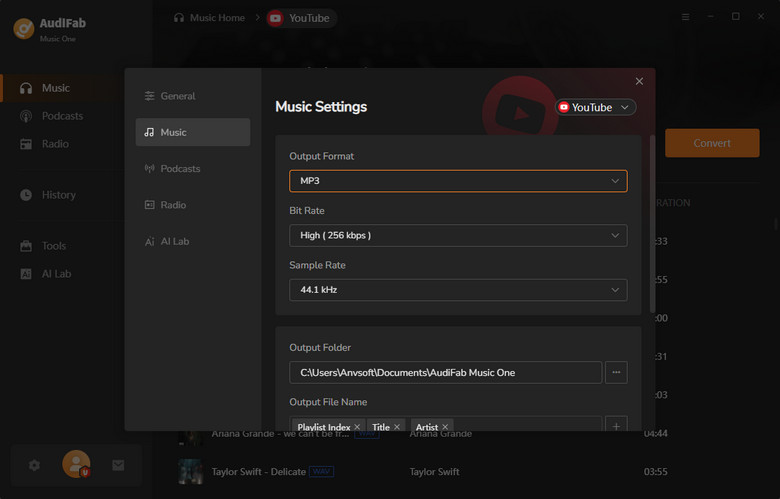
Set the output format to MP3 and adjust other preferences.
STEP 3: Rip YouTube to MP3
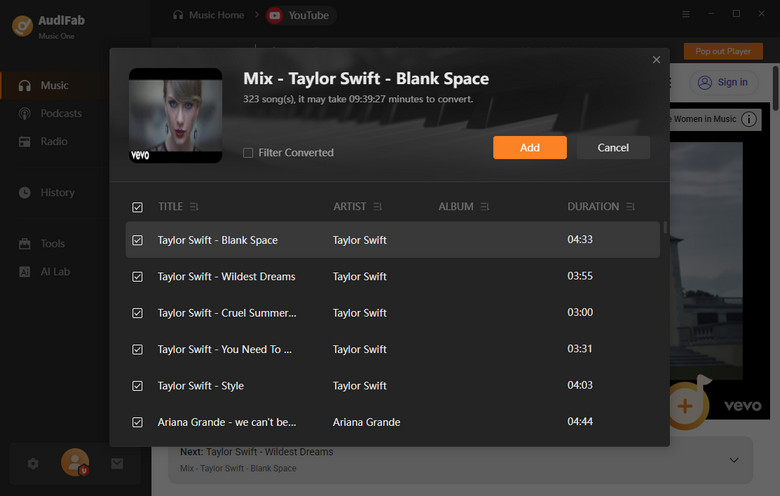
Click "Convert" to save YouTube videos as MP3 for offline use.
After reviewing our top choice - AudiFab, let's take a look at some free alternatives to convert YouTube videos to MP3.
Tips for safely using free YouTube to MP3 downloaders:
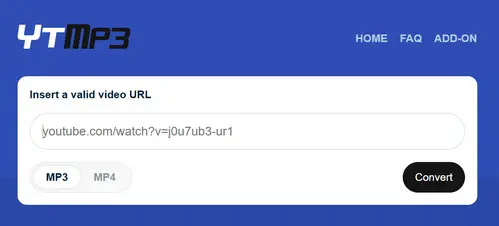
YTMP3 Converter is a free YouTube to MP3 downloader that works directly in your browser. No installation is needed, and it’s convenient for casual users who want a quick MP3 or MP4 from a single YouTube video, especially for offline listening on the go.
Pros
Cons
Step 1: Go to YTMP3 in your browser.
Step 2: Copy and paste the YouTube video URL into the input box.
Step 3: Select MP3 as the output format.
Step 4: Click Download, choose a save location, and click Save.
Skip the pop-ups and lossy 192kbps audio. Download complete YouTube playlists in lossless quality with full ID3 tags on AudiFab!
Compatible with Windows & macOS · 100% Safe & Clean · 3k+ downloads monthly · 99.9% success rate
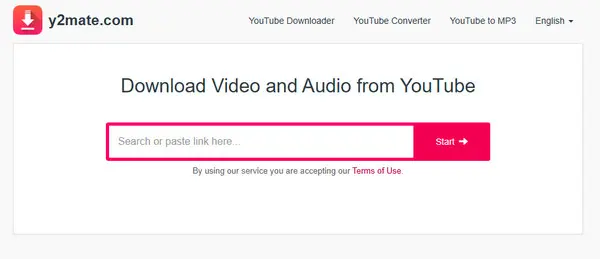
Y2Mate is one of the most recognized names in online video downloading. It offers a quick, no-cost way to convert YouTube videos into MP3 or MP4 files directly from your browser.
Pros
Cons
Step 1: Go to Y2Mate.
Step 2: Copy and paste the YouTube video URL into the input box.
Step 3: Select MP3 as the output format.
Step 4: Click Download.
Step 5: When prompted, click Download Now to save the file to your device.
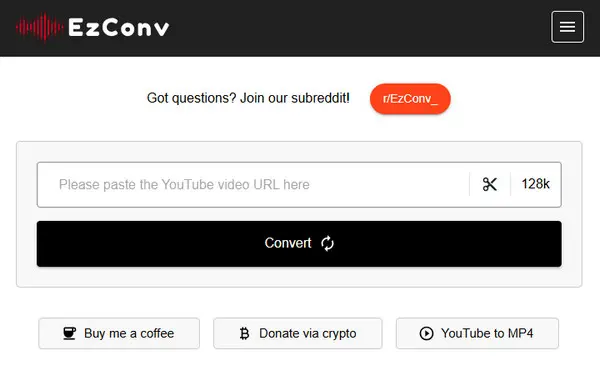
EZMP3 (also called EzConv) has long been a popular online tool on Reddit for converting YouTube videos to MP3. Supported output formats include MP3 (64–320 kbps).
Pros
Cons
Step 1: Go to the current EzMP3 website.
Step 2: Copy the YouTube video URL you want to convert.
Step 3: Paste the URL into the EzMP3 conversion box and select MP3 quality (64–320 kbps).
Step 4: Click Convert.
Step 5: When ready, click Download MP3 to save the file to your device.
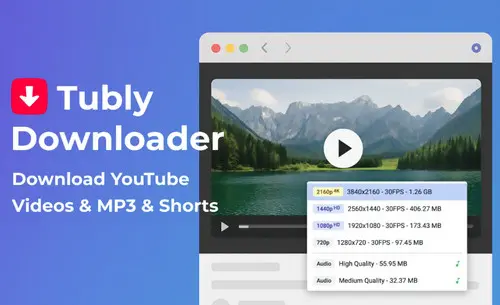
Tubly YouTube Downloader (tubly.download) is a browser extension that adds a download button directly to the YouTube interface, making it safer and more convenient than ad-heavy online converters. It allows users to download videos in various resolutions and extract MP3 audio directly from YouTube.
Pros
Cons
Step 1: Install the Tubly Downloader extension from the official website.
Step 2: Open YouTube and navigate to the video you want to download.
Step 3: Click the Tubly Download button below the video player.
Step 4: Select the desired format (MP4 or MP3) and resolution (depending on Free or Pro version).
Step 5: Click Download to save the video or audio to your device.
Unlock unlimited high-speed batch conversion without sneaky limitations or overpriced subscriptions—try AudiFab today!
Compatible with Windows & macOS · 100% Safe & Clean · 3k+ downloads monthly · 99.9% success rate
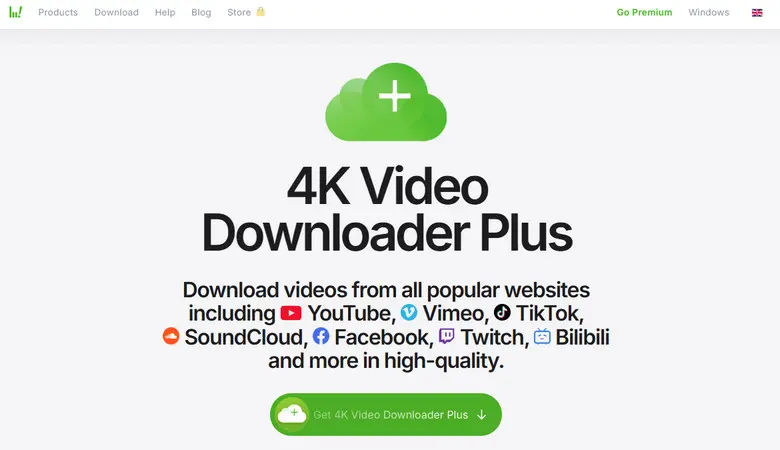
4K YouTube to MP3 is a dedicated audio extractor designed to convert YouTube videos into MP3, OGG, or M4A files. It also supports Vimeo, Flickr, Facebook, SoundCloud, and other platforms.
Pros
Cons
Step 1: Install and open the 4K YouTube to MP3 software on your computer.
Step 2: Copy the video URL from YouTube or another supported site.
Step 3: Click the “Paste URL” button in the software.
Step 4: Select your preferred audio format (MP3, OGG, M4A) and bitrate.
Step 5: Click Download and wait for the file to be saved to your device.
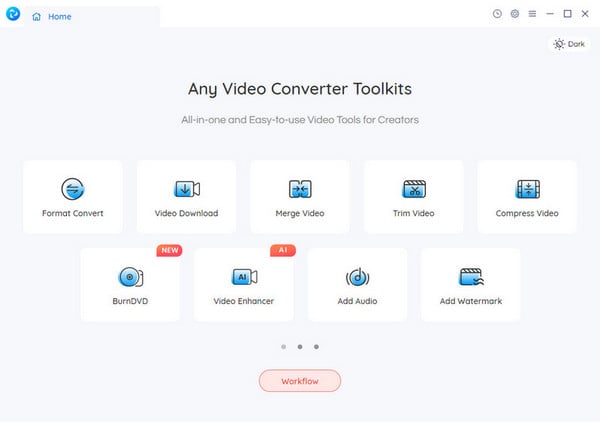
Any Video Converter Free (AVC Free) is a versatile tool for video conversion, online video downloading, and basic editing. It supports over 100 input formats and 160+ output formats, allowing you to pull high-quality audio from YouTube and convert it for specific devices.
Pros
Cons
Step 1: Click the "Add URL(s)" button at the top of the interface.
Step 2: Paste your YouTube link into the pop-up box and click the "Start Download" icon (the magnifying glass).
Step 3: Once downloaded, go to the "Output Profile" dropdown on the top right and select "Common Audio Formats" > "MP3 Audio."
Step 4: Click the "Convert Now!" button to finalize the file and save it to your local drive.
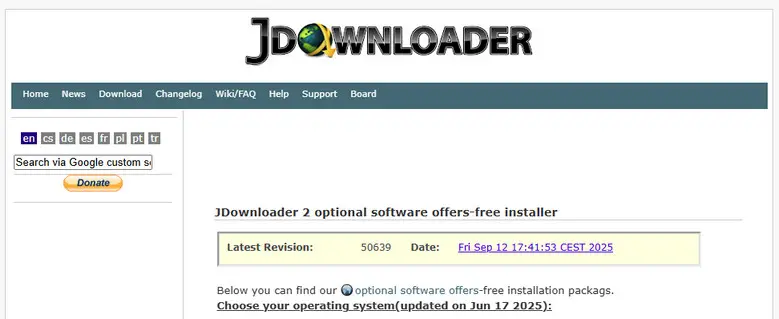
JDownloader 2 is an open-source download manager favored by tech-savvy users. It allows you to download multiple components of YouTube videos—audio, video, subtitles, thumbnails. The free version has some limitations like slow downloads and adware-laden installers.
Pros
Cons
Step 1: Open JDownloader 2 and ensure the "LinkGrabber" tab is active.
Step 2: Copy the YouTube URL (or playlist URL) to your clipboard.
Step 3: JDownloader will detect the link and list all available formats.
Step 4: Find the audio-only entries (M4A/MP3), right-click, and select Start Downloads.
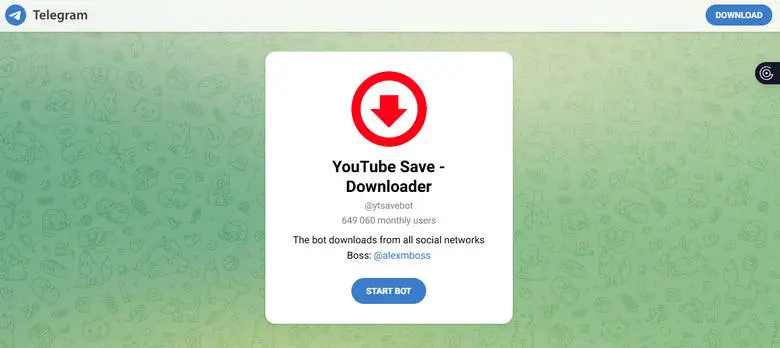
YTSaveBot is a Telegram bot that downloads YouTube videos and audio directly in the Telegram app. Just chat with the bot, send a YouTube link, and receive a downloadable MP3 or video file.
Pros
Cons
Step 1: Open Telegram and search for @YTSaveBot.
Step 2: Start a chat and tap Start.
Step 3: Paste a YouTube link into the chat.
Step 4: Select MP3 for audio or MP4 for video.
Step 5: Tap the file the bot sends to download and save it to your device.
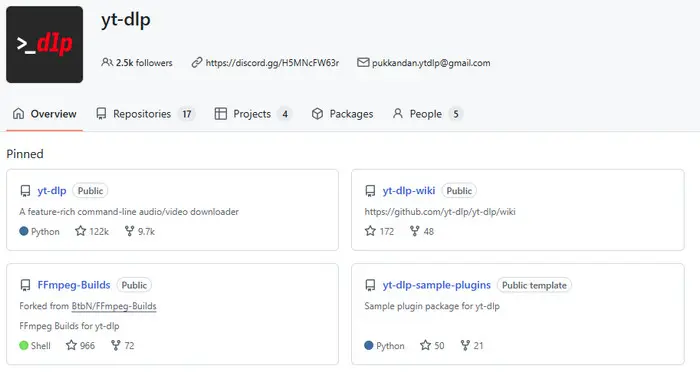
yt-dlp is a command-line tool for downloading videos and audio from YouTube and hundreds of other sites. It's a fork of youtube-dl with more features, frequent updates, and better format handling. While extremely flexible and powerful, it's less beginner-friendly due to its command-line interface.
Pros
Cons
Step 1: Install yt-dlp: Download the executable for your OS or install via Python (pip install yt-dlp).
Step 2: Open Terminal or Command Prompt.
Step 3: Copy the video URL you want to download.
Step 4: Run a basic command: yt-dlp <video URL>. This downloads the video with default settings.
Step 5: Optional: Extract audio only using yt-dlp -x --audio-format mp3 <video URL>. Note: FFmpeg must be installed or in the same folder.
Step 6: Advanced options: Use flags for playlists, quality selection, subtitles, and more.
Forget Terminal commands and syntax errors—get all the high-quality extraction power inside AudiFab's friendly, one-click interface.
Compatible with Windows & macOS · 100% Safe & Clean · 3k+ downloads monthly · 99.9% success rate
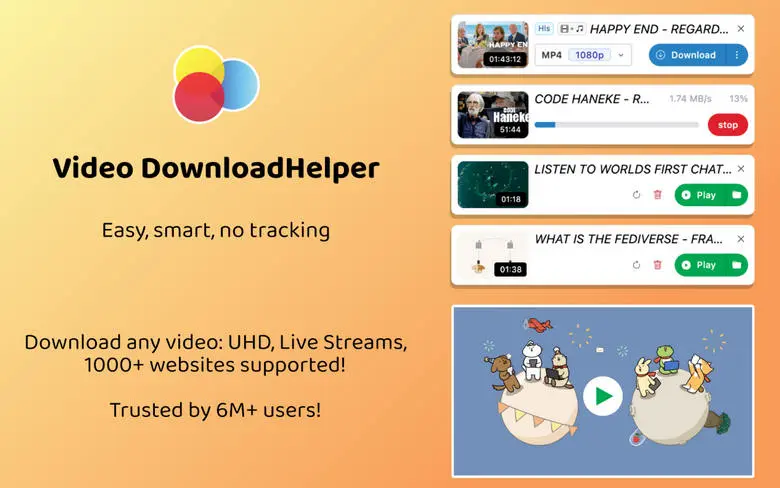
Video DownloadHelper is a popular browser extension for Firefox and Chrome that lets you download videos from YouTube, Vimeo, Dailymotion, and thousands of other websites. Launched in 2010, it has millions of users and offers batch downloads, audio extraction (MP3), and offline viewing.
Pros
Cons
Step 1: Add the extension from the Firefox Add-ons gallery.
Step 2: Open a YouTube video. The Video DownloadHelper icon (three colored balls) will spin or light up.
Step 3: Click the icon and choose your desired format (MP3 or MP4).
Step 4: Click Download to save the file to your device.
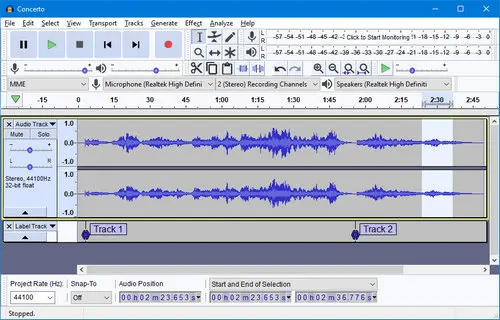
Audacity is a free, open-source, cross-platform audio editor. With the major Audacity 4.0 update, it now features a modern Qt-based interface. It captures what you hear (system loopback) and is a reliable way to record MP3 from YouTube, especially when online downloaders are blocked or stop working.
Pros
Cons
Step 1: In Audacity, select Windows WASAPI as the Audio Host and choose your speakers/headphones (loopback) as the recording device.
Step 2: Click the Record button (or press R).
Step 3: Play the YouTube video in your browser. Audio waveforms will appear in Audacity.
Step 4: Click Stop (or press Space), then go to File > Export Audio, choose MP3, name the file, and save it.
| Tool | Safe | Ads / Annoyance | Batch Download | High-Quality Audio | Easy to Use | ID3 Tags |
|---|---|---|---|---|---|---|
| AudiFab YouTube Music Converter | ✔ | ✔ (No ads) | ✔ | ✔ | ✔ | ✔ |
| YTMP3 | ✘ | ✘ | ✘ | ✘ | ✔ | ✘ |
| Y2Mate | ✘ | ✘ | ✘ | ✘ | ✔ | ✘ |
| EZMP3 / EzConv | ✘ | ✘ | ✘ | ✘ | ✔ | ✘ |
| Tubly Downloader | ✘ | ✘ | ✘ | ✘ | ✔ | ✘ |
| 4K YouTube to MP3 | ✔ | ✔ | ✘ | ✔ | ✔ | ✘ |
| Any Video Converter Free | ✔ | ✘ | ✔ | ✔ | ✔ | ✘ |
| JDownloader 2 | ✔ | ✘ | ✔ | ✔ | ✘ | ✘ |
| YTSaveBot (Telegram) | ✘ | ✔ | ✘ | ✘ | ✔ | ✘ |
| yt-dlp | ✔ | ✔ | ✔ | ✔ | ✘ | ✘ |
| Video DownloadHelper | ✔ | ✘ | ✔ | ✘ | ✔ | ✘ |
| Audacity | ✔ | ✔ | ✘ | ✔ | ✘ | ✘ |
✅ High-quality MP3 from YouTube • ✅ Batch download playlists • ✅ Preserve ID3 tags & metadata
AudiFab is our top pick for converting YouTube videos to high-quality WAV or MP3. Download songs or entire playlists from YouTube and YouTube Music, keep original metadata, organize tracks by playlist or channel, and enjoy fast, batch downloads. Safe, ad-free, and perfect for offline listening or audio editing.
Compatible with Windows & macOS · 100% Safe & Clean · 3k+ downloads monthly · 99.9% success rate
Not all of them. Desktop apps and open-source tools like AudiFab YouTube Converter, yt-dlp, Audacity, and 4K YouTube to MP3 are generally safe. Online converters like YTMP3 and Y2Mate rely heavily on ads and pop-ups, which can lead to accidental clicks on unsafe links. Always use official websites and consider enabling an ad blocker.
Yes, with tools like AudiFab YouTube Converter, JDownloader 2, yt-dlp, and Any Video Converter Free. Limited or not available with online converters like YTMP3, Y2Mate, and EZMP3, which usually allow only single video downloads.
Often, it's misleading. Many free websites perform "upscaling," taking a low-quality 128kbps stream from YouTube and re-encoding it as a 320kbps file. For true high-quality audio, use desktop tools that preserve original bitrates.
It depends on your local copyright laws. Converting for personal use is generally tolerated, but distributing copyrighted content is illegal. Always respect copyright and use content responsibly.
Always download from official websites or trusted stores. Use an ad blocker to prevent accidental clicks on pop-ups. Confirm downloaded files have proper audio extensions (.mp3, .m4a, .flac). Keep antivirus and browser security active. Avoid third-party “cracked” versions of converters—they often contain malware.
This often happens due to video restrictions, outdated tools, slow internet, or intrusive ads. Using updated, trusted converters usually solves the problem.
In terms of downloading YouTube videos to MP3 in 2026, AudiFab YouTube Music Convertersticks out as the quickest, safest, and most dependable option. Unlike free online YouTube converters that are slow, ad-filled, or have restricted quality, AudiFab allows you batch download playlists or channels in full quality with all ID3 tags. It's ideal for both casual listeners and power users, as it supports several formats (MP3, FLAC, AAC, WAV, ALAC) and operates without ads or fuss.
AudiFab is free to try—download it to convert the first minute of any audio. Buy a license to remove the limit.

Download YouTube tracks, albums, and playlists for flexible offline listening. MP3, FLAC, WAV & more • Best audio quality retained • Full metadata preserved


Download YouTube Music songs, playlists & albums in original quality, batch convert to MP3/AAC/FLAC/WAV/ALAC/AIFF, and keep ID3 tags.
Music is the greatest communication in the world and here are some articles that may help you enjoy music in a better way.

 Try It Free
 Try It Free