10 Best YouTube to FLAC Converters (Free, Online, GitHub & More)
Discover the 10 best YouTube to FLAC converters, including free online tools, GitHub software, and a best desktop app.
Discover the 10 best YouTube to FLAC converters, including free online tools, GitHub software, and a best desktop app.
Can converting YouTube audio to FLAC really give you better sound quality, or is it just a myth? In this guide, we dive into the truth behind YouTube's audio limits, compare FLAC against MP3 and WAV, and explore the best YouTube FLAC conversion tools available from AudiFab to free online and GitHub options.
⚖️ Disclaimer For personal use only. Please respect creators' intellectual property and comply with YouTube's rules and local copyright regulations.
Choosing the right audio format when converting YouTube videos comes down to balancing file size, software compatibility, and workflow needs. Here is a quick breakdown to help you choose.
| Format | Audio Quality | File Size | Compression | Best For |
|---|---|---|---|---|
| FLAC | Lossless | Medium | Compressed | High-quality music storage |
| WAV | Lossless | Large | Uncompressed | Audio editing & professional use |
| MP3 | Lossy | Small | Compressed | Everyday listening & sharing |
For everyday listening, MP3 is the most practical choice thanks to its small file size. FLAC is ideal if you want to store the file without losing any further quality during future editing. WAV is best reserved for professional audio editing software that requires uncompressed files.
No, converting YouTube audio to FLAC isn't truly lossless. YouTube compresses all uploaded audio into lossy formats like Opus or AAC, regardless of whether the original source was WAV or FLAC. This compression permanently removes audio details, and the process is irreversible. Therefore, converting YouTube's lossy audio into a FLAC file simply puts compressed audio into a lossless container—it cannot restore the lost quality.
Even though the YouTube sound quality does not improve, converting to FLAC still offers practical benefits: it prevents generation loss if you plan to edit or re-encode the YouTube file later, and it avoids compatibility issues with software or media players that do not natively support YouTube's raw Opus format.
AudiFab YouTube to FLAC Converter is a versatile audio tool built for users looking to save high-quality audio from YouTube and top streaming platforms. It quickly converts YouTube tracks, albums, and playlists into popular formats like FLAC, WAV, MP3, AAC (M4A), AIFF, and ALAC.
Additionally, AudiFab supports major platforms such as Spotify (Lossless), Apple Music (Hi-Res), Amazon Music (Ultra HD), YouTube Music, Tidal, and Deezer. This preserves maximum available audio quality without secondary degradation.
AudiFab YouTube to FLAC Converter works like a charm. I downloaded 68 YouTube tracks in FLAC format with great sound quality and intact metadata. The best feature by far is its batch download capability, which effortlessly handles massive audio lists, playlists, and full channels.
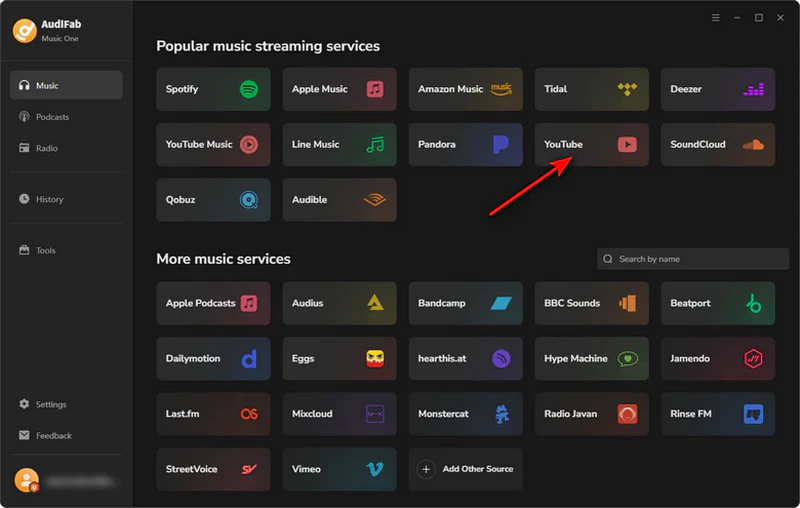
Step 1: Launch AudiFab after installation. Select YouTube from the homepage and sign in with your YouTube account.
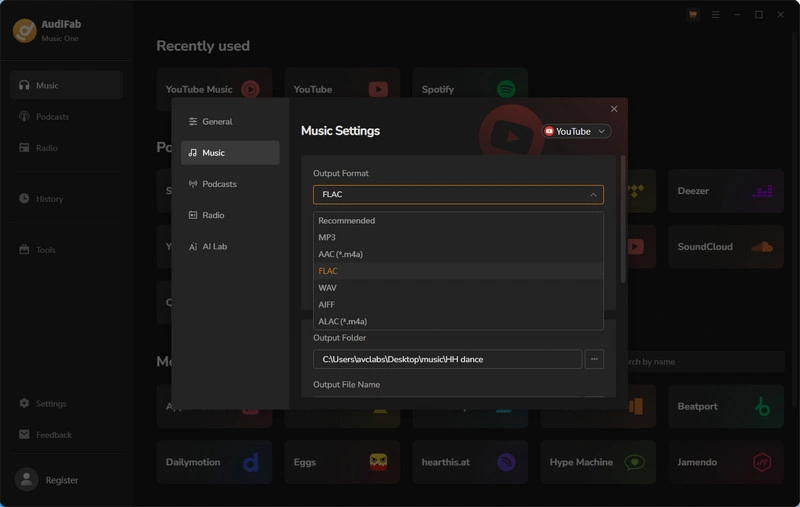
Step 2: Click 'Settings' in the bottom left corner to set your output format to 'FLAC'. You can also choose your output folder here.
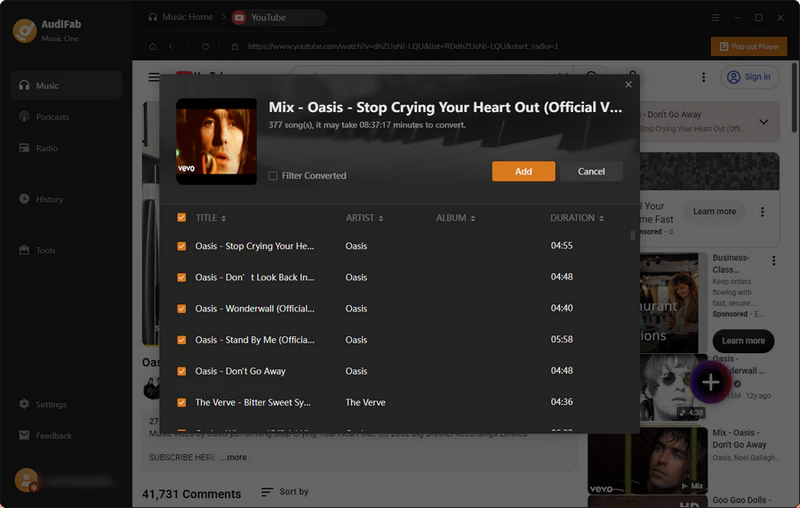
Step 3: Select the YouTube songs, playlists, or channels you wish to save, hit the '+' button at the bottom right corner, and press 'Add' to confirm.
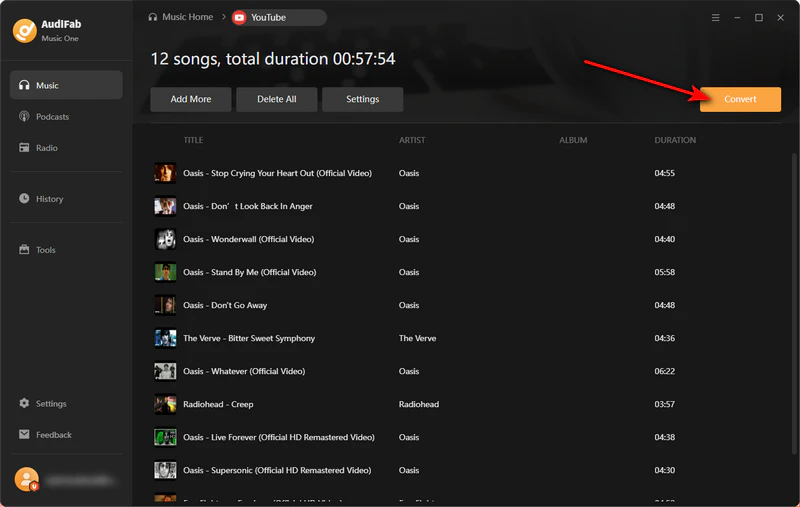
Step 4: Click 'Convert' at the top left. AudiFab will start converting and downloading the YouTube files to FLAC format.
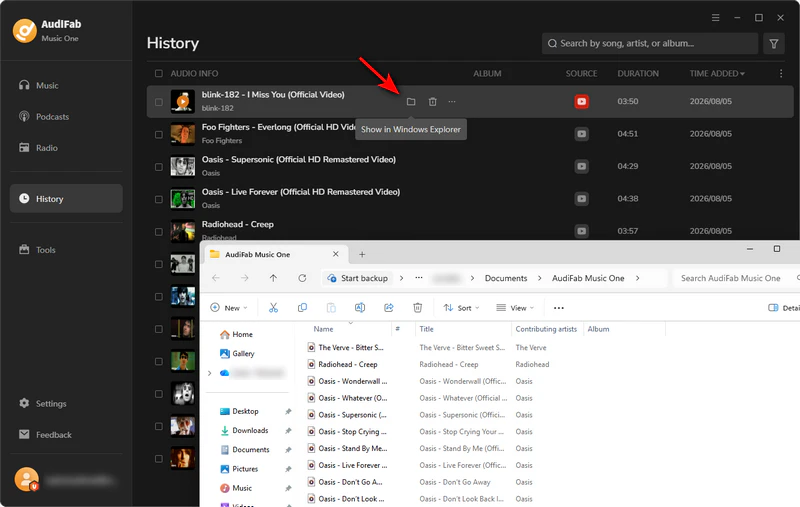
Step 5: Once the process is complete, go to 'History' to find your downloaded YouTube FLAC files on your computer.
YTMP3 is a free online YouTube converter that extracts videos into FLAC lossless audio and other formats with no installation needed.
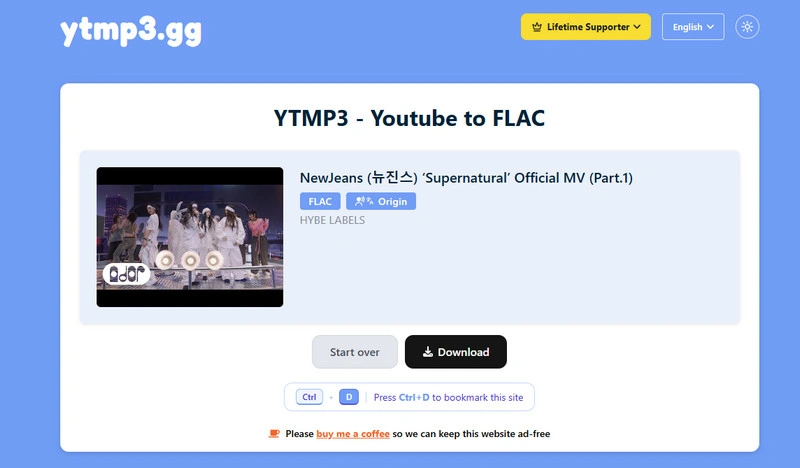
I downloaded 32 YouTube audio tracks to FLAC using YTMP3. Overall, the download process was smooth. While Reddit users warned about frequent ads and redirects, I only ran into a few unobtrusive ads that were easy to ignore. However, I did fail when trying to download entire YouTube playlists and channels. If you want to download YouTube playlists, you may try others.
CutYT makes it easy to extract FLAC audio from YouTube and popular video platforms entirely online with zero software installs or subscription fees.
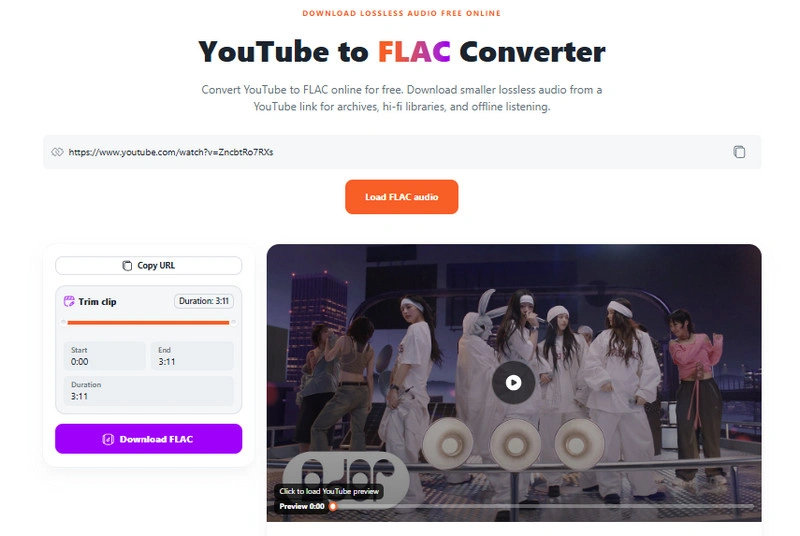
Like most free YouTube to FLAC tools, CutYT lets you quickly fetch and download YouTube audio by pasting a video URL. However, it sets itself apart by allowing you to trim the YouTube audio before downloading. With a clean, ad-free experience during my 30-song testing, CutYT is a great choice for anyone who values a distraction-free YouTube to FLAC converter.
Download Playlists with AudiFab Free Trial Now
Compatible with Windows & macOS · 100% Safe & Clean
AceThinker's YouTube to FLAC Converter is a free, browser-based tool that offers a simple way to convert YouTube audio to FLAC and other popular formats. It also has a desktop version.
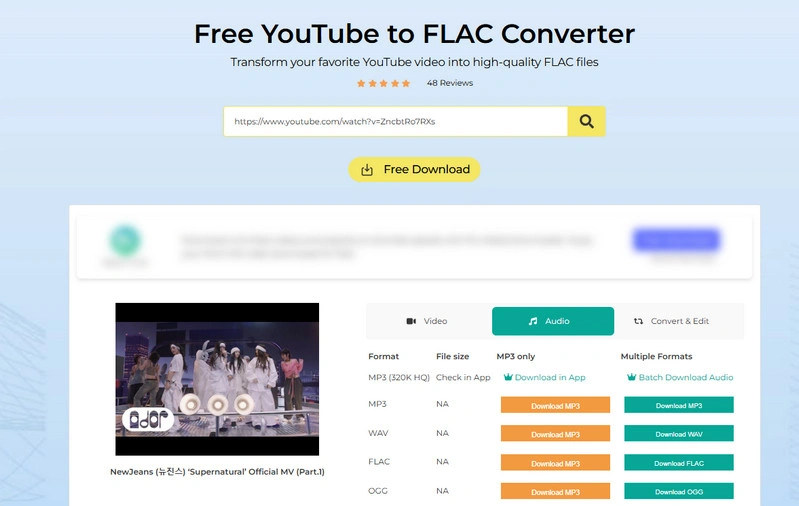
Using the Acethinker YouTube to FLAC converter, I have successfully downloaded 26 YouTube FLAC audio files. Besides FLAC, it also supports downloading in several other common formats. However, the free version comes with a few feature restrictions—for example, batch downloads and MP3 320kbps downloads are exclusive to their app users.
It's worth noting that Acethinker is primarily an AI-driven platform that offers a wide range of tools, including audio recording, PDF editing, and AI video editing. Because the YouTube to FLAC downloader is just a minor utility in their suite, there aren't many dedicated reviews about it online.
4kdownload.to is an online free YouTube to FLAC converter. Users can select FLAC as the output format, along with other popular options such as MP3, WAV, MP4, and OGG.
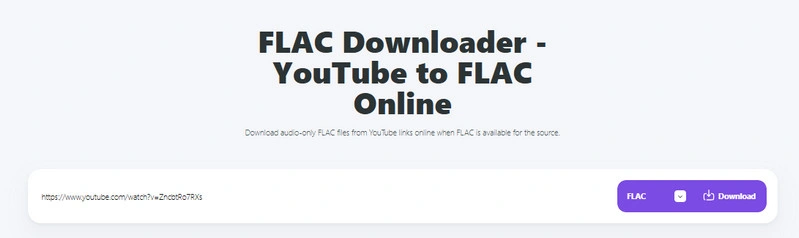
One of the main advantages of 4kdownload.to is its versatility, allowing you to download both YouTube audio and video formats. In my experience, I successfully downloaded 34 YouTube files using the platform. Although the conversion page contains banner ads, the overall layout remains relatively clean and user-friendly.
However, there is an important caveat regarding playlists: the web version does not support direct batch downloads. When you paste a playlist URL, a prompt reading 'DOWNLOAD BIG PLAYLIST WITH MORE THAN 20 VIDEOS' appears, which redirects you to an ad page prompting you to download a third-party app called 'ByClick'.
TubeRipper is a free online tool for downloading and converting audios and videos from major platforms like YouTube, Facebook, and TikTok into various formats, such as MP3 and MP4.
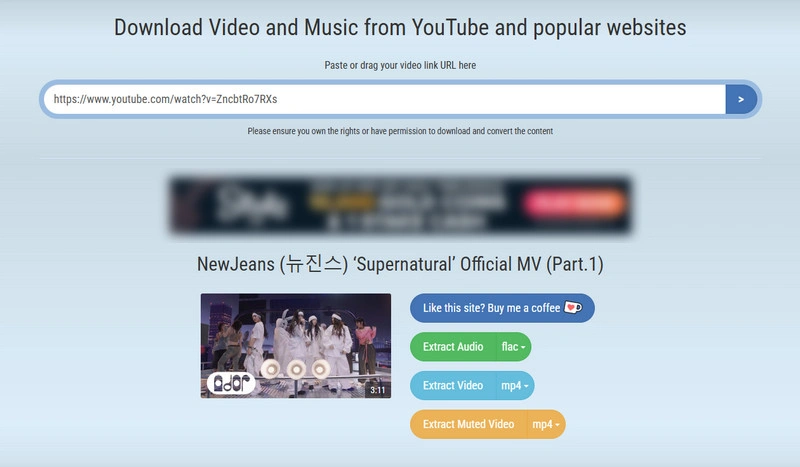
TubeRipper is generally very reliable thanks to its hundreds of backup sites. In my testing, it performed smoothly, and I successfully downloaded 37 YouTube audio and video files at a moderate speed. However, if you plan to download longer audio tracks, a dedicated tool like AudiFab YouTube to FLAC Converter is a better choice. Just keep in mind that the site has ads and fake download buttons, so watch out where you click.
Download Playlists with AudiFab Free Trial Now
Compatible with Windows & macOS · 100% Safe & Clean
Loader.to is an alternative domain for 4kdownload.cc that functions similarly, allowing users to download and convert YouTube to FLAC and other various formats.
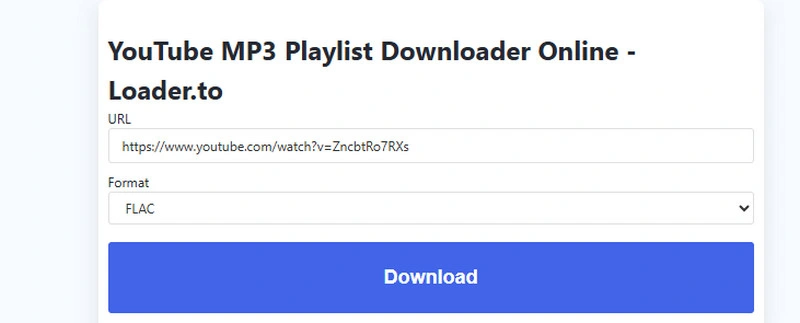
During testing, Loader.to successfully downloaded all 42 YouTube FLAC files with a high success rate and only rare failures. As a sister site to 4KDownload, it provides a very similar experience, sharing many of the same pros and cons. This makes it a solid backup option. Additionally, Loader.to operates under two domains, en.loader.to and loaderr.to, both of which offer identical features.
yt-dlp is a powerful, open-source command-line converter that supports downloading YouTube audio and video and converting them to various output formats, including FLAC.
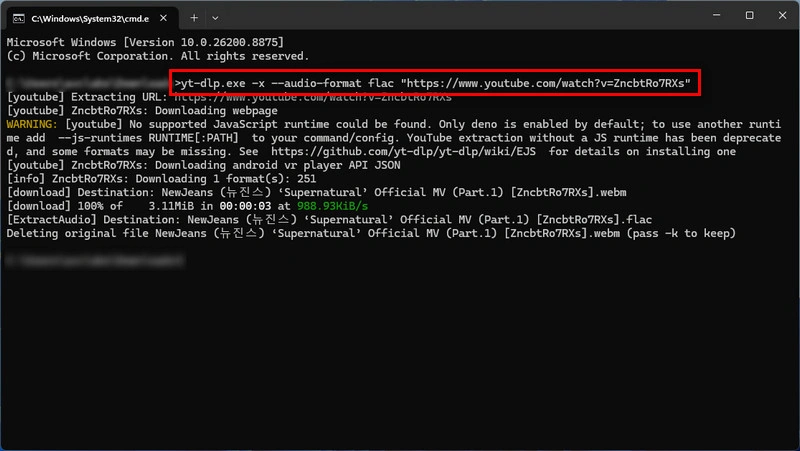
While yt-dlp is a great open-source tool with frequent updates, its reliance on the command line and extra dependencies makes it less user-friendly for beginners. Nevertheless, when it comes to free YouTube to FLAC conversion, yt-dlp offers excellent capability. It allows users to convert entire YouTube playlists in batch, directly extract native YouTube audio streams to prevent quality loss, and complete downloads safely without the intrusive ads or file limits typical of web converters.
Powered by yt-dlp and FFmpeg, Purffle-grab is a free, ad-free, open-source cross-platform converter for downloading and converting YouTube and Spotify audio into high-quality formats like MP3, MP4, and FLAC.
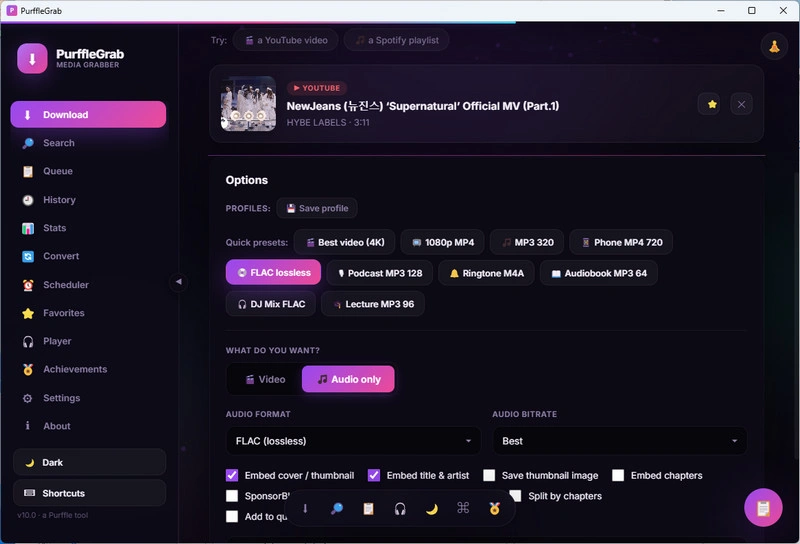
Powered by yt-dlp, PurffleGrab makes downloading YouTube and Spotify media effortless, offering ad-free, registration-free conversions to FLAC, MP3, MP4, and M4A. However, as a relatively new project, its conversion speed is on the slower side, and users may occasionally encounter minor stability issues. Overall, it is a clean and solid choice if you don't mind waiting a bit longer for your downloads.
Download YouTube Audio with AudiFab Free Trial Now
Compatible with Windows & macOS · 100% Safe & Clean
YouFLAC is an open-source, self-hosted YouTube converter designed to process YouTube videos and audio. It combines YouTube video tracks with high-quality FLAC audio from external sources to generate a single MKV file.
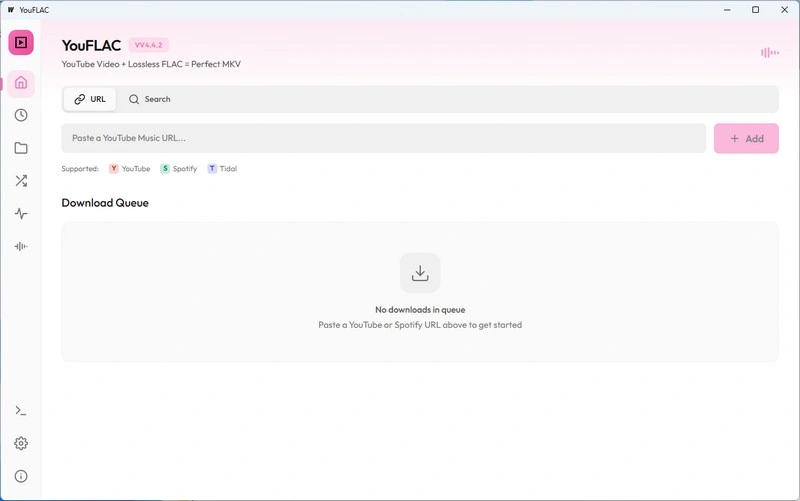
Strictly speaking, YouFLAC is an audio-matching tool rather than a direct converter. Instead of converting YouTube's lossy audio directly, YouFLAC uses yt-dlp to identify videos and fetch genuine FLAC files from audiophile platforms like Tidal, Qobuz, and Soulseek. This ad-free tool delivers authentic lossless quality, though its cross-platform matching can be unstable and occasionally fails to process links.
| Converter | Output Formats | Playlist/Batch Download | Ads-Free | Easy to Use | Best For |
|---|---|---|---|---|---|
| AudiFab YouTube to FLAC Converter (Desktop) | FLAC, MP3, M4A/AAC, WAV, AIFF, ALAC | ✅ | ✅ | ✅ | ⭐ Best Overall |
| YTMP3 (Online) | FLAC, MP3, WAV, AAC, ALAC, OGG | ❌ | ❌ | ✅ | ⭐ Best Online Converter |
| CutYT (Online) | FLAC, MP3, WAV, AAC, ALAC | ❌ | ✅ | ✅ | ⭐ Best Simple Converter |
| ACETHINKER (Online) | FLAC, MP3, WAV, AAC, ALAC | ❌ | ❌ | ✅ | ⭐ Best Multi-Tool Platform |
| 4kdownload.to (Online) | FLAC, MP3, WAV, AAC, ALAC, OGG, MP4 | ❌ | ❌ | ✅ | ⭐ Best Audio & Video Downloader |
| TubeRipper.cc (Online) | FLAC, MP3, WAV, AAC, MP4 | ❌ | ❌ | ✅ | ⭐ Best Quick Extraction Tool |
| Loader.to (Online) | FLAC, MP3, WAV, AAC, ALAC, OGG | ❌ | ❌ | ✅ | ⭐ Best 4KDownload Alternative |
| yt-dlp (GitHub) | FLAC, AAC, ALAC, MP3, WAV, OPUS | ✅ | ✅ | ❌ | ⭐ Best Free Open-Source Tool |
| PurffleGrab (GitHub) | FLAC, AAC, ALAC, MP3, WAV, OPUS | ✅ | ✅ | ❌ | ⭐ Best yt-dlp Alternative |
| YouFLAC (GitHub) | FLAC and MKV | ❌ | ✅ | ❌ | ⭐ Best for Audiophiles |
No, because YouTube audio is already compressed, but using an excellent converter, like AudiFab YouTube to FLAC Converter, ensures you capture its highest available quality without further degradation.
MP3 or AAC is best for saving space and everyday listening, while converting YouTube to FLAC is ideal for archiving or audio editing without extra quality loss.
Most free web converters are risky due to pop-up ads, malware, and redirect loops, making desktop tools, like AudiFab YouTube to FLAC Converter, or open-source software much safer options.
Most modern media players support FLAC, but Apple devices and older car stereos may require a third-party app or a format conversion like MP3, AAC, or ALAC.
In summary, while no tool can enhance YouTube's original audio, choosing a reliable converter prevents any extra quality degradation. AudiFab YouTube to FLAC Converter remains the top choice for fast and seamless results, while online and GitHub tools serve as lightweight alternatives for quick or technical downloads.

Download YouTube Music songs, playlists & albums in original quality, batch convert to MP3, AAC, FLAC, WAV, ALAC or AIFF, and keep ID3 tags.
Music is the greatest communication in the world and here are some articles that may help you enjoy music in a better way.

 Try It Free
 Try It Free