10 YouTube to MP3 Download Sites Tested for Safety (2026)
Get real 320kbps audio in minutes — 10 safest YouTube to MP3 sites, tested for speed, security, and real quality.
Get real 320kbps audio in minutes — 10 safest YouTube to MP3 sites, tested for speed, security, and real quality.
Searching for a safe YouTube to MP3 download site often feels like a gamble. Many users click “Download” only to face pop-ups, redirects, hidden cryptominers, malware-laden .exe files, or misleading "320 kbps" claims..
After testing 50+ YouTube downloaders with VirusTotal and Spek, we confidently reveal our editor’s top pick — AudiFab YouTube Music Converter, the safest YouTube to MP3 converter. Below, you’ll also find a curated list of 10 safe YouTube to MP3 download sites for 2026, helping you get truly secure, lossless-quality audio.
See also:
Top 9 FREE Spotify to MP3 Converter in 2026
⚖️ Legal Disclaimer All downloads should be for personal, non-commercial use only. Respect content creators’ copyrights and comply with YouTube’s Terms of Service and local copyright laws.
While many platforms claim to be safe youtube to mp3 download sites, the "free" price tag often hides dangerous traps. Our testing uncovered three major red flags:
.exe malware disguised as music files.

By exposing these hidden dangers, we aim to help you make informed choices and avoid websites that may compromise your security or waste your time. Later sections provide a fully verified list of safe, high-fidelity, and ad-conscious YouTube to MP3 download sites for 2026.
Before exploring the full list, AudiFab YouTube Converter is the top recommendation for safe YouTube to MP3 conversion in 2026 that passed our tests. Most free tools fail due to ads, instability, forced sign-ups, or no batch support.
AudiFab YouTube Converter is our Editor’s Choice for safe YouTube to MP3 Downloader in 2026. It records YouTube’s original audio, delivering true 256kbps AAC quality (YouTube’s native audio)—equivalent to high-quality 320kbps MP3. Designed to be fast, safe, and easy to use, AudiFab lets you batch download entire playlists at up to 10× speed while preserving album art and full ID3 tags like artist and album names. It works not only as a YouTube downloader but also as a YouTube Music converter, supporting songs, playlists, podcasts, and videos in multiple formats including MP3, FLAC, WAV, ALAC, AIFF, and AAC.
Beyond YouTube, AudiFab also supports downloading music from Spotify, Apple Music, Amazon Music, Tidal, Soundcloud, and other major streaming platforms.
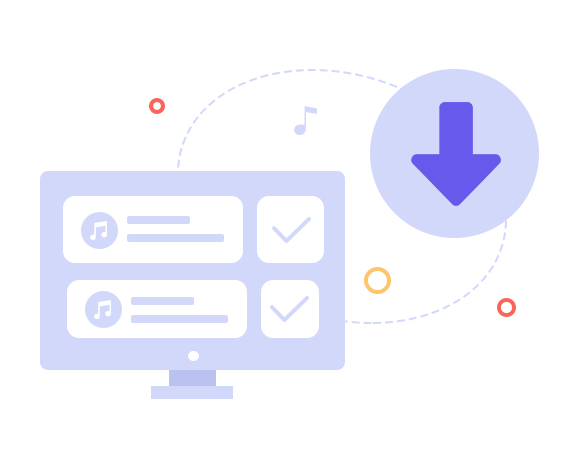
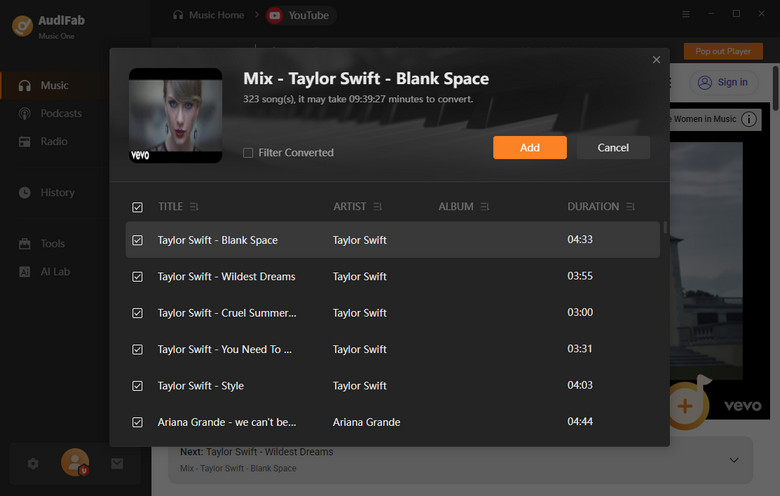
STEP 1: Add YouTube Song

Click YouTube. Click "+Add" to add YouTube playlists to AudiFab.
STEP 2: Choose MP3
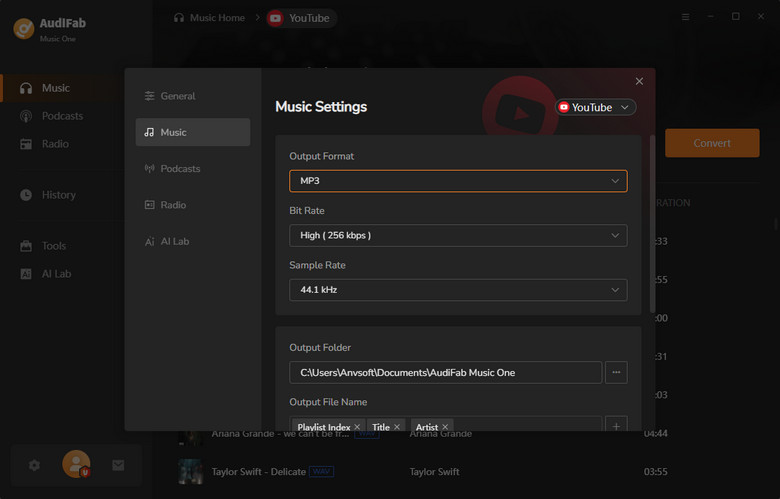
Set the output format to MP3 and adjust other preferences.
STEP 3: Convert YT to MP3
Click "Convert" to save YouTube videos as MP3 for offline use.
How We Verified Each Site:
When it comes to converting YouTube videos to MP3, safety and quality matter just as much as features. Check the below comparison table to choose the one you want:
| Tool | Safety | Ads & Pop-ups | Audio Quality | Batch Download | Key Features |
|---|---|---|---|---|---|
| AudiFab YouTube Music Converter | ⭐⭐⭐⭐⭐ | ❌ None | 🎵 True 320 kbps / Lossless | ✅ Yes | ✅ Batch & playlist downloads, metadata support, multi-platform, stable & fast |
| YTMP3 | ⭐⭐⭐ | Moderate ads | 192 kbps | ❌ No | MP3/MP4 only, single video |
| Y2Mate | ⭐⭐ | Heavy pop-ups | 128 kbps (advertised 320 kbps) |
❌ No | MP3/MP4, 1080p video, multi-device |
| CnvMP3 | ⭐⭐⭐ | Pop-ups | 248 kbps (advertised 320 kbps) | ❌ No | Supports multiple platforms |
| Loader.to | ⭐⭐⭐ | Pop-ups | 128 kbps upscaled | ✅ Yes | MP3, MP4, FLAC, WAV; batch playlist |
| EzMP3 | ⭐⭐⭐ | Ad-free | 64–320 kbps | ❌ No | Audio trimming, bitrate selection |
| YT1s | ⭐⭐ | Pop-ups & redirects | 128 kbps (fake 320 kbps) | ❌ No | MP3/MP4/M4A/OPUS |
| SAVEMP3 | ⭐⭐⭐⭐ | None | ~136 kbps | ❌ No | Multi-platform support, audio trimming |
| ESMP3 | ⭐⭐ | None | 64–320 kbps (fake 320 kbps) | ❌ No | Multiple formats, karaoke feature, custom file names |
| Cobalt Tools | ⭐⭐⭐⭐ | None | Standard MP3 | ❌ No | Multi-platform, multiple formats, direct downloads |
| MP3Juice | ⭐⭐ | Pop-ups & redirects | 128 kbps (fake 320 kbps) | ❌ No | Simple MP3/MP4 conversion |
Best Overall: AudiFab YouTube Converter – True 320 kbps / Lossless, batch downloads, ad-free, stable.
👉 Tired of fake 320kbps & pop-ups? Try AudiFab YouTube Converter — the safest YouTube to MP3 solution in 2026.
AudiFab YouTube Converter is best for bulk downloads, but free YouTube to MP3 download sites are handy for quick, single conversions. These sites change often, so we regularly update this list.
Safety Pro-Tip: Use an ad-blocker and never click “Allow Notifications” or download any .exe/.pkg files.
💡 Want real audio quality? Online tools can’t create details that don’t exist. AudiFab records the original stream — try it free and hear the difference.
| Criteria | Result & Data | Rating (★/5) |
|---|---|---|
| Safety | VirusTotal: 0/98 (URL safe) | ★★★★ |
| Ad Intrusion | Click “Download” may open a new tab with e-commerce ads | ★★ |
| Audio Quality | 192kbps | ★★ |
| Functionality/Speed | 3-min video conversion takes ~8 sec. Only MP3/MP4 supported | ★★★★ |
| Output File Name | Same like the YouTube video | ★★★ |
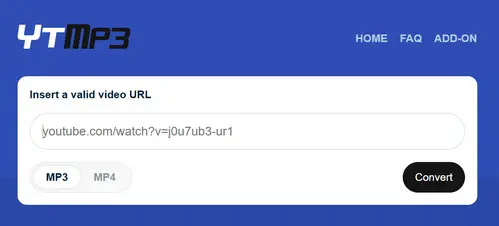
YTMP3 Converter is a free YouTube to MP3 download website to download YouTube videos to MP3 or MP4 without installing software. The service frequently changes domains due to copyright issues. Despite ads and redirects, its simple interface and fast downloads make it suitable for quick, casual use.
| Criteria | Result & Data | Rating (★/5) |
|---|---|---|
| Safety | VirusTotal: 0/98 (URL safe) | ★★ |
| Ad Intrusion | Frequent pop-ups | ★ |
| Audio Quality | 128 kbps MP3 | ★★★★ |
| Functionality/Speed | 3–5 min video takes ~10 sec. MP3 / MP4 only | ★★★ |
| Output File Name | YouTube video title + Publisher | ★★★★ |
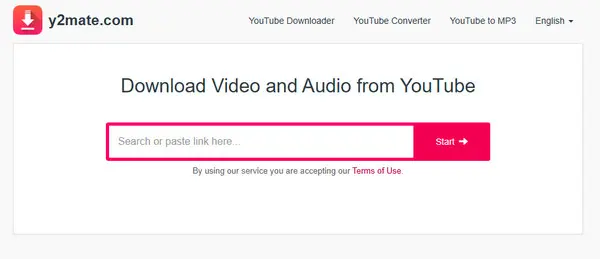
Y2Mate is a widely used web-based downloader that allows users to extract audio or video files from YouTube by simply pasting a link. It supports MP3 and MP4 outputs up to 1080p video and 320kbps MP3 (Advertised), but heavy ads and redirects make it better suited for quick, occasional use rather than secure downloading.
💡 Pro Tip: Online converters are like a "quick fix"—great for a single song but risky and slow for building a library. If you need to batch download playlists with original 320kbps quality, a professional tool like AudiFab (mentioned in Part 2) is the much faster and safer path.
| Criteria | Result & Data | Rating (★/5) |
|---|---|---|
| Safety | VirusTotal: 0/98 (URL safe) | ★★ |
| Ad Intrusion | Clicking Convert or switching back may trigger pop-up ads | ★ |
| Audio Quality | Ads 320kbps MP3, but downloads are 248kbps | ★★★ |
| Functionality/Speed | 3-min video converts in ~20 sec. MP3 / MP4 only | ★★ |
| Output File Name | Same as YouTube video title | ★★★ |
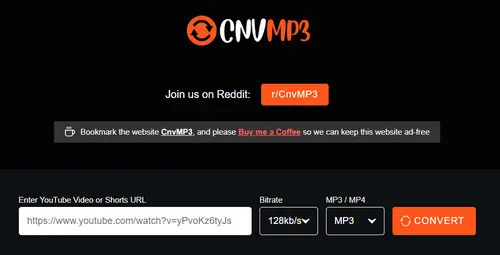
CnvMP3 is a free online YouTube to MP3/MP4 converter designed for fast and straightforward media downloads. CnvMP3 also supports TikTok, Instagram, Facebook, Twitter, Reddit, and Twitch, with MP3 up to 320 kbps and MP4 up to 1080p.

Check the safest and easiest way to download TikTok MP3 music.
Learn More →| Criteria | Result & Data | Rating (★/5) |
|---|---|---|
| Safety | VirusTotal: 0/90 (URL safe) | ★★ |
| Ad Intrusion | Clicking Download often triggers pop-ups | ★★ |
| Audio Quality | MP3 shows 320 kbps, but Spek reveals it’s actually 128 kbps upscaled | ★★★ |
| Functionality/Speed | 3-min video converts in ~15 sec | ★★★ |
| Output File Name | Same as original YouTube video | ★★ |
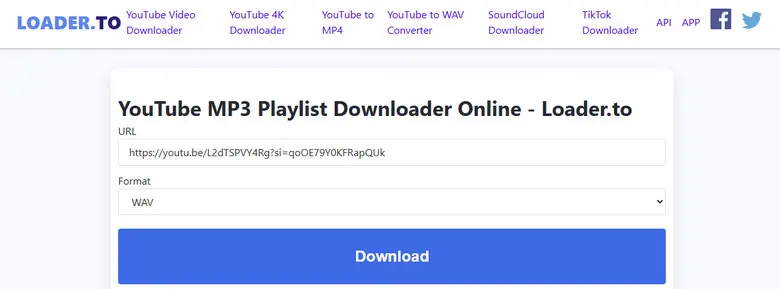
Loader.to is a free online YouTube downloader that converts videos to MP3, MP4, AAC, FLAC, WAV, and other formats. It supports single videos and promises batch playlist downloads. It also downloads video or music from Vimeo, Soundcloud, Facebook, TikTok, Twitter, and more.
🎧 Ready to download YouTube to MP3 safely?
Download AudiFab YouTube Converter and convert your first song in 3 clicks.
| Criteria | Result & Data | Rating (★/5) |
|---|---|---|
| Safety | VirusTotal: 3/98 (Possible malicious ads or redirects) | ★★★ |
| Ad Intrusion | Ad-free interface | ★★★★★ |
| Audio Quality | MP3 up to 320 kbps, but lossy; some users report inconsistent quality | ★★★ |
| Functionality/Speed | 3-min video → ~4–6 sec conversion; supports audio trimming | ★★★★ |
| Output File Name | Matches YouTube video title | ★★★ |
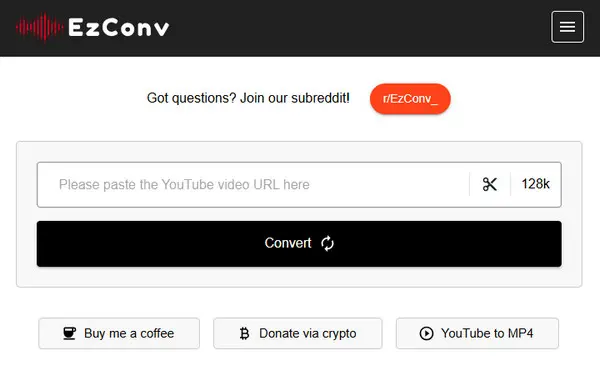
EzMP3 is a free, in-browser YouTube to MP3 converter with audio trimming and bit rates from 64–320 kbps. It’s ad-free and simple but only supports single-song downloads. While mostly safe, 3/98 VirusTotal detections warn of possible ads or redirects—avoid pop-ups.
| Criteria | Result & Data | Rating (★/5) |
|---|---|---|
| Safety | VirusTotal: 0/98 (URL safe) | ★★ |
| Ad Intrusion | Clicking Download often triggers pop-ups | ★★ |
| Audio Quality | Fake 320kbps MP3, actually 128 kbps (Spek check) | ★★ |
| Functionality/Speed | Fast single video conversion | ★★★ |
| Output File Name | YouTube video title + Publisher + (youtube) | ★★★ |
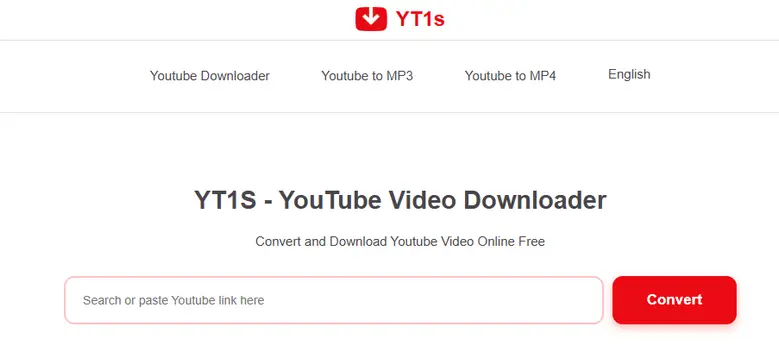
YT1s is an online YouTube downloader for MP4 and MP3, supporting up to 4K resolution. It’s fast and easy to use, but intrusive ads, redirects, and potential malware make it risky.
💡 Pro Tip: Why does “320kbps” from many online converters sound muddy? Because most of them simply upsample 128kbps audio—the file looks bigger, but the quality doesn’t improve. If sound quality matters, AudiFab is one of the few tested tools that can produce true 320kbps or lossless audio.
| Criteria | Result & Data | Rating (★/5) |
|---|---|---|
| Safety | VirusTotal: 0/98 (URL safe) | ★★★★ |
| Ad Intrusion | Ad-free interface | ★★★★★ |
| Audio Quality | MP3 output only, low quality (~136 kbps) | ★★ |
| Functionality/Speed | Single video download; supports audio trimming | ★★★★★ |
| Output File Name | Only “V” | ★ |
SAVEMP3 is a free, web-based YouTube to MP3 converter supporting YouTube and other platforms like TikTok, SoundCloud, Vimeo, VK, and Dailymotion. It’s simple to use, ad-free, and accessible in 24 languages.
| Criteria | Result & Data | Rating (★/5) |
|---|---|---|
| Safety | VirusTotal: 1/97 | ★★★☆☆ |
| Ad Intrusion | Completely ad-free interface | ★★★★★ |
| Audio Quality | Adjustable bitrate 64–320 kbps; Fake 320kbps | ★★★☆☆ |
| Functionality/Speed | Supports multiple formats + vocal/instrumental separation (karaoke) | ★★★★☆ |
| Output File Name | Customizable file names supported | ★★★★★ |
ESMP3 is a lesser-known YouTube to MP3 converter discovered through Reddit. Although its name is similar to EZMP3, the functionality is quite different. ESMP3 stands out for its clean, ad-free UI and advanced options, including multiple output formats and vocal/instrument separation for making karaoke tracks.
🎧 Ready to download YouTube to MP3 safely?
Download AudiFab YouTube Converter and convert your first song in 3 clicks.
| Criteria | Result & Data | Rating (★/5) |
|---|---|---|
| Safety | VirusTotal: 0/98 (URL safe) | ★★★★☆ |
| Ad Intrusion | No ads or cookies on official site; completely ad-free interface | ★★★★★ |
| Audio Quality | Supports audio extraction in MP3; standard quality depending on source | ★★★★☆ |
| Functionality/Speed | Supports multiple platforms (YouTube, TikTok, Reddit, Facebook, Instagram, etc.), multiple formats (MP4/MP3) | ★★★★☆ |
| Output File Name | File names preserved from source; limited customization | ★★★★☆ |
Cobalt Tools is a versatile online downloader for videos and audio from a wide range of platforms, including TikTok, YouTube, Reddit, Facebook, and Instagram. It provides direct, ad-free YouTube to MP3 downloads without pop-ups or cookies. While it works nearly every time on desktop, mobile performance can be inconsistent.

| Criteria | Result & Data | Rating (★/5) |
|---|---|---|
| Safety | VirusTotal: 0/98 (URL safe) | ★★☆☆☆ |
| Ad Intrusion | No Pop-ups and sponsored redirects | ★★★★☆ |
| Audio Quality | Fake 320kbps | ★★★★☆ |
| Functionality/Speed | Works on desktop and mobile browsers; cannot download in batches; some URLs fail | ★★★☆☆ |
| Output File Name | Original video title + QpF06hMoSjk | ★★★☆☆ |
MP3 Juice is a widely used free online music downloader designed to convert YouTube videos to MP3 or MP4 files. It allows users to search by song, artist, album, or directly paste a video URL.
Learn how to use MP3 Quack to download free music and discover the best alternatives in 2026.
Learn More →Use this quick checklist to stay safe:
Converting videos for personal offline listening is often tolerated, but it can still violate YouTube’s terms of service. Stick to videos you own or those under a free license. Always respect copyright laws.
YouTube's maximum audio quality is typically 256kbps AAC. When a site offers "320kbps MP3," it is converting a 256kbps (or lower) stream into a 320kbps container. This does not add missing data; it just creates a larger file with the same original quality. To get the best sound, use a proper converter like AudiFab YouTube Converter to maintain original quality. Be cautious—most sites exaggerate bitrate; what you get is often upscaled audio, not genuine high-quality MP3.
Many online sites do not support full playlist downloads or may fail mid-way. Batch downloading from unsafe sites can risk malware, fake files, or broken downloads.
✅ To safely convert entire playlists, use reliable tools like AudiFab YouTube Music Converter, which supports batch playlist/album/artist downloads.
When searching for safe YouTube to MP3 download sitess, audio quality, batch download capability, and device safety are all essential. While many online tools exist, AudiFab YouTube Music Converter is the top recommendation. It ensures you can save your favorite YouTube music offline efficiently. It supports high-quality downloads (true 320 kbps or lossless), batch MP3 downloads, and multiple platforms, all while keeping your device safe from ads, pop-ups, or malicious files.
AudiFab is free to try. It can be downloaded for free and converts the first minute of each audio file for sample testing. If the program meets your needs, you can buy a license to unlock the time limit.

Download YouTube Music songs, playlists & albums in original quality, batch convert to MP3, AAC, FLAC, WAV, ALAC or AIFF, and keep ID3 tags.
Music is the greatest communication in the world and here are some articles that may help you enjoy music in a better way.

 Try It Free
 Try It Free