10 Best Free Unblocked YouTube Sites (2026)
7 free web proxies and 3 mirror frontends tested for 2026 — plus how to pick the right one.
7 free web proxies and 3 mirror frontends tested for 2026 — plus how to pick the right one.
Unblocked YouTube sites are free web proxies or mirror-based tools that let you watch YouTube videos on networks where the platform is blocked, without installing any software. Whether you're searching for a free web proxy YouTube option or want YouTube unblocked through a lightweight mirror, this guide covers 7 free web proxies and 3 privacy-focused mirror sites that work in 2026, plus how to pick the right one.
⚖️ Disclaimer These are third-party services not affiliated with AudiFab. Availability may change, and you should avoid sharing personal information through unknown proxy sites.
| Best for | Speed | Ad-free | Setup | |
|---|---|---|---|---|
| Web Proxy | One-off access on locked-down devices (school/library computers) | Moderate, varies by load | ❌ | None — just visit and go |
| Mirror/Frontend | Regular, ad-free viewing when you can bookmark a URL | Fast | ✅ | None, but instance may need switching occasionally |
| Invidious | Users who want full features (comments, API) and don't mind troubleshooting | Inconsistent | ✅ | Requires picking a working instance |
Pull the audio from any YouTube video straight to MP3 or FLAC with original quality, ready to play offline in minutes. Compatible with Windows & macOS · 100% Safe & Clean
There are two broad categories of free tools covered in this guide:
Web proxy sites act as a go-between for your browser and YouTube. Simply enter a YouTube link or search for videos on the proxy homepage. The proxy server fetches YouTube videos and streams them to you. Your school or Wi-Fi admin only sees you accessing the proxy site, not YouTube itself. No installation, no account. But there are downsides: slow video loading, constant pop-up ads, and frequent CAPTCHA verifications.
Unlike proxies, YouTube mirror and alternative frontends don't simply forward YouTube's original page. They pull raw video data directly from YouTube to create a lightweight, ad-free, tracker-free viewing interface. They tend to be faster and cleaner than proxy sites. However, these services rely on volunteer-run public servers, so individual instances may slow down, get blocked or go offline unexpectedly.
Below are 7 tested options if you're looking for an unblock YouTube site that works right away, followed by 3 mirror or frontend options for more regular use.
Recommend level: ⭐⭐⭐⭐⭐
URL: https://www.croxyproxy.com/
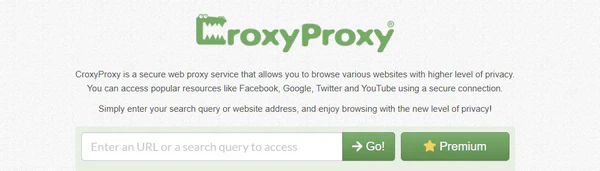
CroxyProxy is the biggest name in this space, and in testing it's also the most dependable for actually watching a video start to finish. Playback started immediately with no buffering on a normal connection, and quality held up well — though during busy hours it can drop to around 480p, and 4K/1440p isn't reliably smooth on the free tier. The trade-off is that it does inject its own ads even if you have an ad blocker on, and you may hit an occasional CAPTCHA. Just paste your link and start watching, no extra setup required.
Recommend level: ⭐⭐⭐⭐
URL: https://www.youtubeunblocked.live/
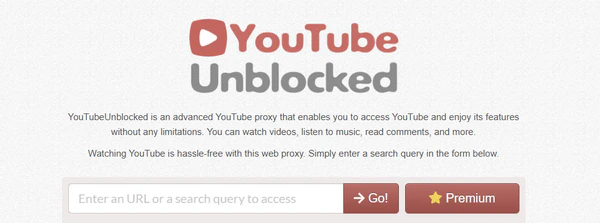
YouTubeUnblocked.live runs on the same engine as CroxyProxy, so expect a near-identical viewing experience: videos load quickly and play smoothly without much fuss, with just a search bar and a "Go" button to get started. Ads show up occasionally but aren't overwhelming. The one real limitation is you can't pick your server region on the free plan, which is locked behind a paid upgrade. If a video is geo-blocked, this may not get you past it.
Recommend level: ⭐⭐⭐⭐
URL: https://www.proxysite.com/
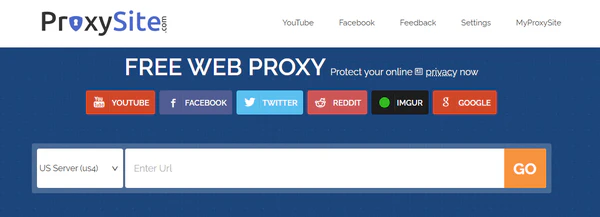
ProxySite is built specifically around video playback, and it shows — YouTube ran with little buffering in most tests. It gives you about 40 servers to switch between (split across the US and EU), which is genuinely useful if a connection stalls out or a video won't load: just pick a different server and try again. Speed isn't perfectly consistent, depending on how many people are sharing that server. Fast one session, noticeably slower the next, but it rarely breaks down completely.
Recommend level: ⭐⭐⭐⭐
URL: https://www.genmirror.com/
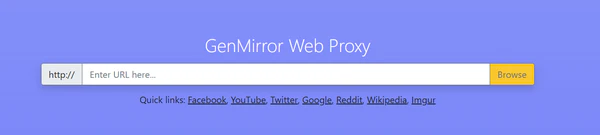
GenMirror keeps things as simple as it gets — just paste a link, and hit go. It's mobile-friendly, which some proxies on this list aren't. Playback is smooth for standard viewing, and pop-up ads show up less often than on several competitors, though they do appear. What it doesn't have: server region selection, permalink sharing, or a paid ad-free tier. It's best thought of as a quick fix rather than something you'd bookmark for daily use.
Recommend level: ⭐⭐⭐
URL: https://unblockyoutube.co/
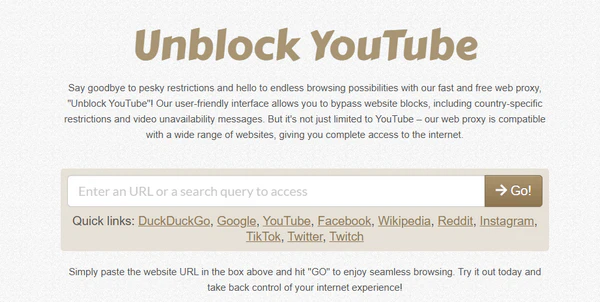
UnblockYoutube.co gets the job done for a quick, one-off video on a locked-down device, but it's the weakest of the group for regular use. Expect more ads and pop-ups than the bigger players, plus the occasional notification-permission prompt, which is a hassle if you're just trying to watch something quickly. It works, but treat it as a last resort rather than your go-to.
Recommend level: ⭐⭐⭐⭐
URL: https://www.blockaway.net/
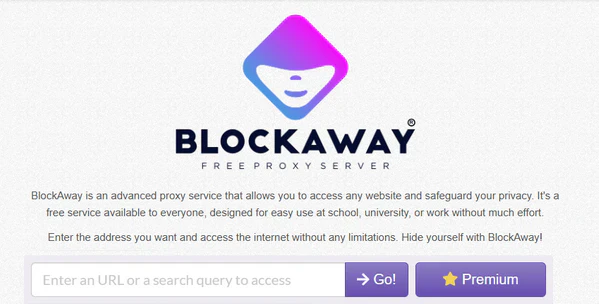
Blockaway handles YouTube specifically well and supports unlimited streaming without cutting you off after a set time, which some free proxies do. Setup is genuinely zero-effort — paste a URL and it just works. Speed is solid outside of peak hours but slows down when traffic is high, which is typical for a free, shared-server proxy. Ads fund the free tier, and there's a paid option if you want them gone along with faster speeds.
Recommend level: ⭐⭐⭐⭐
URL: https://proxyium.com/youtube
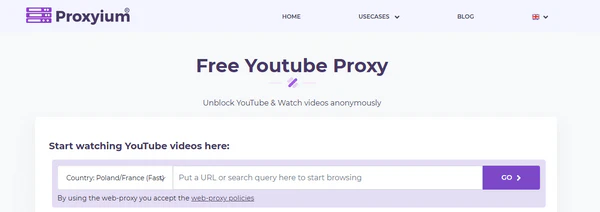
Proxyium stands out for having a dedicated YouTube proxy page rather than just a generic URL box. You can pick between three server locations — Poland/France, US, and Singapore — and the site is upfront that only Poland and France are rated "Fast", with the other two marked "Slow". In testing that label held up: switching off the default region noticeably slowed playback. It also generates a shareable permalink for whatever page you've unblocked.
Download AudiFab YouTube Converter and batch-convert an entire YouTube playlist or channel in one pass — no ads, no CAPTCHAs, no server to check first. Compatible with Windows & macOS · 100% Safe & Clean
Recommend level: ⭐⭐⭐⭐⭐
URL: https://piped.video/
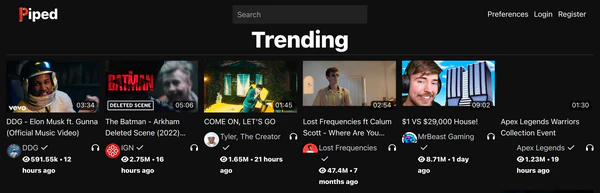
Piped is the most reliable of the three mirror options here. It loads fast, has zero ads, and includes SponsorBlock built in, which automatically skips sponsored segments for you. Since it runs on many independent servers rather than just one, if a particular instance is slow or down, switching to another one from the public list usually fixes it. The one downside is your subscriptions and saved data don't carry over if you switch instances.
Recommend level: ⭐⭐⭐⭐
URL: https://tube.cadence.moe/
CloudTube is smaller and simpler than Piped. No accounts, no subscriptions to manage, just search and watch. It loads noticeably faster than YouTube's own site since it skips loading YouTube's algorithmic homepage. Developers also keep updating and fixing CloudTube regularly. One practical snag: it blocks a lot of proxy/VPN traffic due to past abuse, so if you're already on a VPN, try turning it off for this site if a video won't load.

Recommend level: ⭐⭐⭐⭐
URL: https://docs.invidious.io/instances/ (instance list)
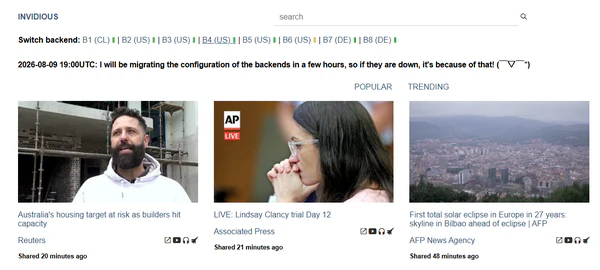
Invidious has the most features of the three — comments, playlists, works even without JavaScript. That said, its public servers have become much less stable lately. Many public instances have become unreliable or get blocked over time. You'll likely need to try two or three instances from the official list before one plays smoothly. Live streams and anything requiring a logged-in session usually won't work on public instances either.
Download AudiFab YouTube Converter and convert the whole YouTube playlist once — every track saved locally with correct titles and artist tags. Compatible with Windows & macOS · 100% Safe & Clean
🖥️ Need to open one video right now on a locked-down device? A proxy site like CroxyProxy or GenMirror is the fastest way to get YouTube unblocked — no setup, works immediately.
🚀 Use a blocked device regularly and want a cleaner, ad-free experience? Piped is the more sustainable long-term choice.
🔧 Want the comment section, playlists, or full API access? Invidious is worth trying, but budget a few minutes to find a working instance.
Proxies and mirrors get you watching YouTube when the site itself is blocked. But if what you actually want is to keep certain videos, talks, podcasts, or music channels on YouTube for regular listening, reopening a proxy or a mirror every single time isn't a great long-term fit.
AudiFab YouTube Converter takes a different approach: it lets you save the audio track from any YouTube video, playlist, or channel — music videos, podcasts, talks, live performances, and more — as a standard local file (MP3, AAC, FLAC, WAV, AIFF, or ALAC), while keeping the original audio quality and adding ID3 tags like title and artist automatically. Once saved, the file lives on your device. You can play it without any network connection, transfer it to a USB drive, burn it to a CD, or load it onto an MP3 player or car stereo — no proxy, no VPN, and no dependency on whether a mirror instance happens to be up that day.
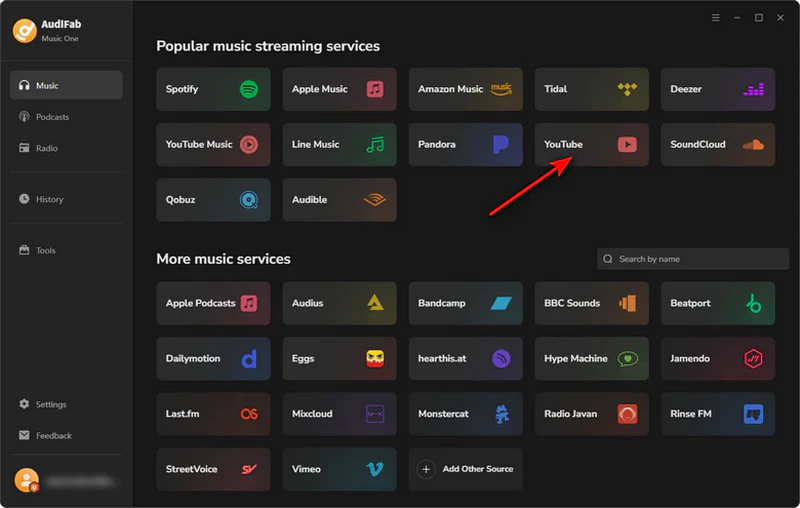
Choose YouTube as the Source
Launch AudiFab YouTube Converter on Windows or Mac. On the "Popular music streaming services" screen, click YouTube. A built-in browser opens automatically, no extra plugin or account needed.
Play a Video and Select Tracks to Add
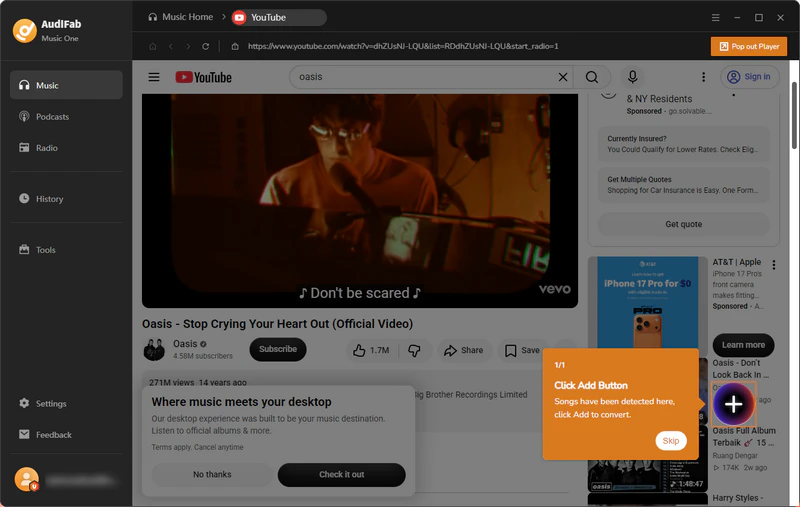
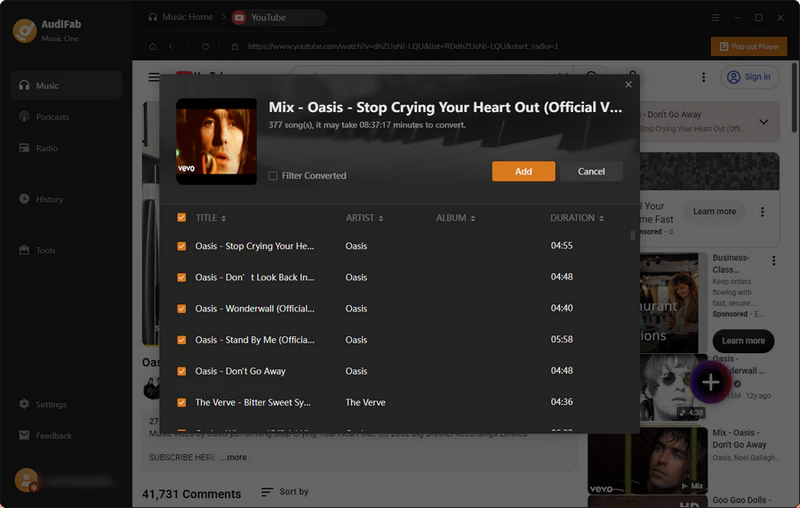
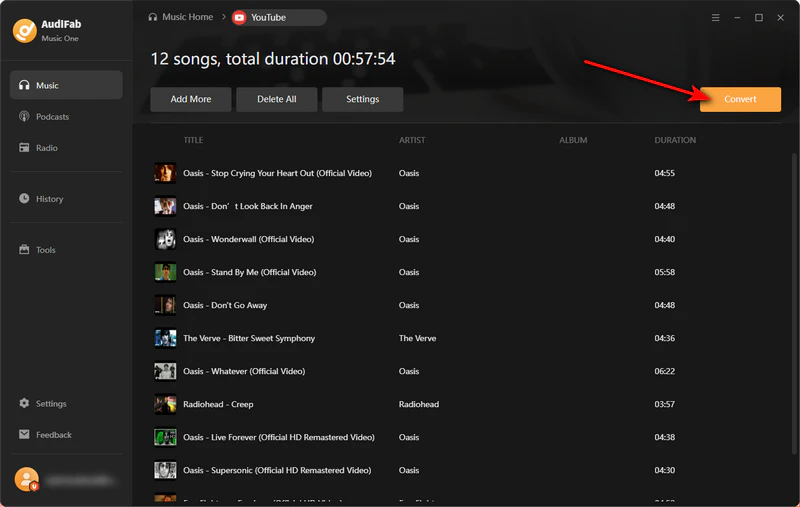
Inside the built-in browser, search for a video or paste a YouTube link directly and hit play, just like using youtube.com normally. Once AudiFab detects playable audio, a prompt appears pointing to the Add button. Click it, and a track list for that video's playlist or auto-generated Mix pops up — review the titles and artists, uncheck anything you don't want, then click Add to send your picks to the queue.
Set Output Format
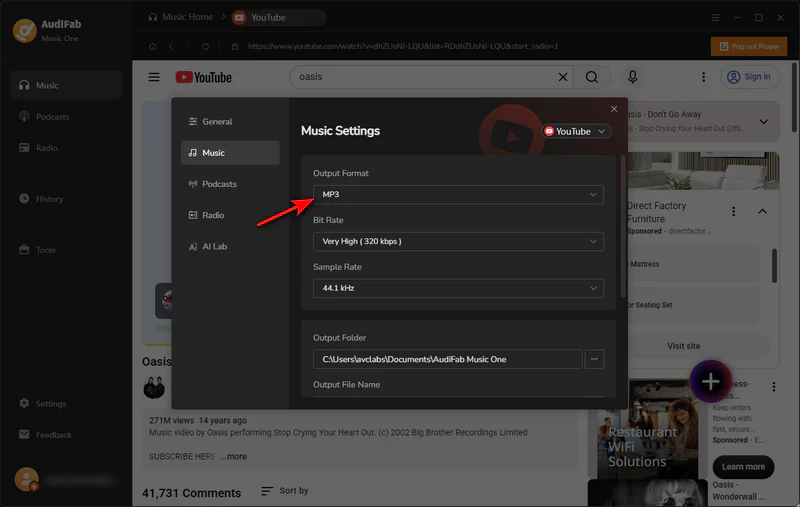
Click Settings to open Music Settings, then choose your Output Format (MP3, FLAC, WAV, AAC, AIFF, or ALAC) along with bit rate, sample rate, output folder, and file naming.
Convert and Find Your Files
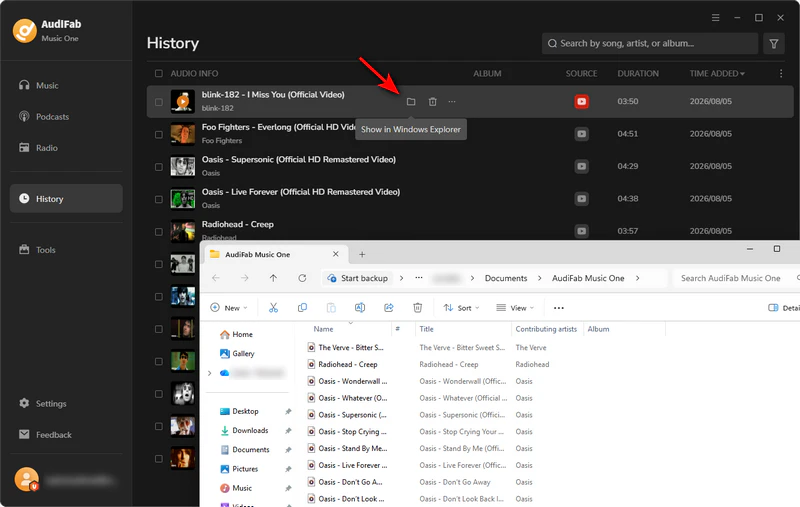
Review your queued tracks, then click the orange Convert button to start downloading. Once it's done, switch to the History tab, hover over any track, and click the folder icon to jump straight to the saved MP3 on your computer — ready to play offline, transfer, or move to any device.
Free web proxies are reasonably safe for casual, one-off viewing, but they route your traffic through a third-party server whose logging policy is often unclear. Avoid entering any personal information, and never log into your Google or YouTube account through a proxy.
Proxies send YouTube's original page through a middle server, so what you see is almost YouTube's official layout. YouTube mirrors or alternative frontends build a totally new page using YouTube's raw video data. This makes them speedier and ad-free, yet they often stop working once YouTube updates its backend systems.
CroxyProxy is the most reliable pick for a school or work computer, and it's built specifically for smooth video playback. If it's already blocked on your network, Piped is a solid backup that loads fast and skips ads entirely.
Yes. If what you actually want is to keep specific videos, podcasts, or playlists rather than watch YouTube live every time, a desktop tool like AudiFab YouTube Converter can save the audio from YouTube videos as local MP3, FLAC, or AAC files for offline playback. Once saved, the files live on your device — no proxy, mirror instance, or network connection required to play them.
Yes, every proxy and mirror site listed here is free to use, though some offer paid tiers for faster servers or region selection. As for blocking: basic network monitoring will only see that you're connected to a proxy, not YouTube itself, but strict school or workplace networks can and do block known proxy sites. Worth checking your network's rules before relying on any single method.
For quick access on a locked-down device, a proxy like CroxyProxy or GenMirror gets you watching fastest; for regular, ad-free use, a mirror like Piped is the better long-term pick. And if you'd rather just save specific YouTube videos or channels for offline listening, AudiFab YouTube Converter converts them to local MP3/FLAC files once — no proxy needed ever again.
The free trial lets you convert a limited number of tracks per playlist so you can test the whole workflow first; unlocking unlimited batch conversions and every supported format (FLAC, WAV, ALAC, AIFF) needs a license.

Download YouTube Music songs, playlists & albums in original quality, batch convert to MP3, AAC, FLAC, WAV, ALAC or AIFF, and keep ID3 tags.
Music is the greatest communication in the world and here are some articles that may help you enjoy music in a better way.

 Try It Free
 Try It Free