
6 Best YouTube to M4A Converters in 2026 (Free, Safe & High Quality)
Extract YouTube audio with the 6 best free and safe M4A converters on your PC and mobile!
Extract YouTube audio with the 6 best free and safe M4A converters on your PC and mobile!
Want to download high-quality YouTube audio on your iPhone, Mac, Windows, or Android without getting viruses? To save you time and protect your device, we tested and picked the best free and safe YouTube to M4A converters available in 2026.
⚖️ Disclaimer This guide is for informational purposes only. Please use the tools below responsibly and only for personal, non-commercial purposes.
With so many YouTube to M4A converters out there, picking the right one depends on your budget, device, and quality preferences. Here are 6 of the best YouTube to M4A Tools across PC, Mac, Android, and iPhone/iPad.
If sound quality and ease of use are your main priorities, AudiFab YouTube Video to M4A Converter is the ideal place to start.
| Recommend level: ⭐⭐⭐⭐⭐ | |||||||
|---|---|---|---|---|---|---|---|
| 🔥 Link: AudiFab YouTube Converter | |||||||
As a reliable, frequently updated desktop app, AudiFab YouTube to M4A Converter is the safest tool to turn YouTube playlists and podcasts into high-quality M4A files. Unlike risky online YouTube to M4A converters that crash, break after YouTube updates, or pop up malware, AudiFab runs on a clean, ad-free system with active technical support. Featuring 10x batch downloads and original YouTube AAC sound quality, it lets you safely build an offline YouTube audio library with zero hassle.
In addition to YouTube, AudiFab enables you to download music from various other streaming platforms, such as YouTube Music, Spotify, Amazon Music, Apple Music, and Tidal.
I recently used AudiFab YouTube Video to M4A Converter to download around 130 YouTube audio files. The software is remarkably user-friendly and offers significantly faster download speeds compared to typical free online YouTube to M4A converters. It allows customizable audio quality ranging from 128 to 320 kbps. What sets it apart for me is the batch playlist downloading feature—a rare capability that most other converters lack.
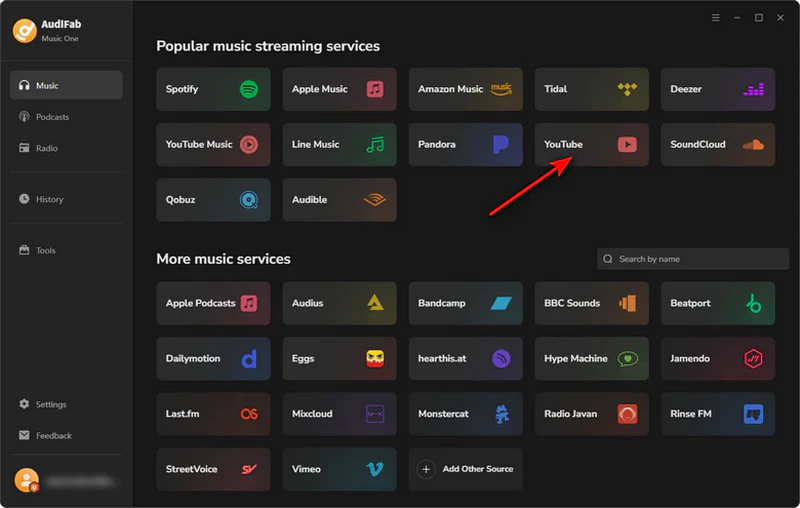
Step 1: Launch AudiFab after installation. Select YouTube from the homepage and sign in with your YouTube account.
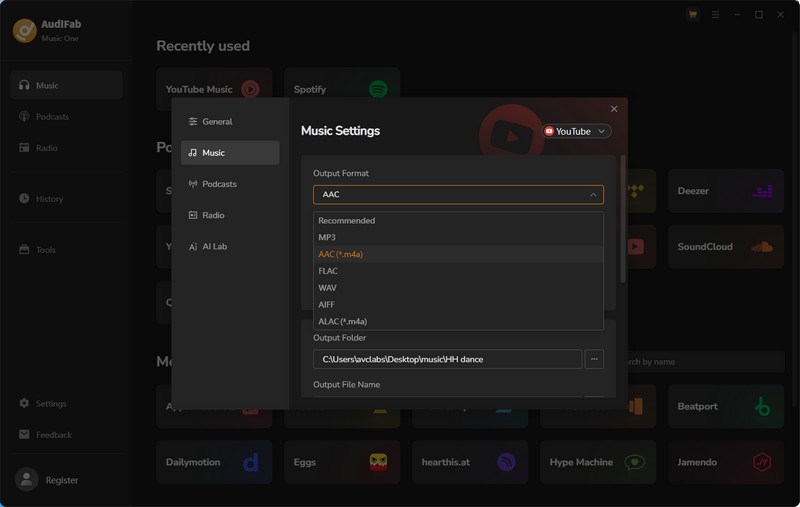
Step 2: Open 'Settings' to choose 'AAC(.M4A)' as the output format.
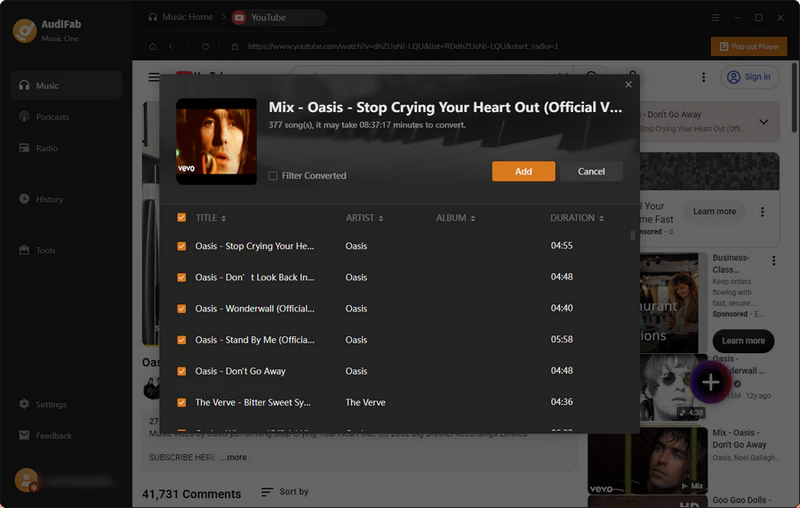
Step 3: Browse YouTube Music and add the songs or playlists you want to save by clicking the '+' icon, then choose 'Add'.
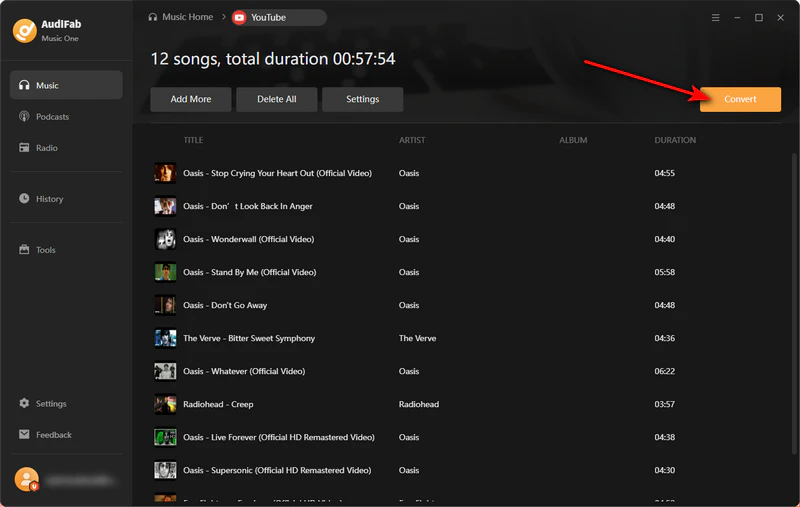
Step 4: Click 'Convert' at the top-left corner. AudiFab will begin downloading and converting them into M4A files.
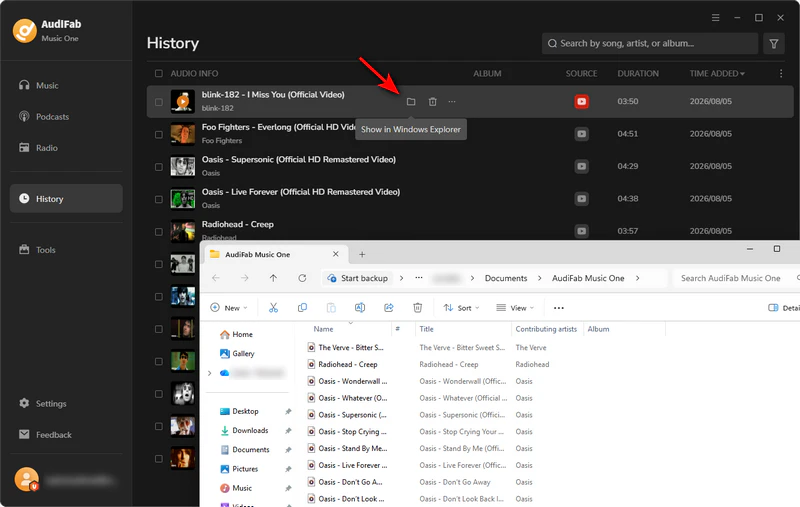
Step 5: When the process is done, go to 'History' to find your downloaded YouTube Music M4A files saved on your computer.
| Recommend level: ⭐⭐⭐⭐⭐ | |||||||
|---|---|---|---|---|---|---|---|
| 🔥 Link: AudiFab YouTube Music Converter | |||||||
|
Want real music tracks instead of low-quality YouTube video sound? While Regular YouTube Converters extract audio from normal YouTube videos, AudiFab YouTube Music to M4A Converter downloads original songs and playlists straight from the official YouTube Music app. This gives you much clearer sound quality, no unwanted noise, and complete song details, such as album cover art and artist names, for a great offline YouTube Music listening experience.
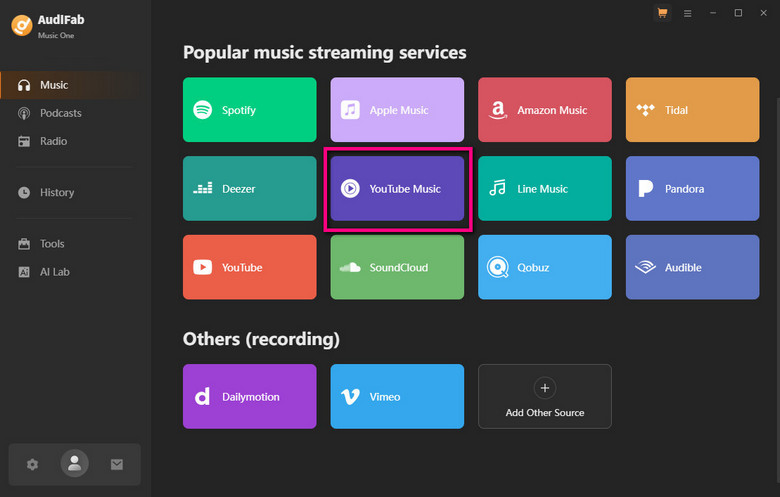
If you're looking for higher audio quality, I highly recommend AudiFab YouTube Music Converter. Since YouTube Music is a dedicated streaming service, most tracks on YouTube are available there as official release audio, which naturally offers superior sound quality. I personally used AudiFab to convert 50 YouTube Music tracks to M4A files—the process was completely ad-free and seamless. On top of that, because AudiFab is regularly updated and actively maintained, it's a trustworthy tool that eliminates concerns over privacy leaks or annoying ads.
Step 1: Install and run AudiFab. Choose YouTube Music on the Home, and log in to your YouTube Music account.
Step 2: Click 'Settings' and choose M4A as the output format. You can also select your preferred audio quality before downloading.
Step 3: Return to the YouTube Music interface. Find the songs or playlists you want to download, click the '+' button in the bottom-right corner, and then select 'Add'.
Step 4: After confirming the YouTube Music songs or playlists you want to download, click 'Convert' in the top-left corner to start converting and downloading your YouTube Music tracks as M4A files.
Step 5: Once the conversion is complete, your YouTube Music songs will be saved locally on your computer. Click 'History' to view and locate the downloaded M4A files.
yt-dlp is a powerful, free, open-source YouTube converter built for tech-savvy users. Instead of using a normal website with buttons, it runs through simple text commands on your computer. yt-dlp is completely safe, 100% free, and has no annoying pop-up ads. The main catch of yt-dlp is that it has no visual interface. To download a file, you have to type a basic command like yt-dlp -f m4a [link] into your computer terminal.
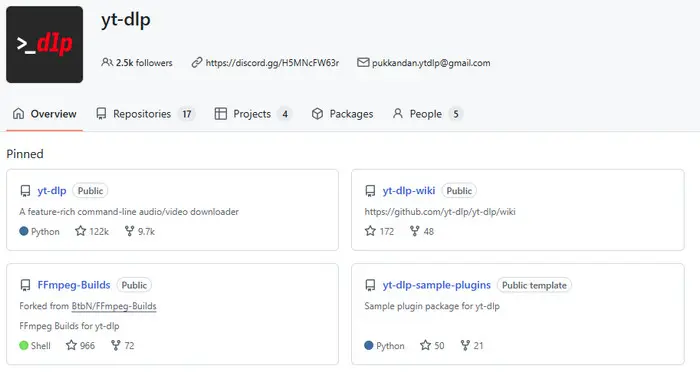
yt-dlp is completely free, ad-free, and exceptionally secure because its open-source nature makes the code fully transparent. On the downside, its Command Line Interface poses a learning curve for regular users, requiring frequent command lookups that detract from user-friendliness. Additionally, it lacks full metadata ID tagging capabilities. Ultimately, however, the pros far outweigh the cons.
Step 1: Install yt-dlp and FFmpeg.
Step 2: Copy your YouTube link.
Step 3: Open your Terminal or Command Prompt and type this command: 'yt-dlp -f "ba[ext=m4a]" "xxx"'
AM4A is a free online tool for converting YouTube videos and playlists into M4A audio. It is completely free and offers a clean interface without annoying pop-up ads.
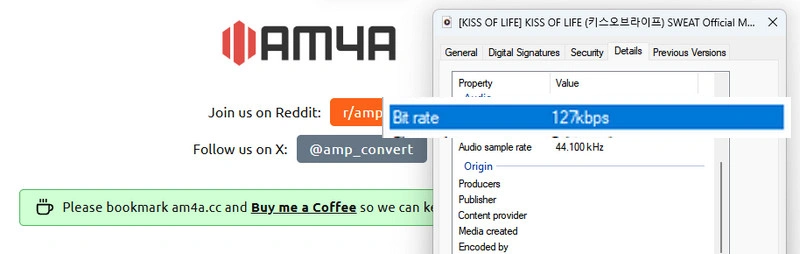
There are plenty of free online YouTube to M4A converters out there. I tested several similar tools to find the best one to recommend, and AM4A definitely came out on top. It offers the best overall performance, making it my top pick.
I tested am4a.cc with 20 YouTube songs, and it worked really well for single tracks. You just paste the link and get your audio right away. Unlike most free YouTube to M4A converters that are packed with ads and misleading download buttons, AM4A is completely ad-free and clean to use. However, it does have a few drawbacks: the audio quality caps out at 127kbps even on 'Best Quality', and downloading full playlists always fails.
Step 1: Go to YouTube, find the video or playlist you want, and copy its link from the address bar.
Step 2: Open am4a.cc in your web browser and paste the link into the search box on the homepage.
Step 3: Select output quality and trim the YouTube audio if needed.
Step 4: Click the Convert button and wait for the processing to complete.
Download Playlists with AudiFab Free Trial Now
Compatible with Windows & macOS · 100% Safe & Clean
TubeMate is a popular Android app designed to download YouTube videos and audio as M4A.
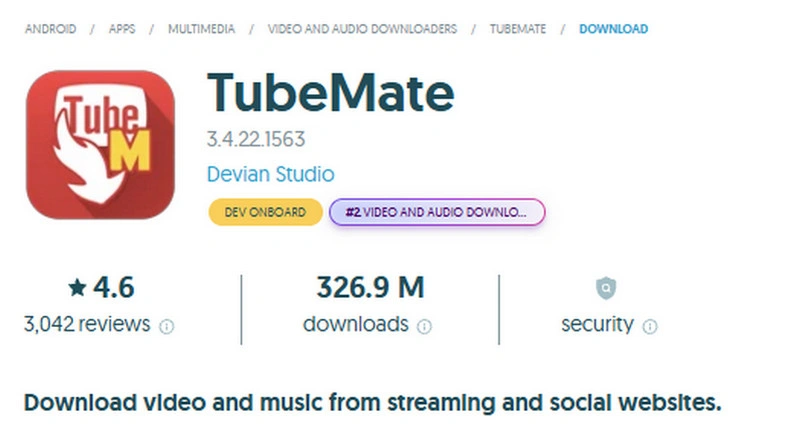
TubeMate is a very popular app with a 4.6/5 rating on Uptodown. In my test, it downloaded 30 YouTube audio files without any problems. However, it does have a lot of ads, which can be annoying. Also, since it's not on Google Play, make sure to download it from a safe website so you don't get a bad file.
Step 1: Download and launch the TubeMate app on your Android device.
Step 2: Use the built-in search bar at the top to find the YouTube video you want to convert.
Step 3: Tap the red or green floating Download arrow (usually located in the bottom-right corner).
Step 4: Select M4A / AAC Format.
Step 5: Tap the Download button again to begin downloading.
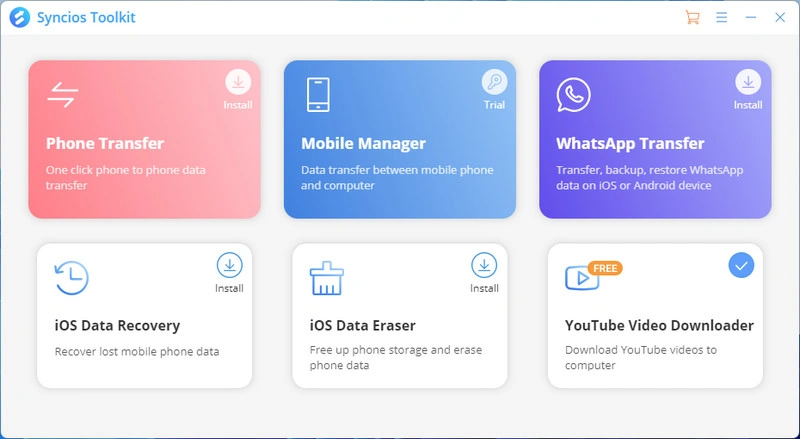
Syncios is a desktop toolkit featuring a free YouTube downloader that extracts audio into M4A format and directly transfers it to your iPhone or iPad.
Due to the restrictive nature of iOS, installing third-party apps on an iPhone or iPad typically requires jailbreaking or sideloading—both of which carry significant security risks.
Therefore, to protect your privacy and personal data, we strongly advise against using unverified iOS IPA files. Instead, we recommend either downloading YouTube audio on a computer and transferring it to your device, or using an online YouTube to M4A converter directly within your mobile browser.
Tested Syncios and managed to download 60 YouTube audio tracks without any hassle. It's a free tool that also supports YouTube video downloads. The process is straightforward: copy the URL, and it automatically detects the video, audio, and subtitle options. Afterwards, I used the Mobile Manager in the Syncios Toolkit to transfer the audio to my iPhone, which was quick and free.
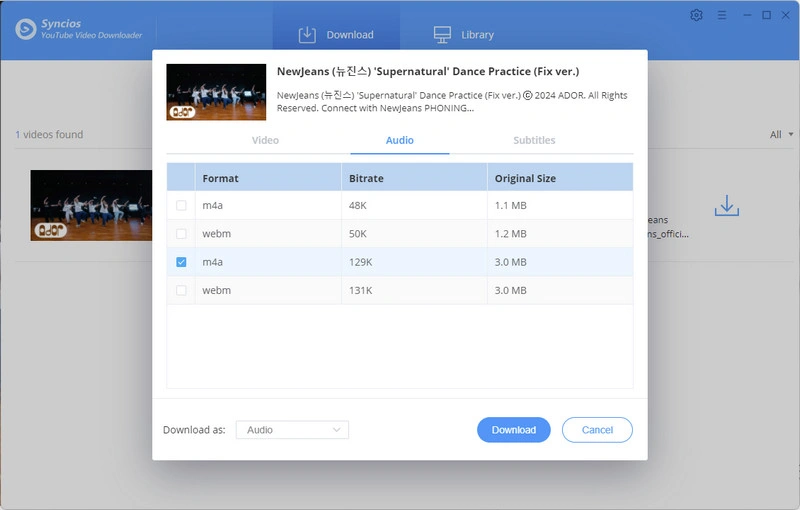
Step 1: Install and Launch Syncios YouTube Video Downloader.
Step 2: Copy the YouTube Video URL, paste it into Syncios, and select M4A as the output format. Once downloaded, find the downloaded YouTube M4A File.
Step 3: Connect your iPhone or iPad using a USB cable.
Step 4: Launch Syncios and select your connected iPhone/iPad. Go to Media > Music. Then, click Add > Add File. Syncios will transfer the YouTube M4A audio file to your iPhone/iPad.
Download Playlists with AudiFab Free Trial Now
Compatible with Windows & macOS · 100% Safe & Clean
| Converter | Batch Download | High Quality M4A | No Ads | Easy to Use | OS Support | Free | Best For |
|---|---|---|---|---|---|---|---|
| AudiFab YouTube Video to M4A | ✅ | ✅ | ✅ | ✅ | Windows, Mac | Free Trial | ⭐ Best Overall |
| AudiFab YouTube Music to M4A | ✅ | ✅ | ✅ | ✅ | Windows, Mac | Free Trial | ⭐ Best for YouTube Music |
| yt-dlp | ✅ | ✅ | ✅ | ❌ | Windows, Mac | ✅ | ⭐ Best Free Open-Source Tool |
| AM4A | ❌ | ❌ | ✅ | ✅ | Windows, Mac, Android, iPhone/iPad | ✅ | ⭐ Best Online Converter |
| TubeMate | ❌ | ✅ | ❌ | ✅ | Android | ✅ | ⭐ Best Android App |
| Syncios | ❌ | ✅ | ✅ | ✅ | Windows, Mac, iPhone/iPad | ✅ | ⭐ Best for iPhone/iPad |
Yes. M4A uses the advanced AAC codec, offering richer sound quality and better compression efficiency than MP3 at the same bitrate.
YouTube's native audio caps at 128kbps–256kbps, so forcing it to 320kbps won't improve the actual sound. For real high-bitrate offline downloads, using dedicated desktop software like AudiFab YouTube Music Converter is a better solution.
Directly extracting YouTube's native AAC audio stream causes zero quality loss, but re-encoding the YouTube audio file during conversion will cause minor quality degradation.
Not always. Many free online YouTube to M4A tools carry risks like malicious pop-up ads, phishing links, and privacy issues. A desktop application like AudiFab YouTube Converter provides a clean, ad-free, and safe environment.
For ease of use, safety, and top sound quality, AudiFab YouTube Converter is a leading choice that supports fast batch conversions and ID3 tag preservation. Tech-savvy users can also opt for open-source command-line tools like yt-dlp.
To choose the right YouTube to M4A converter, consider your operating system and conversion needs. For desktop users seeking high quality, batch processing, and a seamless Windows/Mac experience, AudiFab is the premier choice, while yt-dlp offers a powerful, open-source free alternative. For quick, installation-free conversions on any browser, AM4A is the most convenient option. Finally, mobile users can rely on TubeMate for direct Android downloads, paired with Syncios to transfer the converted audio files to iOS devices. Select the tool that best fits your setup and workflow.

Download YouTube Music songs, playlists & albums in original quality, batch convert to MP3/AAC/FLAC/WAV/ALAC/AIFF, and keep ID3 tags.
Music is the greatest communication in the world and here are some articles that may help you enjoy music in a better way.

 Try It Free
 Try It Free