YouTube Music and Spotify look similar on the surface, but the differences become clearer once you compare price, sound quality, music discovery, content, and more features.
We tested the features of YouTube Music and Spotify that matter most to listeners and checked the latest 2026 plans to find out where each service really has the edge and which one is the better fit for you.
- Quick Comparison: YouTube Music vs Spotify
- Round 1: Pricing & Plans
- Round 2: Audio Quality
- Round 3: Music Library & Content
- Round 4: Recommendations & Music Discovery
- Round 5: App & Features
- YouTube Music vs Spotify: Which One Should You Choose?
- Want Both? Download Playlists from Spotify & YouTube Music ⭐⭐⭐⭐⭐
⚖️ Disclaimer This guide is for educational and personal use only. Please respect the copyright of content creators as well as the Terms of Service for Spotify and YouTube Music.
Quick Comparison: YouTube Music vs Spotify
| Feature | Spotify | YouTube Music |
|---|---|---|
| Music Library | 100M+ tracks | 300M+ songs/content |
| Max Audio Quality | Lossless up to 24-bit/44.1kHz | 256 kbps AAC/Opus |
| Individual Price | $12.99/month | $11.99/month |
| Free Plan | Yes | Yes |
| Music Discovery | ⭐⭐⭐⭐⭐ | ⭐⭐⭐⭐ |
| Videos, Covers & Live Music | ⭐⭐⭐ | ⭐⭐⭐⭐⭐ |
| Social & Device Features | ⭐⭐⭐⭐⭐ | ⭐⭐⭐ |
| Offline Downloads | Yes | Yes |
Quick verdict:
- Spotify is stronger for audio quality, discovery, and social/device features.
- YouTube Music is better for content variety, videos, and price.
Round 1: Pricing & Plans
1.1 Pricing, Free Plans & Premium Benefits
🏆 Winner: YouTube Music (on price)
YouTube Music is cheaper: $11.99/month for individuals and $18.99 for families, versus Spotify's $12.99 and $21.99. That works out to about $1 a month less for individuals and $3 less for families.
Spotify fights back with a longer free trial, lossless audio, audiobooks, and a Duo plan. Both also have ad-supported free access, and both Premium plans add ad-free listening, offline downloads, and background play.
| Plan | Spotify | YouTube Music |
|---|---|---|
| Individual | $12.99 | $11.99 |
| Student | $6.99 (with Hulu) | $5.99 |
| Duo | $18.99 | ❌ N/A |
| Family (up to 6) | $21.99 | $18.99 |
| New-user trial* | Up to 2 months free for eligible new users (current offer) | Available for eligible users; trial length varies |
Source: Spotify Plans & YouTube Music Plans
*Note: Trial offers vary. YouTube Music trial length depends on eligibility and promotions. Spotify's current 2-month Individual offer ends Nov. 1, 2026; Student gets 1 month.
Which one should you pick?
| If you are... | Choose |
|---|---|
| Music-only on a budget | YouTube Music |
| Want a free trial or better audio | Spotify |
| A couple or roommates | Spotify Duo |
| A family of 3–6 | YouTube Music |
1.2 Is YouTube Premium a Better Deal?
Yes, if you watch YouTube daily.
YouTube Premium* costs $15.99/month for Individual and $26.99/month for Family, and already includes YouTube Music Premium. That means upgrading from Music Premium costs just $4 more per month and also removes most YouTube ads, adds video downloads, and enables background play. The annual Individual plan is $159.99, only about $4 more per year than paying $12.99/month for Spotify Premium.
*Note: Premium Lite is cheaper at $8.99/month, but it does not include YouTube Music Premium.
| Plan | Price | Includes |
|---|---|---|
| YouTube Music Individual | $11.99/mo | Music only |
| YouTube Premium Individual | $15.99/mo ($159.99/yr) | Music + ad-free YouTube |
| YouTube Premium Family | $26.99/mo | Music + ad-free YouTube for up to 6 |
| YouTube Premium Lite | $8.99/mo | Fewer ads, but no YouTube Music Premium |
- Best for: Heavy YouTube viewers and households sharing the Family plan.
- Skip it if: You only listen to music. YouTube Music or Spotify is enough.
Round 2: Audio Quality
2.1 Spotify Lossless vs YouTube Music
🏆 Winner: Spotify
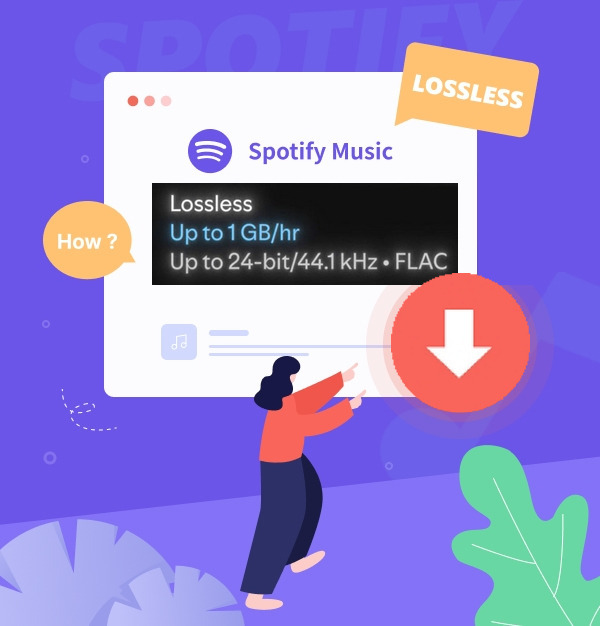
Spotify is the only one of the two that offers lossless. Spotify Premium now supports lossless FLAC up to 24-bit/44.1 kHz on compatible devices. YouTube Music tops out at 256kbps AAC and OPUS, even on its highest setting.
| Feature | Spotify Premium | YouTube Music Premium |
|---|---|---|
| Max quality | Lossless, up to 24-bit/44.1 kHz | 256 kbps (AAC/OPUS) |
| Best lossy setting | ~320 kbps | 256 kbps |
| Default setting | Auto (network-dependent) | 128 kbps |
| Lowest setting | ~24 kbps | 48 kbps |
| Lossless downloads* | ✅ | ❌ N/A |
| Lossless included in Premium | ✅ | ❌ N/A |
Source: Spotify Audio Quality & YouTube Music Audio Quality
*Note: Lossless requires compatible hardware and a strong connection. It isn't available for music videos, podcasts, or audiobooks.
Which one should you pick?
| If you are... | Choose |
|---|---|
| An audiophile with wired or hi-res gear | Spotify |
| Listening on a Spotify Connect speaker or compatible hardware | Spotify |
| A casual listener on Bluetooth earbuds | Either (see below) |
| Watching music videos and live versions as much as listening | YouTube Music |
2.2 Does the Difference Really Matter?
For most people, not much, but it depends on your gear. Spotify notes that lossless provides higher technical fidelity, but that doesn't always translate into a dramatic difference you can hear. Three things matter most:
- Your playback setup. Bluetooth, Spotify Connect, and wired connections handle audio differently, and not all support lossless playback. Standard Bluetooth earbuds still transmit audio using a lossy codec, even when the source is lossless.
- The recording itself. Lossless can only preserve the quality of the original recording and master; it can't improve a poor source.
- Your network. Lossless uses more bandwidth, so an unstable connection may affect playback quality or reliability.
Out Test Result:
If you mostly listen through phone speakers, Bluetooth earbuds, or in the gym, YouTube Music's 256 kbps is likely good enough. With wired headphones, a DAC, or a lossless-capable speaker system, Spotify gives you more room to benefit from higher-quality audio, but whether you actually hear a major difference still depends on your ears, gear, and the track.
Round 3: Music Library & Content
3.1 Music Catalog, Videos, Covers & Live Music
🏆 Winner: YouTube Music
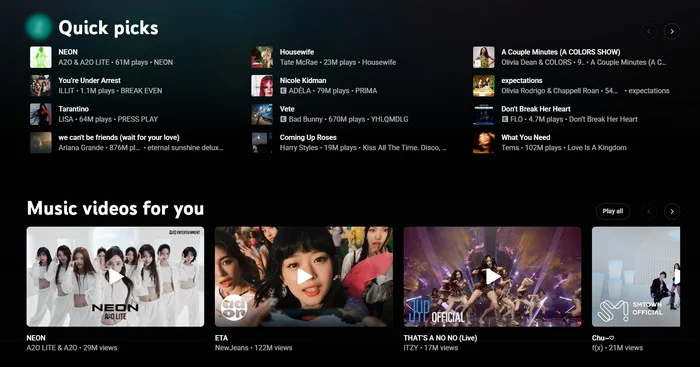
YouTube Music wins on variety. YouTube says its catalog now includes 300M+ songs, spanning official recordings, remixes, live performances, covers, and DJ sets. Spotify lists 100M+ tracks, but its catalog is more focused on officially distributed music.
The numbers are not directly comparable, though, because YouTube Music counts a much broader mix of music content. Its real advantage is being able to jump from an official track to a live version, remix, cover, or music video in the same ecosystem.
| Feature | Spotify | YouTube Music |
|---|---|---|
| Official catalog | 100M+ tracks | 300M+ songs/content items* |
| Covers & remixes | Available, but less central | ✅ Broad selection from YouTube |
| Live performances | Available, including uploaded performances | ✅ Extensive concert/live content |
| Music videos | ⚠️ Newly launched, limited selection | ✅ Built in, with audio/video switching |
| Best for | Clean, official-release listening | Alternate and hard-to-find versions |
Source: Spotify Music Library & YouTube Music Library
*Note: YouTube's 300M+ figure includes official recordings, remixes, live performances, covers, and DJ sets.
Which one should you pick?
| If you are... | Choose |
|---|---|
| Hunting for live sets, covers, and remixes | YouTube Music |
| Watching music videos as much as listening | YouTube Music |
| Mostly listening to official studio albums | Either |
| Preferring a more structured official-release catalog | Spotify |
3.2 Podcasts & Audiobooks
🏆 Winner: Spotify
Spotify currently lists 8M podcast titles and 800,000 audiobooks, giving it a clear advantage for spoken-word content.
YouTube Music supports both audio and video podcasts, including background playback and downloads, but it does not offer a comparable audiobook catalog.
| Category | Spotify | YouTube Music |
|---|---|---|
| Podcasts | 8M+ titles, including video podcasts | Yes, in the app |
| Audiobooks | ✅ 800K+ titles, 15 hrs/month included (Individual plan)* | ⚠️ Not listed |
Source: Spotify Content Info & YouTube Music Content Info
*Note: Duo and Family plans give the 15 hours to the plan manager only. Audiobook availability varies by market.
Which one should you pick?
| If you are... | Choose |
|---|---|
| Listening to audiobooks | Spotify |
| A heavy podcast listener | Spotify |
| Only occasionally listening to podcasts | Either |
Round 4: Recommendations & Music Discovery
4.1 Recommendations & Playlists
🏆 Winner: Spotify
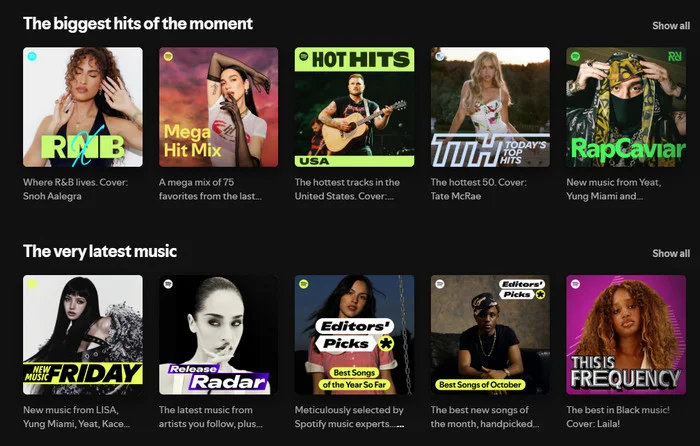
Spotify is better if you want great music with little effort. It hands you ready-made playlists every week, built from what you like, share, save, and skip, plus the habits of listeners with similar taste. It also lets you steer the results: Premium users can pick up to five genres for Discover Weekly, or ask DJ for a vibe by text or voice.
YouTube Music can have a head start if you already use YouTube, because its recommendations can draw on your existing YouTube listening and viewing history. Spotify, by comparison, may need more listening activity before its personalized recommendations fully adapt to your taste.
| Feature | Spotify | YouTube Music |
|---|---|---|
| Passive discovery (little effort) | ✅ Stronger | Strong |
| Recurring playlists | ✅ Discover Weekly, Release Radar, daylist, Spotify Mixes | Home mixes and stations |
| Learns from | Mostly Spotify listening | ✅ YouTube + YouTube Music activity |
| Steering results | ✅ Pick genres, ask DJ, describe a playlist | Filters, “Not interested”, Ask Music |
| New users | ⚠️ Needs a few weeks of listening | ✅ Works from your YouTube history |
Which one should you pick?
| If you are... | Choose |
|---|---|
| Wanting a fresh weekly playlist without effort | Spotify |
| Wanting to steer recommendations by genre or mood | Spotify |
| A heavy YouTube user | YouTube Music |
| Starting from scratch with no listening history | YouTube Music |
4.2 Search & Finding New Music
🤝 Draw: Spotify for guided discovery, YouTube Music for hunting specific songs
Spotify is stronger when you want the app to guide you toward new music through Discover Weekly, Release Radar, DJ, and prompted playlists.
YouTube Music is better when you want to dig beyond standard releases. Its search can surface remixes, live versions, covers, and DJ sets, while Sound Search can identify a song you play, sing, or hum. Ask Music also lets you search conversationally across music and podcasts.
| Feature | Spotify | YouTube Music |
|---|---|---|
| Browsing new music | Search tab: Made For You and editor playlists | Explore tab: new releases, genres, charts |
| Finding rare versions | ⚠️ Mainly official releases | ✅ Remixes, live versions, covers |
| Unusual or vague searches | Good: ask DJ by text or voice, or describe a playlist (beta) | ✅ Hum a song, or ask Music in plain words |
Source: Spotify Playlists Support, Spotify Discovery Features & YouTube Music Find, YouTube Music Discovery Features
Which one should you pick?
| If you are... | Choose |
|---|---|
| Looking for a cover, remix, or live version | YouTube Music |
| Wanting a playlist built from a mood or idea | Spotify |
| Following new releases and rising artists | Spotify |
| Trying to identify a song stuck in your head | YouTube Music |
Round 5: App & Features
5.1 Playlists, Library & Offline Listening
🤝 Draw: Spotify for predictable offline management, YouTube Music for personal music uploads
Spotify has the edge for organizing large libraries with playlist folders, while YouTube Music keeps library management simpler.
Both services require Premium for offline music downloads. Spotify allows up to 10,000 tracks on each of 5 devices, while YouTube Music has no published song cap and is mainly limited by device storage.
YouTube Music also offers Smart Downloads for up to 200 recent songs and lets you upload 100,000 personal tracks from a computer for ad-free, background, and offline playback, even without Premium.
| Feature | Spotify | YouTube Music |
|---|---|---|
| Offline download limit | 10,000 tracks/device, up to 5 devices | No fixed cap; storage-based |
| Automatic offline music | Offline Backup keeps recent and queued music available offline | Smart Downloads automatically saves up to 200 recently played songs |
| Playlist organization | ✅ Playlist folders | Basic library management |
| Personal files | Play music files stored locally on your device with Local Files | Upload up to 100,000 songs |
| Playlist transfer | Supported | Supported |
Source: Spotify Offline Listening Support & YouTube Music Offline Support
*Note: Both services require you to reconnect to the internet at least once every 30 days to keep downloaded music available.
Which one should you pick?
| If you are... | Choose |
|---|---|
| Keeping a large offline library across several devices | Spotify |
| Owning a big MP3 or FLAC collection | YouTube Music |
| Switching from another streaming service | Either |
Pro Tip for Offline Listeners:
Both platforms lock your downloaded music within their own apps. If you want to download MP3/FLAC files from both Spotify and YouTube Music to keep permanently on a USB, MP3 player, or DJ equipment, you can use a cross-platform converter like AudiFab Music One.
Compatible with Windows & macOS · 100% Safe & Clean · 3k+ downloads monthly · 99.9% success rate
 Try It Free
 Try It Free
5.2 Devices, Spotify Connect & Social Features
🏆 Winner: Spotify
Spotify has the stronger device and social ecosystem, supporting 2,000+ devices with Spotify Connect for playback control. It also offers Jam for live group listening and Blend for shared recommendations.
YouTube Music covers the major platforms and supports collaborative playlists, but it lacks a Spotify Connect or Jam-style equivalent.
| Feature | Spotify | YouTube Music |
|---|---|---|
| Device range | ✅ 2,000+ devices from 200+ brands Phones, browsers, speakers, TVs, cars, watches |
Phones, browsers, speakers, TVs, cars, watches |
| Control from another device | ✅ Spotify Connect | Cast to compatible devices |
| In the car | Android Auto, CarPlay, built-in systems | Android Auto, CarPlay, Tesla |
| Shared playlists | ✅ Collaborative playlists | ✅ Collaborative playlists |
| Live group listening | ✅ Jam | ❌ N/A |
| Shared taste playlist | Blend | Taste Match |
Source: Spotify Connect & YouTube Music Devices
Device Compatibility at a Glance
| Device | Spotify | YouTube Music |
|---|---|---|
| Windows / macOS | ✅ Native app | ⚠️ Web app |
| iPhone / iPad | ✅ Native app | ✅ Native app |
| Android | ✅ Native app | ✅ Native app |
| Apple Watch | ✅ Native app | ✅ Native app |
| Wear OS / Pixel Watch | ✅ Native app | ✅ Native app |
| Amazon Echo / Alexa | ✅ Native integration | ❌ No direct music-service integration |
| Google Nest / Home | ✅ Supported | ✅ Native integration |
| Chromecast / Google TV | ✅ Supported | ✅ Native integration |
| Smart TVs | ✅ Major brands | ✅ Major brands |
| PlayStation / Xbox | ✅ Spotify app | ✅ Via YouTube app |
Spotify supports more device types overall, especially Alexa, game consoles, and desktop apps. YouTube Music covers the major devices too, but works best within Google's ecosystem, including Nest, Chromecast, Google TV, and Wear OS.
Which one should you pick?
| If you are... | Choose |
|---|---|
| Hosting a party where everyone adds songs | Spotify |
| Using many speakers, TVs, consoles, and other devices | Spotify |
| Building a shared playlist with friends | Either |
| Already invested in Google Home or Nest devices | YouTube Music |
YouTube Music vs Spotify: Which One Should You Choose?
Overall Comparison Scorecard
| Category | Spotify | YouTube Music |
|---|---|---|
| Price & Plans | ✓ Winner | |
| Audio Quality | ✓ Winner | |
| Music Library & Content | Draw* | Draw* |
| Recommendations & Discovery | ✓ Winner | |
| App, Devices & Social Features | ✓ Winner | |
| Final Score | Spotify 3.5 | YouTube Music 1.5 |
*Note: Combining music contents (won by YTM) and podcasts & audiobooks (won by Spotify), this round is a draw.
Choose by What Matters Most to You
Choose Spotify if you:
- Want lossless audio and use good wired or hi-fi gear.
- Prefer discovering new music through personalized playlists.
- Want better playlist organization and social features.
- Use lots of speakers, TVs, consoles, or Spotify Connect devices.
- Listen to podcasts or audiobooks regularly.
Choose YouTube Music if you:
- Want the cheaper Individual or Family plan.
- Often listen to covers, remixes, live performances, or rare versions.
- Watch music videos as much as you listen to music.
- Already use YouTube heavily and want recommendations based on that history.
- Want to upload and stream your own music collection.
Want Both? Download Playlists from Spotify & YouTube Music
Can't choose between Spotify and YouTube Music? You don't have to stick to just one.
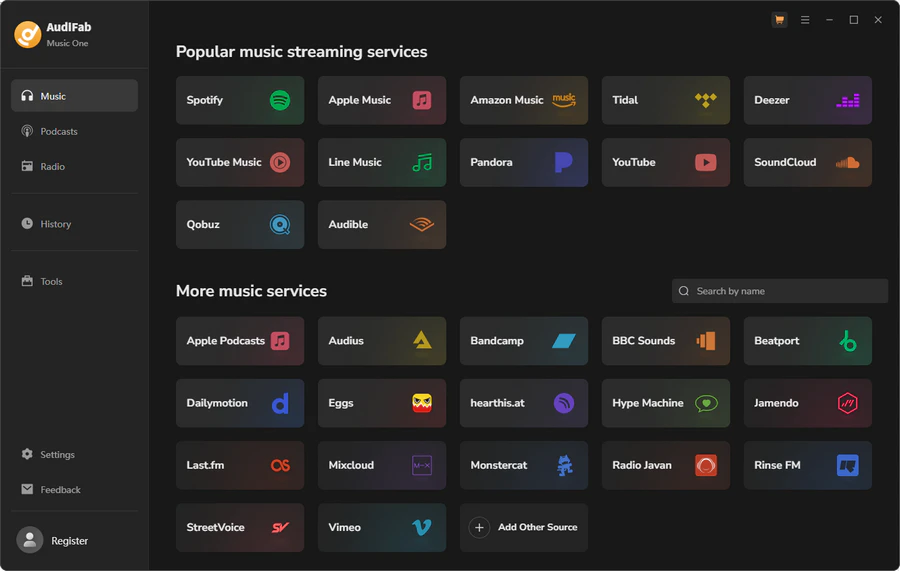
AudiFab Music One supports both Spotify and YouTube Music, along with 20+ other music services. It lets you save songs, albums, and playlists as local audio files, so you can keep your music in one place and play it across different devices.
AudiFab Music One - Download from Spotify & YouTube Music
- Spotify, YouTube Music & 20+ Services: Downloads from over 20 major streaming services, including Spotify (Lossless), YouTube Music, YouTube, Apple Music (Lossless), Qobuz Hi-Res, Tidal, Amazon Music, and Deezer.
- Download Various Content: Convert Spotify playlists, albums, podcasts, audiobooks, radio, video podcasts, and MVs.
- High-Quality Audio: Preserves the original audio quality available from each supported service.
- Flexible Audio Formats: Export your music as MP3, AAC, FLAC, WAV, AIFF, or ALAC for offline playback on any device, including MP3 players and USB drives.
- Keep Complete Music Details: Preserve song titles, artists, albums, artwork, and other ID3 tags after downloading.
Compatible with Windows & macOS · 100% Safe & Clean · 3k+ downloads monthly · 99.9% success rate
How to Use AudiFab Music One to Download Spotify Tracks
Step 1 Install and launch AudiFab. On the main interface, select Spotify.
Step 2 Browse Spotify in the built-in browser, open a playlist, and click the floating 'Add' button.
Step 3 Click the Settings icon (gear icon) in the bottom-left corner to choose your desired output format, such as MP3, AAC, WAV, FLAC, AIFF, or ALAC. You can also set the desired audio quality here.
Step 4 Click the orange 'Convert' button to start downloading. Once finished, navigate to the History tab to locate and manage your converted local music files.
FAQs About YouTube Music vs Spotify
Q 1 Which is better for free users, YouTube Music or Spotify?
YouTube Music is generally more flexible for free users who want on-demand access to songs, music videos, covers, and live performances. Spotify Free is better suited to playlist-based listening and music discovery, but its mobile experience includes more playback restrictions. Both free tiers include ads, while features such as ad-free listening, music downloads, and full offline playback require a paid plan.
Q 2 Does YouTube Music have a Spotify Wrapped equivalent?
Yes, YouTube Music has Recap, which provides seasonal and yearly stats about your top artists, songs, and listening minutes, similar to Spotify Wrapped.
Q 3 Can I use Spotify or YouTube Music on multiple devices at the same time?
Yes. Both Spotify and YouTube Music let you sign in and access your account across multiple supported devices. However, switching between devices is not the same as streaming simultaneously on one individual account. Spotify has an advantage here with Spotify Connect, which makes it easier to move and control playback between compatible phones, computers, speakers, TVs, and other devices.
Q 4 Which is better for lyrics, Spotify or YouTube Music?
Spotify is widely considered better for lyrics because it features real-time, scrolling lyrics globally through a partnership with Musixmatch. YouTube Music also offers synced lyrics, but its coverage and accuracy can occasionally be inconsistent.
Q 5 Does YouTube Music have something like Spotify Connect?
No. Spotify Connect lets you easily control music playing on one device (like a smart speaker or PC) using your phone as a remote. YouTube Music lacks a direct built-in equivalent that works as smoothly across all third-party hardware, relying instead on standard Google Cast or AirPlay.
Summary
Spotify is the better overall choice in 2026 if you prioritize lossless audio, music discovery, podcasts, audiobooks, and multi-device playback. YouTube Music makes more sense if you want a lower price, watch YouTube frequently, or care more about music videos, live performances, covers, remixes, and personal uploads. Neither wins for everyone—the better choice depends on what you listen to and how you listen.

AudiFab Music One – Download Music from Spotify & YouTube Music
Download music, playlists, albums, podcasts & more from Spotify, YouTube Music and 20+ music services • 1,000+ websites supported • MP3, FLAC, WAV & more • Batch downloads • Keeps audio quality & ID3 tags