Best Telegram Bots - Convert Spotify Playlist at 320kbps MP3
Tired of broken bots? Check our guide to find 10 Spotify bots on Telegram that can download MP3 in 2026.
Tired of broken bots? Check our guide to find 10 Spotify bots on Telegram that can download MP3 in 2026.
Using Telegram to download Spotify playlists is a quick way to get music for free. However, after Spotify’s February 2026 API crackdown, many Spotify Telegram bots also return errors like “Server Busy” or “Invalid Link”.
To see what still works in 2026, we tested and listed the best Spotify Telegram bots. These bots convert Spotify links to MP3 by matching tracks from sources like YouTube, which can cause missing songs or poor audio. If you run into these issues, try the fixes in Part 3, or skip to Part 4 for a Pro alternative (AudiFab) to download full Spotify playlists in 320kbps MP3.
Below is a list of Spotify Telegram bots that performed best in our tests.
💡 Bookmark this page! If a bot fails to work, check back here—we’ll keep this page updated with new working bots.
| Bot Username | Success Rate | Max Quality | Playlist URL Support | Save ID3 Tags |
|---|---|---|---|---|
| @Spotify_downloa_bot | 85% | 320kbps / FLAC | ✅ Yes | ✅ Yes |
| @SpotSeekBot | 75% | 320kbps | ✅ Yes | ⚠️ Partial |
| @deezload2bot | 70% | 320kbps / FLAC | ✅ Yes | ✅ Yes |
| @DeezerMusicBot | 70% | 320kbps | ✅ Yes | ✅ Yes |
| @JayBeeSpotifyBot | 65% | 128-320kbps | ✅ Yes | ⚠️ Partial |
| @MusicDownloaderRobot | 60% | 160-320kbps | ✅ Yes | ⚠️ Partial |
| @SpotifySaveBot | 60% | 128kbps | ⚠️ Limited | ✅ Yes |
| @MusicsHuntersbot | 55% | 320kbps | ✅ Yes | ✅ Yes |
| @SpotifyMusicDownloaderBot | 50% | 320kbps | ⚠️ No | ✅ Yes |
| @agency69bot | 45% | 128kbps | ⚠️ Limited | ❌ No |
| @AusensBot | 40% | 128kbps | ❌ No | ⚠️ Partial |
| @SpotyBot | 85% | Audio Preview | ❌ No | ❌ No |
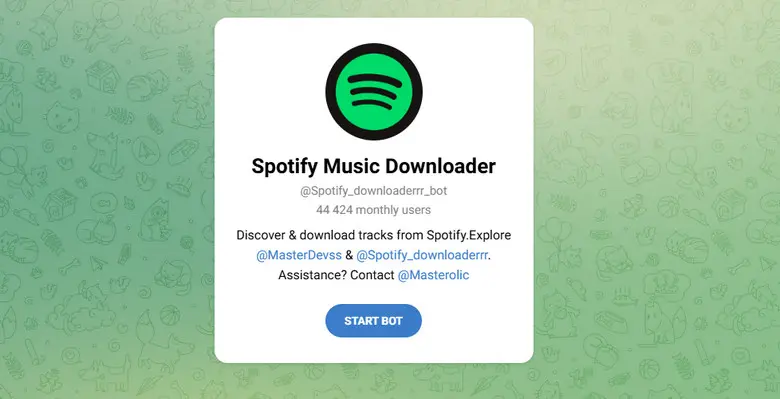
@Spotify_downloa_bot is a Telegram bot that lets you download Spotify music by simply sending a link. It supports tracks, albums, playlists, and even artist pages. It also keeps basic metadata like title, cover art, and sometimes lyrics.
📊 Experience: "The only bot that consistently delivered FLAC files during our tests."
What We Don't Like 🙃:
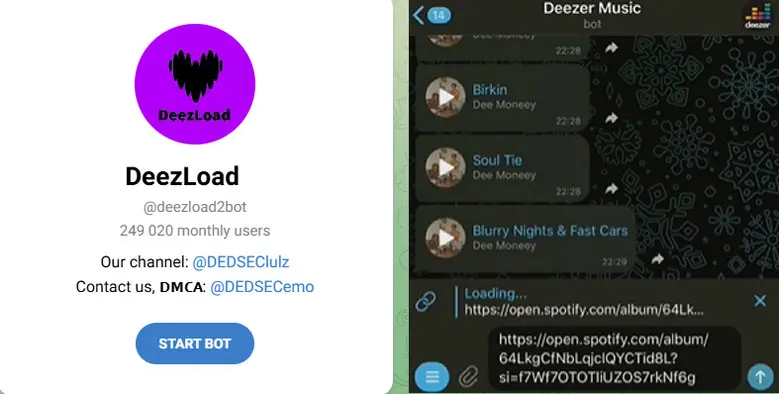
A popular Telegram bot that downloads Spotify playlists by matching tracks from Deezer. Users can download songs one by one for free, but batch download via ZIP requires a donation. It bypasses Spotify limits by pulling audio from Deezer, which improves the success rate for high-quality downloads.
📊 Experience: "One of the few bots in 2026 that still offers FLAC and true 320kbps quality, but slow and inconvenient for bulk downloads."
What We Don't Like 🙃:
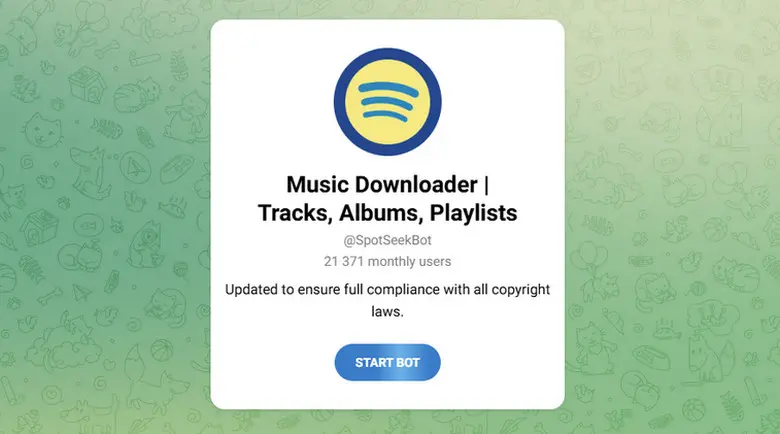
@SpotSeekBot lets you download Spotify music as high-quality 320kbps MP3 files on Telegram. Paste any Spotify link—track, album, or playlist—and the bot quickly converts it, adding album art and complete ID3 tags. It’s user-friendly and fast, but requires joining the developer’s channel to work.
📊 Experience: "Excellent for trending pop songs, but metadata (covers) can sometimes be missing."
What We Don't Like 🙃:
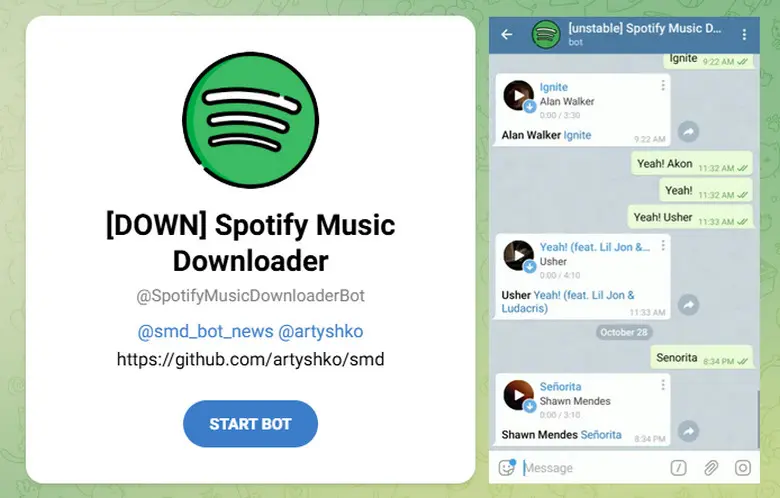
As a free Telegram bot, @SpotifyMusicDownloaderBot is designed for users who value clean metadata and well-organized music libraries. It allows downloading Spotify songs, albums, and playlists, and supports searching by artist, album, or track name. Beyond Spotify, it also works with YouTube Music and Shazam.
📊 Experience: "During our 2026 testing, this bot stood out for its ability to identify tracks not just by URL, but by voice messages. However, it has a strict 400-song limit for playlists, meaning it will cut off anything longer."
What We Don't Like 🙃:
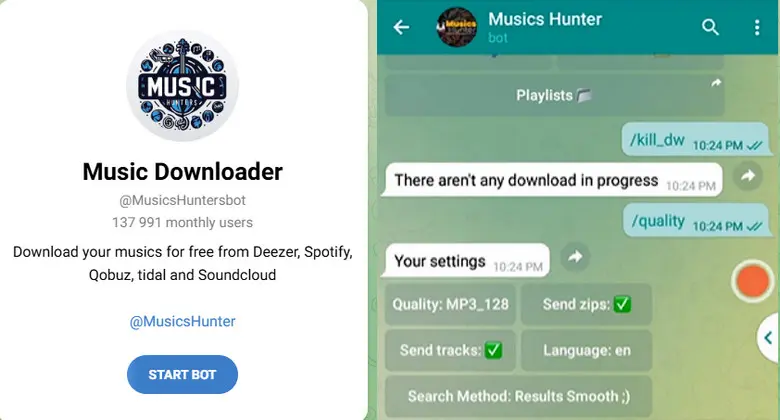
@MusicsHunterBot is a Telegram music bot for searching, listening to, and downloading music from multiple platforms, including Spotify, Deezer, Qobuz, Tidal, YouTube, and SoundCloud.
📊 Experience: "A bit complex to set up (multiple menus), but very powerful once you learn the commands."
What We Don't Like 🙃:
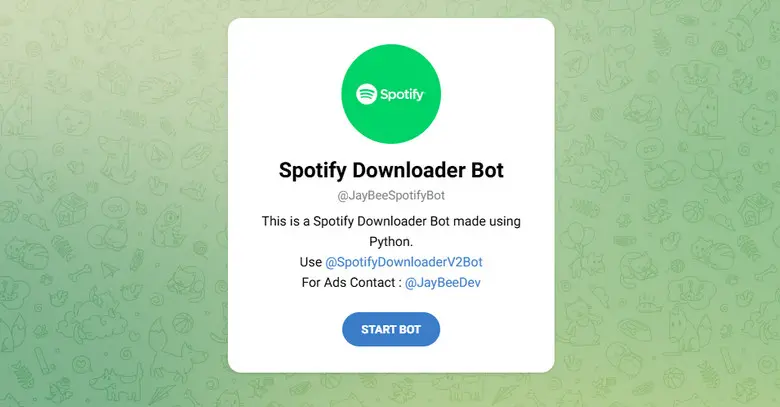
This bot is a hybrid that searches both Spotify and YouTube databases. Simply send a link or song name, and the bot will generate a download. It also supports a “/zip + playlist link” command to process playlists and can upload files to Google Drive.
📊 Experience: "Great for finding rare remixes that aren't on official albums, but sound quality varies."
What We Don't Like 🙃:
@TuneBot is a Telegram music bot that works as both a Spotify downloader and a music search tool. It stands out by offering song previews and lyrics along with the audio files. Simply paste a playlist link to view and download tracks, or choose individual songs.
📊 Experience: "The download speed is slightly slower, but the added lyrics make it a great tool for karaoke fans."
What We Don't Like 🙃:
A lightweight, simple Spotify downloader focused on speed over extra features. Besides Spotify, it also records songs from YouTube, SoundCloud, Deezer, and Yandex Music. You can even download audio or video from YouTube, Instagram, and TikTok. Additionally, it offers a Shazam-like feature—just send a voice message to identify a song instantly.
📊 Experience: "Best for users on slow mobile connections. It strips away heavy album art to deliver the MP3 file as quickly as possible. However, be aware that it often defaults to 128kbps, making it less ideal for high-end headphones."
What We Don't Like 🙃:
SpotyBot is more of a discovery tool than a heavy Spotify downloader. It helps users manage playlists, get song recommendations, and analyze listening habits. The bot can auto-create and update playlists, suggest songs based on your taste, and run automated tasks like scheduled updates or filtering songs.
📊 Experience: "Perfect for sending 30-second previews to friends in group chats before deciding to download the full track."
What We Don't Like 🙃:
@SpotifySaveBot is designed for iOS and Android Telegram users to download Spotify songs, playlists, and albums by obtaining audio from websites like Deezer and YouTube. Users can search by song title, artist, or even lyrics.
📊 Experience: "Easy to use, but often fails to process playlists with over 50 songs. ⚠️ This bot has also been flagged as potentially unsafe, so use it with caution."
What We Don't Like 🙃:
Using Telegram bots is one of the easiest ways to download Spotify playlists for free—no installation required. Based on our 2026 testing, the steps below work for most bots, though performance may vary.
Find a Working Spotify Telegram Bot
Open Telegram and search for a working Spotify downloader bot. Choose one from our tested list (Part 1) to avoid broken or inactive bots.
💡 Pro Tip: If a bot doesn’t respond or shows errors, try switching to another bot like @Spotify_downloa_bot or @SpotSeekBot. Or use AudiFab.
Start the Spotify Telegram Bot
Tap “Start” or type /start to activate it.
Copy Your Spotify Playlist Link
Open Spotify and find the playlist, album, or track you want.
Tap: Three Dots (⋯) → Share → Copy Link
Paste the Link and Download Spotify Music
Paste the Spotify link into the bot chat and send it.
Save Spotify Music to Your Device
As mentioned at the beginning, the 2026 API crisis means these bots can stop working at any time. If you run into issues like these:
Clean the URL
Check bot requirements
Restart the bot
💡 Pro Tip: Don’t want to waste time testing bots one by one? → Just skip to Part 4. AudiFab is the most stable Spotify downloader — it supports 40x faster batch downloads of full playlists and keeps original Lossless quality every time.
If you’re looking for the best Spotify Telegram bots alternatives, a desktop Spotify downloader is the most reliable choice when bots fail (missing songs, low quality, or unstable performance).
AudiFab Spotify Music Converter is a professional Spotify downloader that allows you to batch download songs, albums, and playlists directly to MP3, AAC, WAV, FLAC, ALAC, or AIFF. Unlike Spotify Telegram bots that rely on YouTube matching, AudiFab preserves 100% original audio quality along with full metadata and lyrics. With AudiFab, you can easily transfer Spotify music to MP3 players, USB drives, car systems, Android devices, iPhones, and more for offline playback.
Why AudiFab Is the Best Alternative to Telegram Bots 🙂:
What We Don't Like 🙃:
Follow these 4 simple steps to get your 320kbps library ready for any offline device.
Launch AudiFab Spotify Music Converter on your PC or Mac. You can choose to record from the Spotify App (best for audio quality) or the Web Player (no app installation needed).
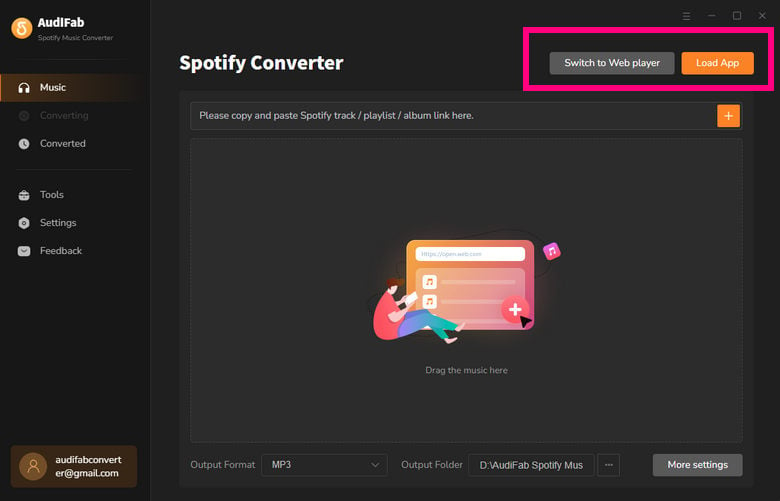
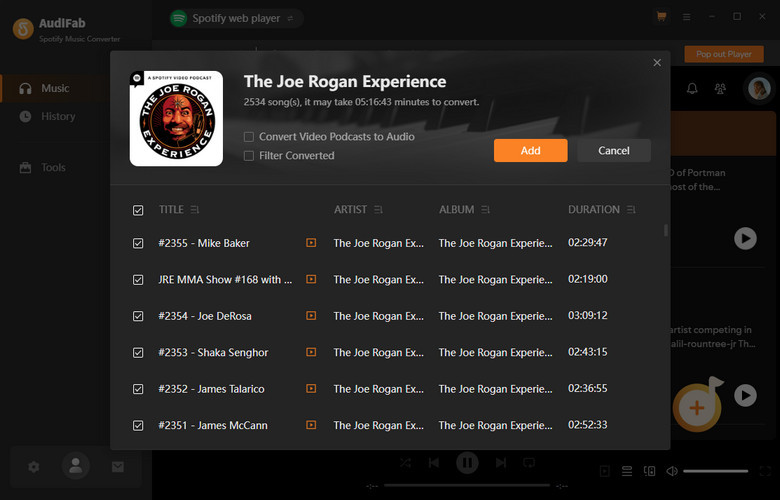
Drag and drop your desired Spotify playlist, album, or artist link directly into AudiFab. The software will instantly parse the link and list all available tracks.
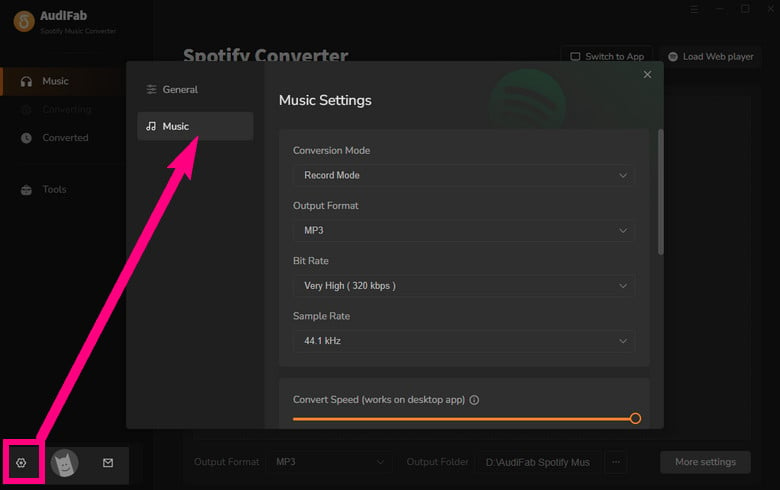
Click the "Settings" (gear icon) in the bottom left. Select MP3 as the format and 320kbps as the bit rate. You can choose to keep the original playlist order by adding "Playlist Index" in the output file name.
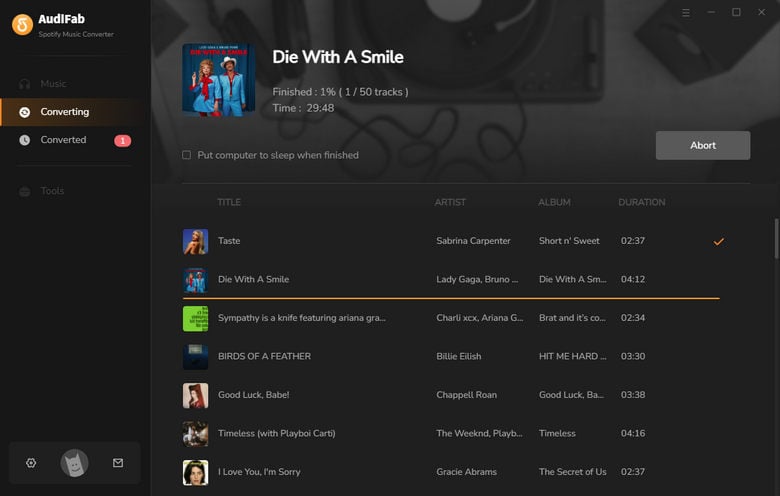
Click the "Convert" button. AudiFab will begin batch downloading the Spotify songs you choose at 40x speed.
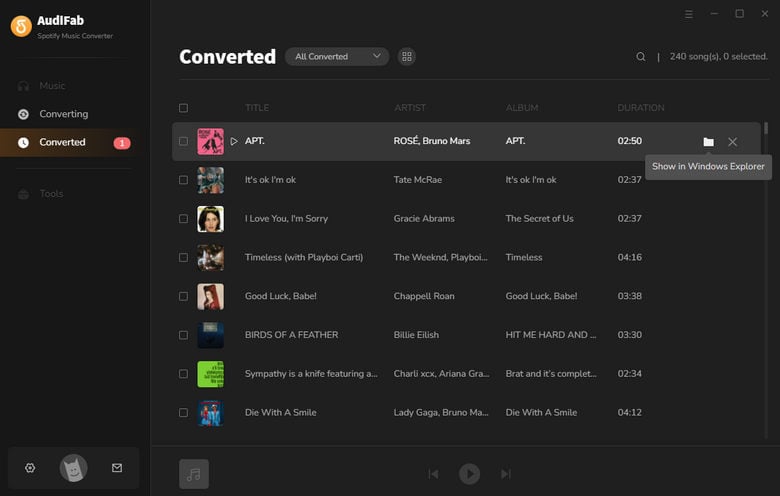
Go to History, click the folder icon to open the output folder.
Let’s compare Spotify Telegram Bots with its best alternative AudiFab and see which one actually works better in 2026.
| Feature | Telegram Bots | AudiFab Spotify Music Converter 👑 |
|---|---|---|
| Audio Source | YouTube / Deezer matching | ✅ Direct from Spotify |
| Audio Quality | 128–320kbps (unstable) | ✅ Up to 320kbps / Lossless |
| Playlist Download | Often incomplete / fails | ✅ Full playlist batch download |
| Download Speed | Slow / queued | ✅ Up to 40x faster |
| Stability | ❌ Frequently breaks (API limits) | ✅ Stable & reliable |
| Metadata (ID3 Tags) | Missing / messy | ✅ 100% preserved (cover, artist, etc.) |
| Lyrics Support | Rare | ✅ Supported (.lrc files) |
| Ads / Security | Risky / unknown sources | ✅ Clean & ad-free |
| OS System | Limited (Telegram only) | ✅ Windows & macOS |
| Customer Service | ❌ None | ✅ Free & fast |
What are Spotify Bots on Telegram?
A Spotify Telegram bot is a “Spotify music downloader” that works through a chat interface inside Telegram.
Are Spotify Telegram bots safe? Can Spotify detect them?
Not always. Some bots may pose security risks or get flagged. Spotify can detect unusual activity, and bots may stop working or get blocked.
Can I download 320kbps MP3s using a free Spotify Telegram bot?
Sometimes. A few bots claim 320kbps, but quality often depends on the source (like YouTube), so it’s not always true 320kbps.
Do I need a Spotify Premium account to use these bots?
No. Most Telegram bots work without a Premium subscription.
See also: 10+ Ways to Get Free Spotify Premium 2026
Can I download a full Spotify playlist (500+ songs) at once?
Usually no. Most bots struggle with large playlists, may skip songs, or split downloads into batches. If you have a massive library (500+ tracks), skip the bots and use 👑 AudiFab. It handles bulk downloads at 40x speed with 99.9% success.
How to find a Spotify Telegram bot?
Open Telegram and use the search bar to find Spotify downloader bots. You can also check updated lists (like this guide or Reddit) to find working bots, since many stop working or get blocked over time.
Stick to Top 10 Spotify Telegram Bots from our March 2026 tests. They are perfect for downloading a single song on your phone, though they can be unstable and the audio quality is often just average. If you need true 320kbps MP3s, perfect ID3 tags, or want to download 500+ Spotify songs at 40x speed, it’s better to skip the bots and use AudiFab Spotify Music Converter instead.
AudiFab Spotify Music Converter is free to try. It can be downloaded the 1 minute of each audio file for sample testing. If the program meets your needs, you can buy a license to unlock the time limit.

Convert Spotify songs, playlists & podcasts to MP3/AAC/FLAC/WAV at up to 40X speed. Keep original quality & ID3 tags.
Music is the greatest communication in the world and here are some articles that may help you enjoy music in a better way.

 Try It Free
 Try It Free