5 Best Free MP3 Ringtone Downloaders & Sites (2026 Tested)
Check out the 5 popular ringtone websites and tools to find, download, and set ringtones on your phone.
Check out the 5 popular ringtone websites and tools to find, download, and set ringtones on your phone.
Tired of default ringtones? Setting a custom tone is the best way to personalize your phone. We tested top MP3 ringtone download sites and software to help you find, convert, and set your favorite sounds on Android and iPhone.
Whether you want ready-made MP3 ringtones or want to turn your favorite streaming songs into custom ringtones, this guide covers both free ringtone download sites and streaming music converter. You'll find the best options for downloading ringtones, creating personalized ringtones from streaming music, and setting them on your phone.
⚖️ Disclaimer This guide is just for info—use the tools below for personal, non-commercial use only.
| Ringtone Formats | Preview Ringtone | Edit Ringtone | No Account Required | No Ads |
|---|---|---|---|---|
| MP3 / M4R | ✅ | ❌ | Partial (some ringtones can be downloaded without login) | ❌ |
|
||||
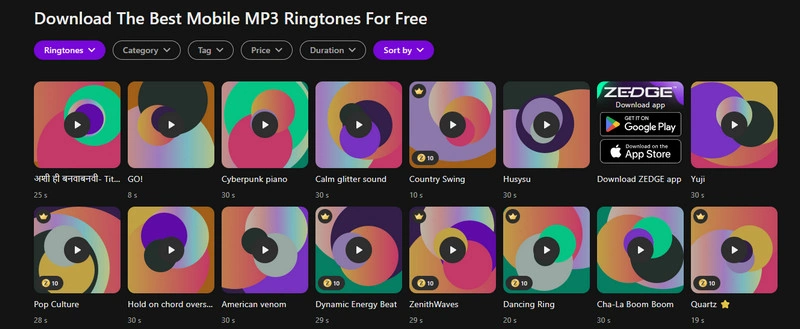
Zedge is a long-standing mobile personalization platform that offers trending ringtones, notification sounds, and custom phone content.
Try AudiFab Free Trial Now
Compatible with Windows & macOS · 100% Safe & Clean
| Ringtone Formats | Preview Ringtone | Edit Ringtone | No Account Required | No Ads |
|---|---|---|---|---|
| MP3 / M4R | ✅ | ✅ | ✅ | ❌ |
|
||||
mobiles24 is a free ringtone platform known for its massive collection of classic and retro phone sounds. It offers wide device compatibility, providing both MP3 and M4R files, while allowing users and creators to upload and share their own content.
| Ringtone Formats | Preview Ringtone | Edit Ringtone | No Account Required | No Ads |
|---|---|---|---|---|
| MP3 / M4R | ✅ | ❌ | ✅ | ❌ |
|
||||
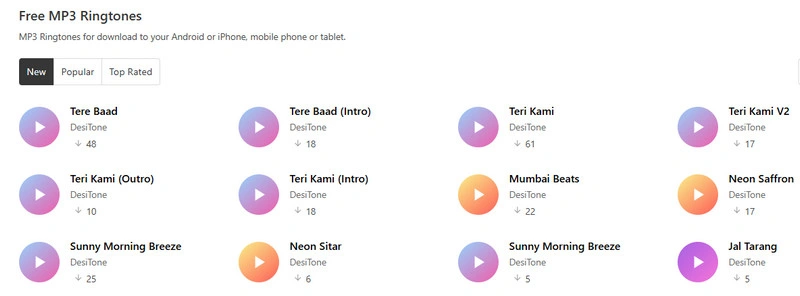
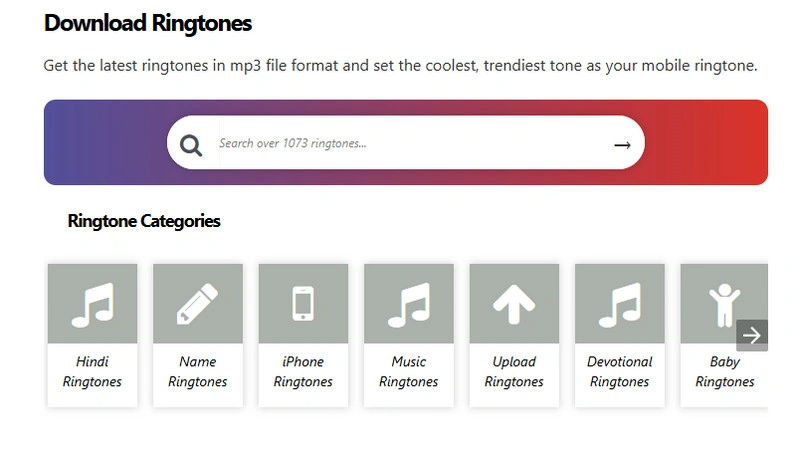
Prokerala is a free MP3 ringtone download site that doesn't require registration, with a strong focus on Indian and regional ringtones, including Bollywood, Hindi, Tamil, and Malayalam tracks. You can also find devotional tunes, funny sounds, message alerts, and custom name ringtones.
Download Tracks with AudiFab Free Trial Now
Compatible with Windows & macOS · 100% Safe & Clean
| Ringtone Formats | Preview Ringtone | Edit Ringtone | No Account Required | No Ads |
|---|---|---|---|---|
| MP3 / M4R | ✅ | ❌ | ❌ | ❌ |
|
||||
audio.com is an audio community featuring a dedicated collection of ringtones uploaded by platform creators and users. The site lets you preview tracks directly on the page and offers instant downloads for select ringtones.
| Ringtone Formats | Preview Ringtone | Edit Ringtone | No Account Required | No Ads |
|---|---|---|---|---|
| MP3 / M4R | ✅ | ❌ | ❌ | ❌ |
|
||||
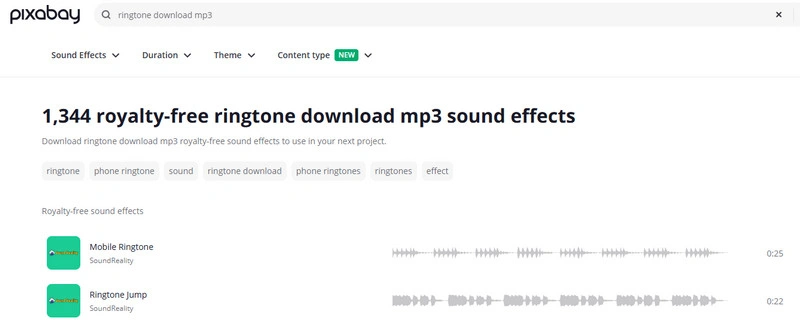
Pixabay is a free, royalty-free audio library that offers a great collection of phone ringtones and notification sounds. Rather than focusing on music-based ringtones, it specializes in high-quality sound effects, alert tones, and classic ringtone sounds, including marimba melodies and incoming call tones.
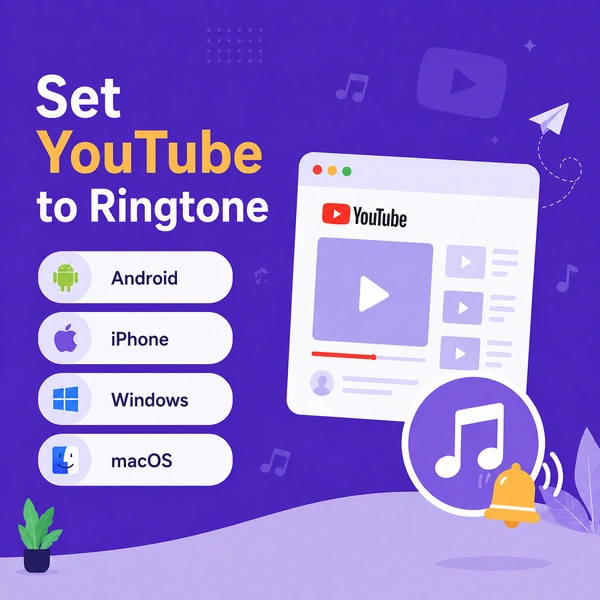
A complete guide to setting YouTube audio as a custom ringtone for Android, iPhone, and desktop.
Learn More →Unlike standard free ringtone download sites that only offer ready-made tones, AudiFab Ringtone Downloader lets you create custom ringtones from your favorite songs. It can convert tracks from popular platforms like Spotify, Apple Music, YouTube, and YouTube Music into ringtone-ready MP3 or M4A audio files, making it easy to turn any song or favorite music clip into a personalized ringtone.
With built-in audio editing tools, you can trim your ringtone before exporting. AudiFab supports MP3, M4A, and other popular audio formats (FLAC, WAV, ALAC, and AIFF), allowing you to create Android-compatible MP3 ringtones or convert audio for iPhone custom ringtones. You can also easily transfer these downloaded files to other devices, such as MP3 players, car stereos, or smart speakers, with all metadata.
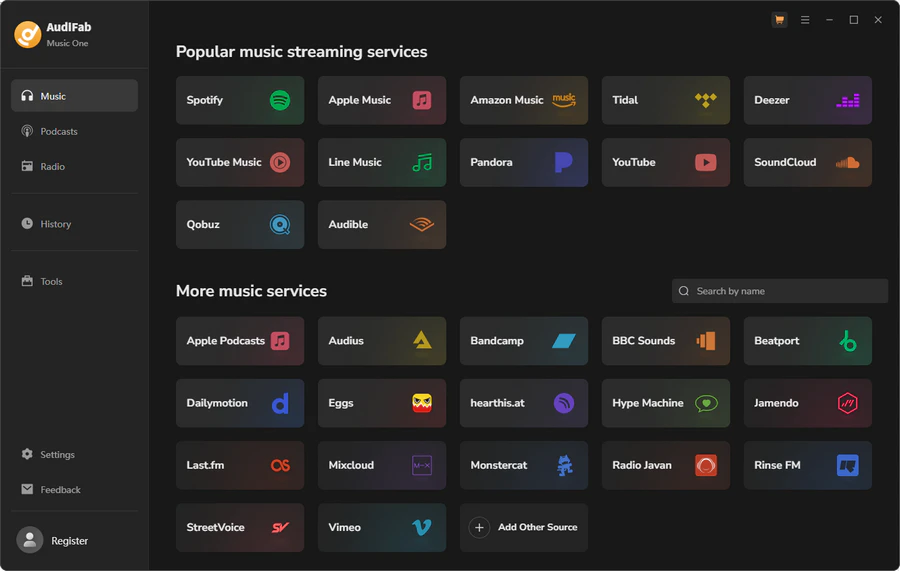
Run AudiFab Ringtone Downloader
Install and open AudiFab on your PC. On the main screen, choose your preferred music platform (such as Spotify, Apple Music, or YouTube). For this guide, we will use Spotify.
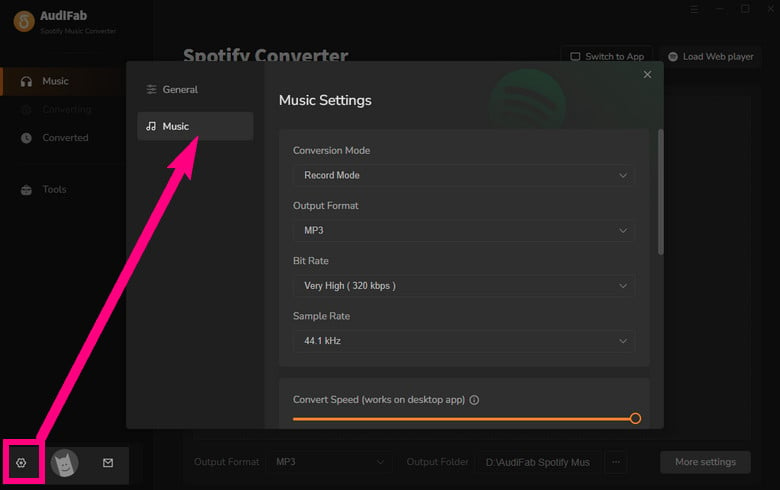
Choose Your Output Format
Click 'Settings' in the bottom-left corner and set the output format:
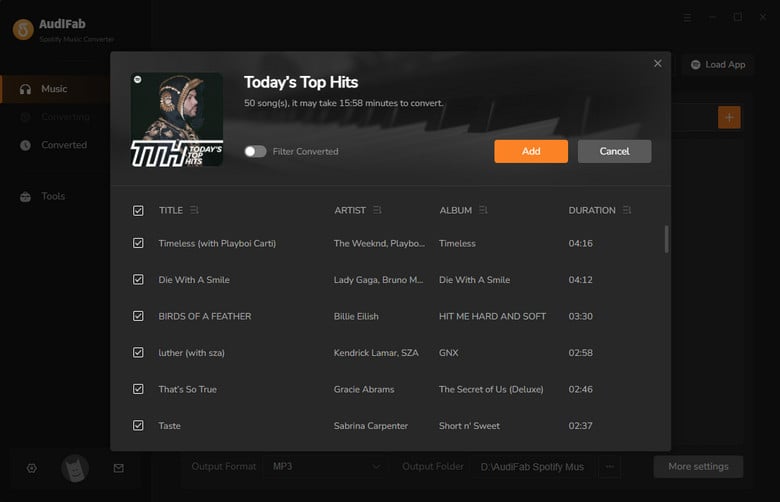
Add Music to the Conversion Queue
Switch to the Spotify interface within the app and locate your desired track. Click the '+' button in the bottom-right corner, then click 'Add' to add it to your conversion list.
Start Downloading
Click 'Convert' to begin downloading and processing the track.
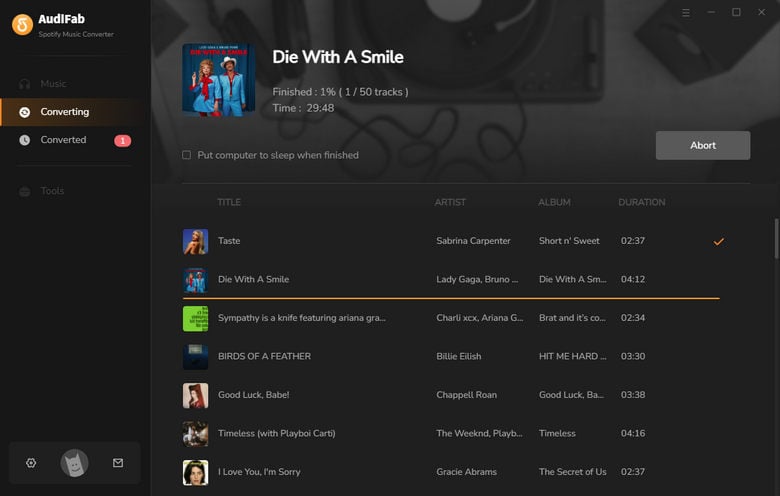
Locate Your File
Once the process finishes, go to the 'History' tab to access your converted audio file.
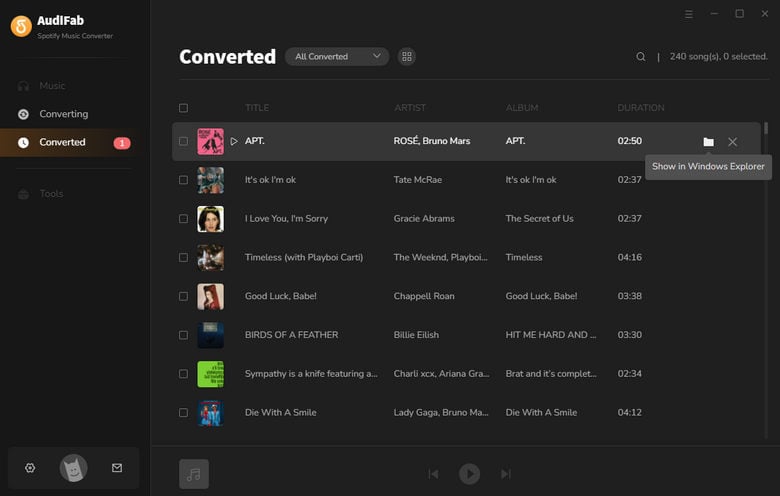
Edit and Transfer Your Ringtone
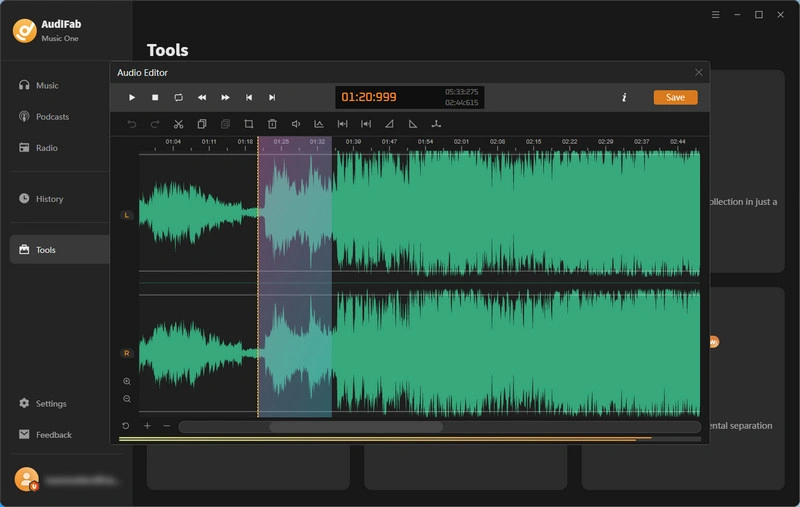
Go to 'Tools' in the left sidebar, open the 'Audio Editor', and import your downloaded track to trim or customize it. Finally, connect your phone to your computer via USB to transfer the ringtone directly to your device.
An ultimate guide to use Spotify music as Android ringtones, including Samsung, OnePlus, Huawei, Xiaomi, Google Pixel,etc.
Learn More →| Tool / Site | Ringtone Formats | Preview Ringtone | Edit Ringtone | No Account Required | No Ads | Best for | Popular categories |
|---|---|---|---|---|---|---|---|
| AudiFab Ringtone Downloader | MP3 / M4A → M4R | ✅ | ✅ | Partial (some services require login) | ✅ | Streaming music to ringtones | Spotify, Apple Music, YouTube & more |
| Zedge | MP3 / M4R | ✅ | ❌ | Partial (Some downloads require login) | ❌ | Huge ringtone library | Pop, Hip-Hop, EDM, Games, Movies, Notifications |
| Mobiles24 | MP3 / M4R | ✅ | ✅ | ✅ | ❌ | Direct MP3 downloads & editing | Music, Pop, Rock, Bollywood, Funny |
| Prokerala | MP3 / M4R | ✅ | ❌ | ✅ | ❌ | Indian & regional ringtones | Bollywood, Tamil, Telugu, Devotional, Regional |
| Pixabay | MP3 / M4R | ✅ | ❌ | ❌ | ❌ | Royalty-free sounds | Nature, Ambient, Cinematic, Effects |
| Audio.com | MP3 / M4R | ✅ | ❌ | ❌ | ❌ | Creator audio & sounds | Electronic, Hip-Hop, Pop, Podcasts, Effects |
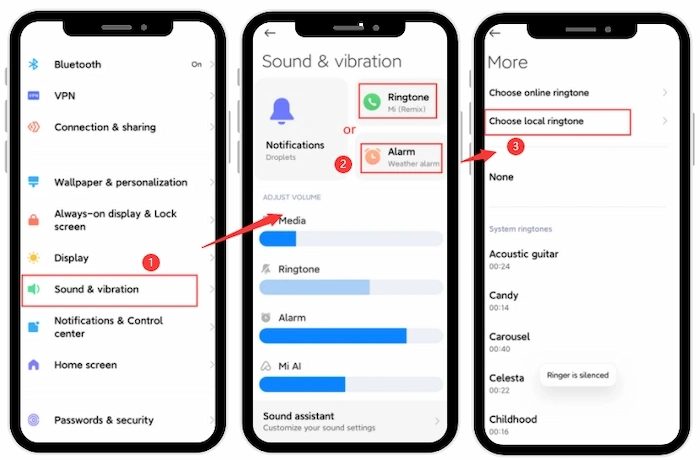
Open 'Settings' and choose 'Sound & vibration'.
Tap 'Ringtone' within the sound menu.
Select Choose local ringtone to locate the audio file on your device.
Pick your downloaded file and confirm your selection.
*Tips: Menu names may vary depending on your Android phone.
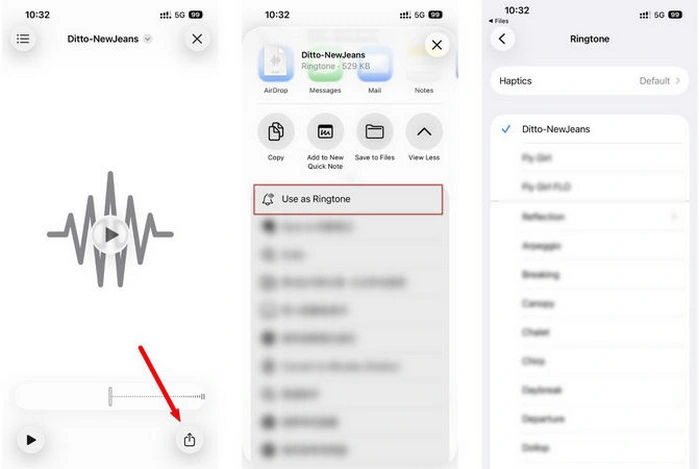
Tap the 'Share icon' in the bottom‑right corner while viewing the audio file.
Select 'Use as Ringtone' from the share menu options.
Go to 'Settings' > 'Ringtone' to locate your newly added track.
Tap the ringtone to set it as your phone's default sound.
Make sure you have the song or audio file saved on your iPhone. The ringtone should be 30 seconds or shorter.
Open GarageBand, create a new project, select an audio track, and import your song or audio file.
Adjust the audio clip to select the part you want to use as your ringtone (length does not exceed 30 seconds).
Tap 'Share' → 'Ringtone', name your ringtone, and tap Export. GarageBand will convert the audio into an iPhone ringtone format.
After exporting, choose Use sound as → Standard Ringtone to set it immediately, or go to: 'Settings' → 'Sounds & Haptics' → 'Ringtone', and select your new custom ringtone.
You can find free MP3 ringtones on sites like Zedge, Mobiles24, Prokerala, and Pixabay. For songs from streaming music platforms, AudiFab offers a convenient way to convert music to MP3 for use as ringtones.
They can be safe if you use reputable websites and avoid suspicious ads, redirects, or unknown files. For a cleaner alternative, AudiFab lets you convert music and ringtones on your desktop without relying on random ringtone download sites.
Since phones require local files for ringtones, you can use AudiFab Ringtone Downloader to convert any streaming track or playlist into an MP3 or M4A at up to 10X speed, then transfer the file straight to your phone.
The file may be in the wrong folder, corrupted, in the wrong format, or too long.
MP3 is the best and most universal format for Android phones. For iPhones, M4R (an AAC format variant) is required for custom ringtones.
For an easy ringtone setup, free sites like Zedge, Mobiles24, and Pixabay offer a wide range of ready-made ringtone clips. If you want to turn tracks from streaming services into personalized ringtones, AudiFab Ringtone Downloader is a convenient option. It supports fast conversion and high-quality audio output, making it easy to create custom ringtones for your phone.

Best all-in-one tool to download from Spotify, Apple Music, Amazon Music, Tidal, Deezer, YouTube Music & more to MP3/AAC/FLAC.
Music is the greatest communication in the world and here are some articles that may help you enjoy music in a better way.

 Try It Free
 Try It Free